

 中文
中文 
jjcui8595 deepin
2023-04-20 20:31 deepin 终端更新看看
Reply Like 0 View the author

 deepin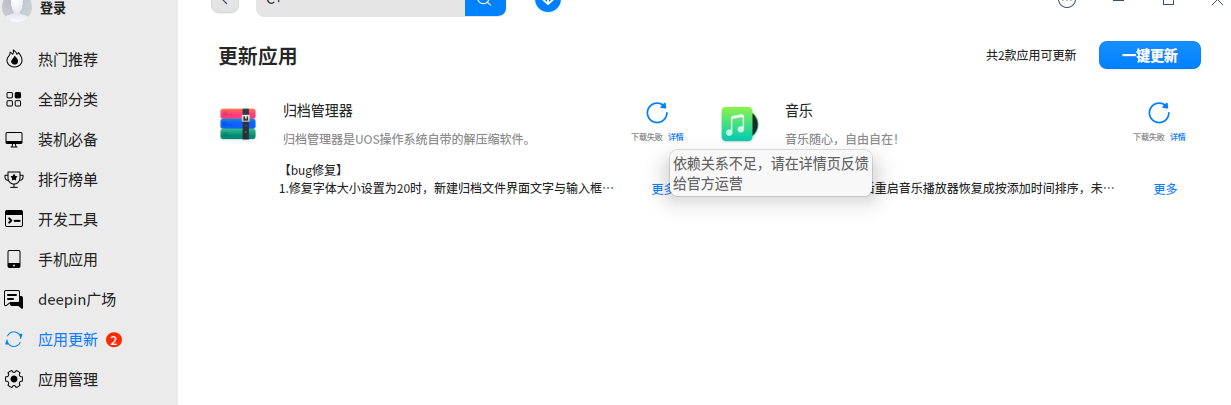
deepin 终端更新看看
 deepin
 sudo apt update && sudo apt upgrade
deepin sudo apt update && sudo apt upgrade
又来了!
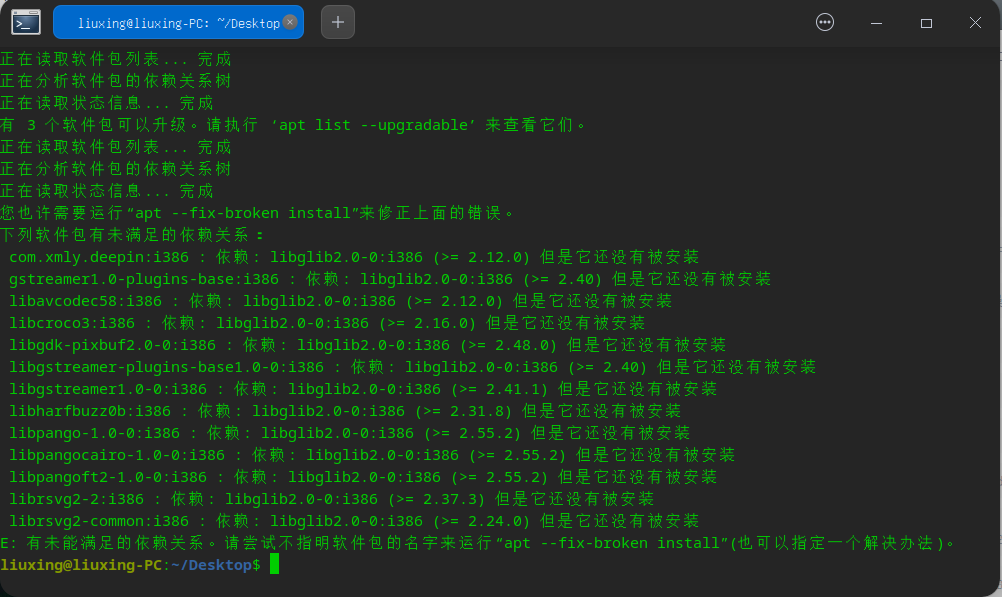
deepin 又来了!
sudo apt install -f

 deepin
 看了一下阁下往期的帖子,请阁下先试试上面
sudo apt --fix-broken install
这条命令,目前没有发现阁下使用这条命令的情况。
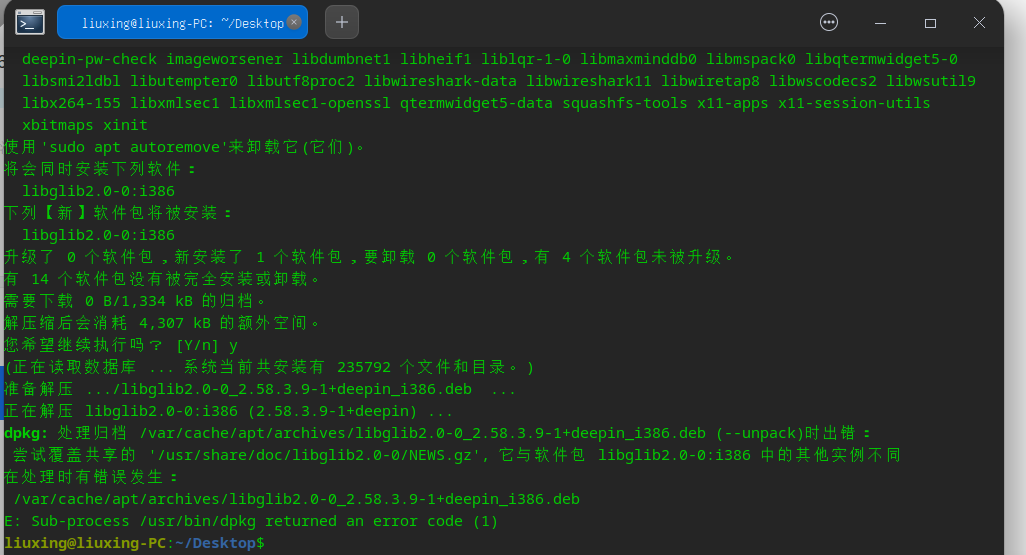
记得把截图发出来哦

 deepin
 不知道是不是内测源的问题
deepin 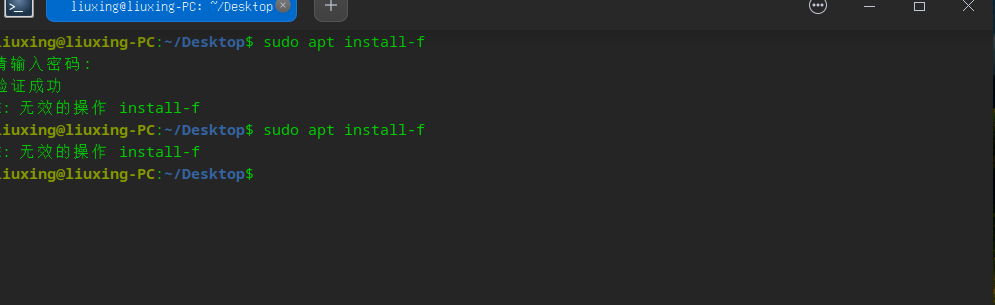
deepin 看了一下阁下往期的帖子,请阁下先试试上面
sudo apt --fix-broken install
这条命令,目前没有发现阁下使用这条命令的情况。
记得把截图发出来哦
deepin
回复使用Markdown编辑器
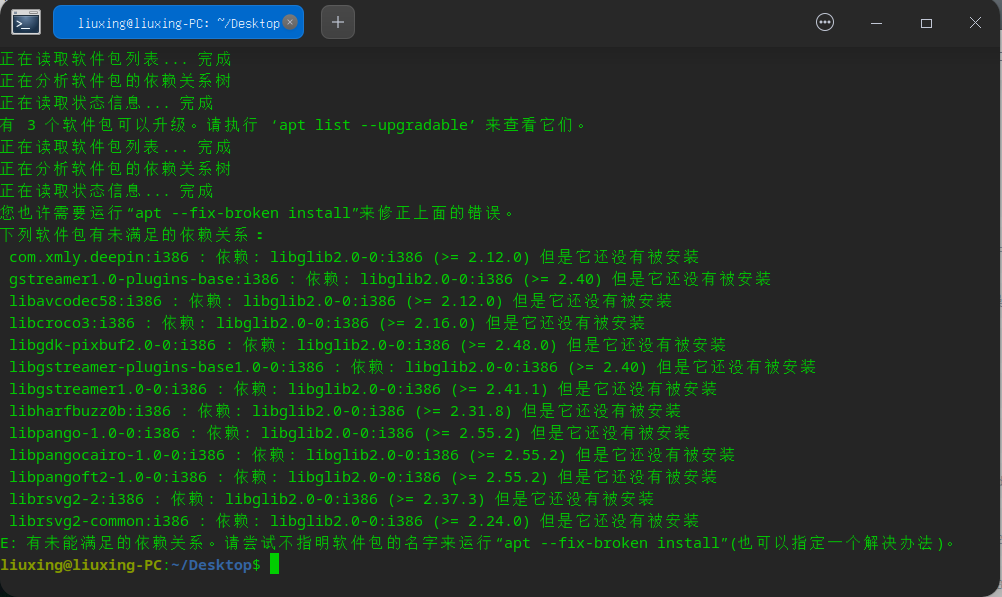
deepin 在WIN糸统中,简单的软件升级,怎么在国产糸统中弄得那么复杂
deepin 在WIN糸统中,简单的软件升级,怎么在国产糸统中弄得那么复杂
你遇见这样罕见的问题我表示非常无奈,国产操作系统确实还有很大的提升空间。
我重新看了一下你发过的帖子,根据我的经验判断,问题出在com.xmly.deepin这个软件包上,
当我时的建议是删除这个软件包,楼下有人建议使用 sudo apt puge com.xmly.deepin 来删除。你回复“没有找到……”。实际上应该用 sudo apt autoremove com.xmly.deepin (这个是卸载com.xmly.deepin及相关软件依赖的命令,上面那条仅仅只是卸载一个软件)。
并不排除你使用了这个命令后依然无法解决问题,这个时候我没有什么其他的办法了,如果我遇见这种事情,我一般会选择重装系统了。
deepin 在WIN糸统中,简单的软件升级,怎么在国产糸统中弄得那么复杂
因为这就是Linux的特性,和Windows不一样
我这也是摸索着研究才勉强会一点点的
deepin
你可能装了一个32位的应用,把系统升级给搞坏了。
备份资料,重装系统吧,记得重装完后先 sudo apt update && sudo apt upgrade一下。
deepin 你可能装了一个32位的应用,把系统升级给搞坏了。
备份资料,重装系统吧,记得重装完后先 sudo apt update && sudo apt upgrade一下。
谢谢!,还是按你的顺序弄好了。重装糸统后一定要先用命令升级,然后装软件,再用命令升级。如果提示有多余的程序,再用命令删除!现在在应该商店可以安装软件与删除软件了。谢谢!
Popular Ranking
ChangePopular Events
More


 necesito ayuda