

 中文
中文 
阿尼樱奈奈 deepin
2023-04-17 04:57 deepin 打开终端,输入:
sudo apt update
sudo apt upgrade
如果出现报错,输入sudo apt install -f 试试
Reply Like 0 View the author
 deepin
 打开终端,输入:
sudo apt update
sudo apt upgrade
如果出现报错,输入sudo apt install -f 试试

 deepin
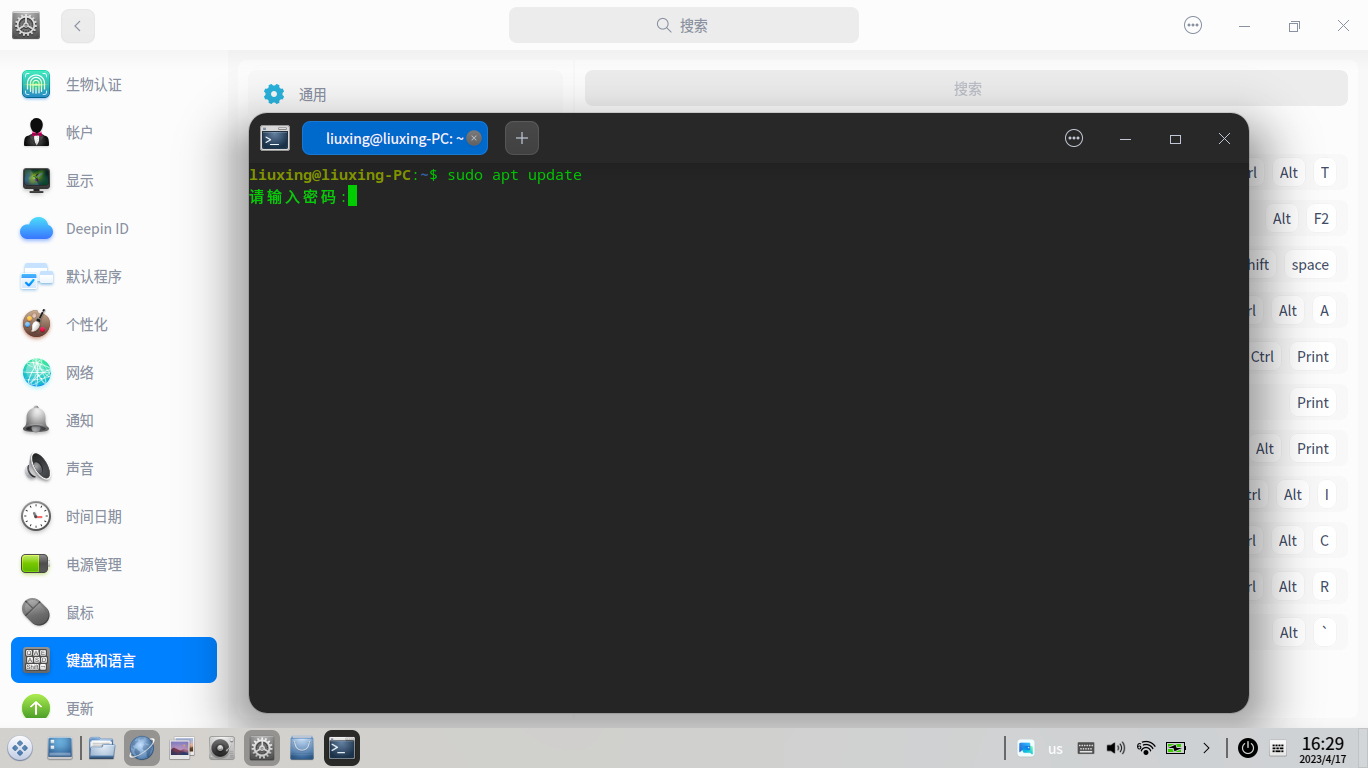
 在终端输入命令后要输入密码,但是数字密码输入不了?

 deepin
 在终端输入命令后要输入密码,但是数字密码输入不了?
不是输入不了,只是不显示密码。
deepin 不是输入不了,只是不显示密码。
嗯,对,后来我试过才知道,原以为没显示就是输入不了,谢谢!
 deepin
 打开终端,输入:
sudo apt update
sudo apt upgrade
如果出现报错,输入sudo apt install -f 试试
这个在什么地方打开终端,不用指定软件名吗?
deepin 这个在什么地方打开终端,不用指定软件名吗?
桌面或檔案管理器空白處右鍵“在終端中打開”,或者按快捷鍵Shift+Ctrl+T(就是同時按住這三個鍵)
Popular Ranking
ChangePopular Events
More


 necesito ayuda
糸统恢复出厂设置后,更新糸统,然后更新原有软件,再下载其他软件到第四款后现也不能下载了,卸载也卸载不了,到底是哪里出了问题?