

 中文
中文 
阿尼樱奈奈 deepin
2023-04-14 19:26 deepin 看您的电脑是12代,换6.1内核试试?
还有您打错字了,是“无反应”
Reply Like 0 View the author

 deepin
  deepin
 看您的电脑是12代,换6.1内核试试?
还有您打错字了,是“无反应”
deepin 看您的电脑是12代,换6.1内核试试?
还有您打错字了,是“无反应”
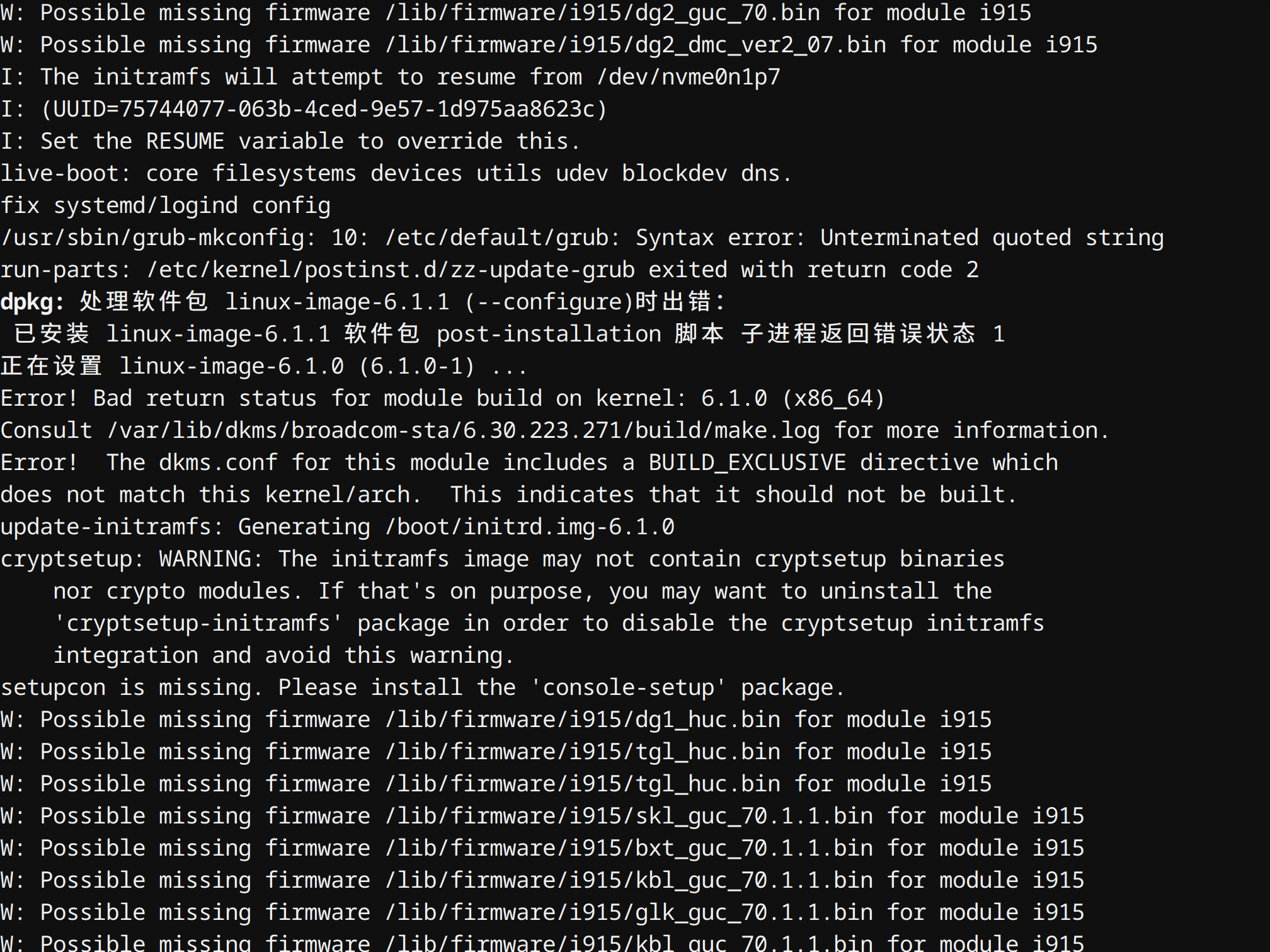
感谢您的及时回复,我已经尝试升级内核了,出错了,您能帮忙看看么?
我使用的命令是:
sudo apt update && sudo apt install linux-image-6.1.0 linux-headers-6.1.0

 deepin
 感谢您的及时回复,我已经尝试升级内核了,出错了,您能帮忙看看么?
我使用的命令是:
sudo apt update && sudo apt install linux-image-6.1.0 linux-headers-6.1.0
你是不是有安装博通网卡驱动?
另外检查一下你的/etc/default/grub配置,好像也有问题。如果不知道哪里有问题可以发上来看看。
deepin 你是不是有安装博通网卡驱动?
另外检查一下你的/etc/default/grub配置,好像也有问题。如果不知道哪里有问题可以发上来看看。
没有自己安装过网卡。
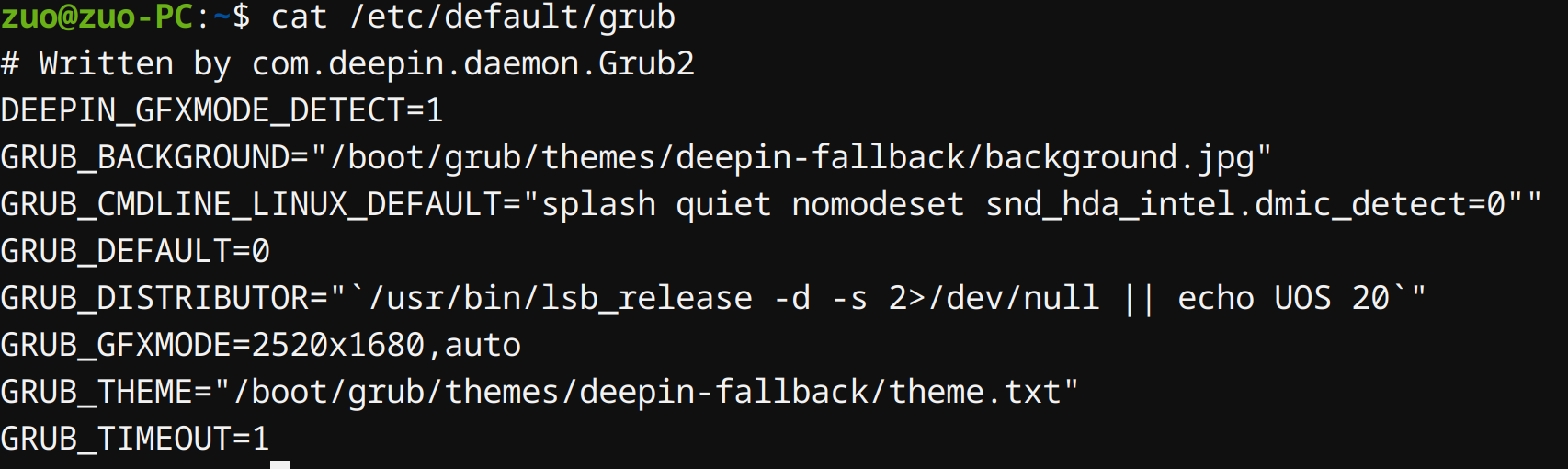
grub内容如下:
deepin 没有自己安装过网卡。
grub内容如下:
这个/etc/default/grub,第4行最后有两个引号,你删掉其中一个。
至于网卡那个你可以试着先忽略看看能不能安装成功。
deepin 这个/etc/default/grub,第4行最后有两个引号,你删掉其中一个。
至于网卡那个你可以试着先忽略看看能不能安装成功。
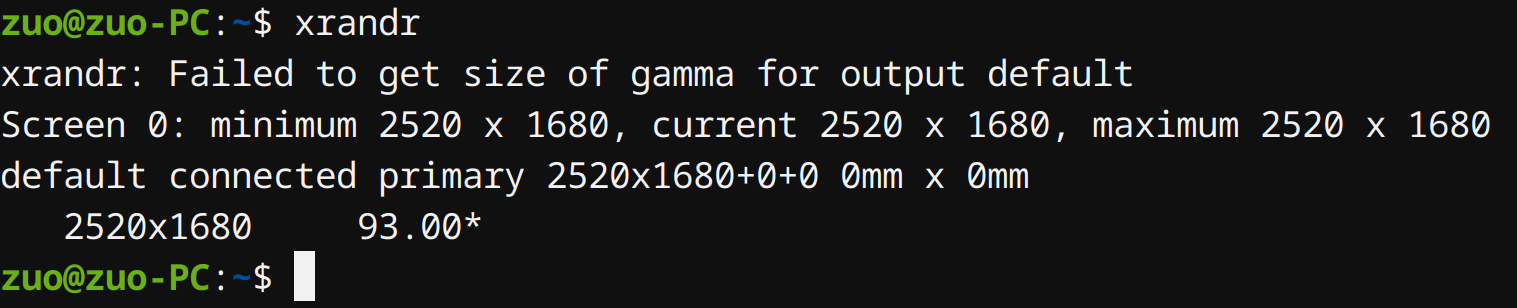
感谢,内核升级成功了。

但是,我xrandr还是无法找到屏幕
deepin 感谢,内核升级成功了。
但是,我xrandr还是无法找到屏幕
是不是显卡的问题?
还有,你的电脑怎么连接显示屏的?有线的话,用什么线连接的?
deepin 是不是显卡的问题?
还有,你的电脑怎么连接显示屏的?有线的话,用什么线连接的?
deepin 是不是显卡的问题?
还有,你的电脑怎么连接显示屏的?有线的话,用什么线连接的?
使用的冠捷显示器,自带的HDMI线束。在win下已经测试可以显示。

 deepin deepin
 我是13代CPU,升级到6.2 内核才能正常使用
deepin 我汇总一下我的情况:
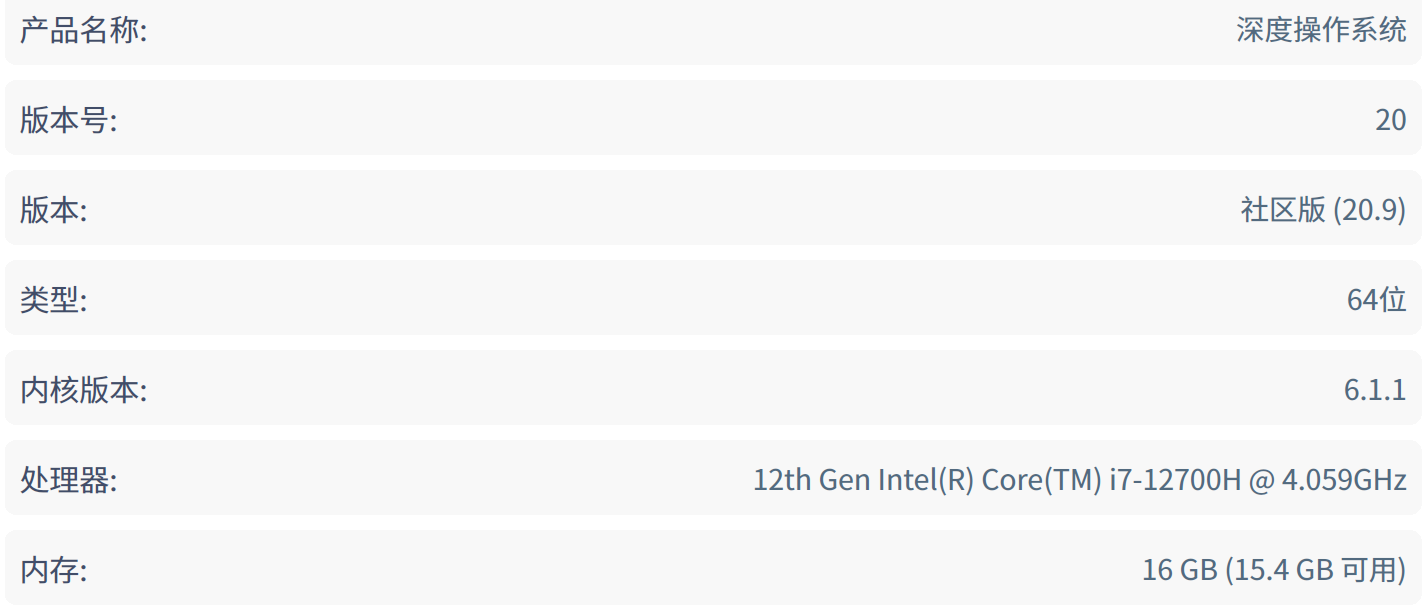
deepin 各位巨佬,没有解决办法了么? 好纠结啊,不想换OS,但是不能投屏很无语啊,新买的显示器无法用。
 deepin
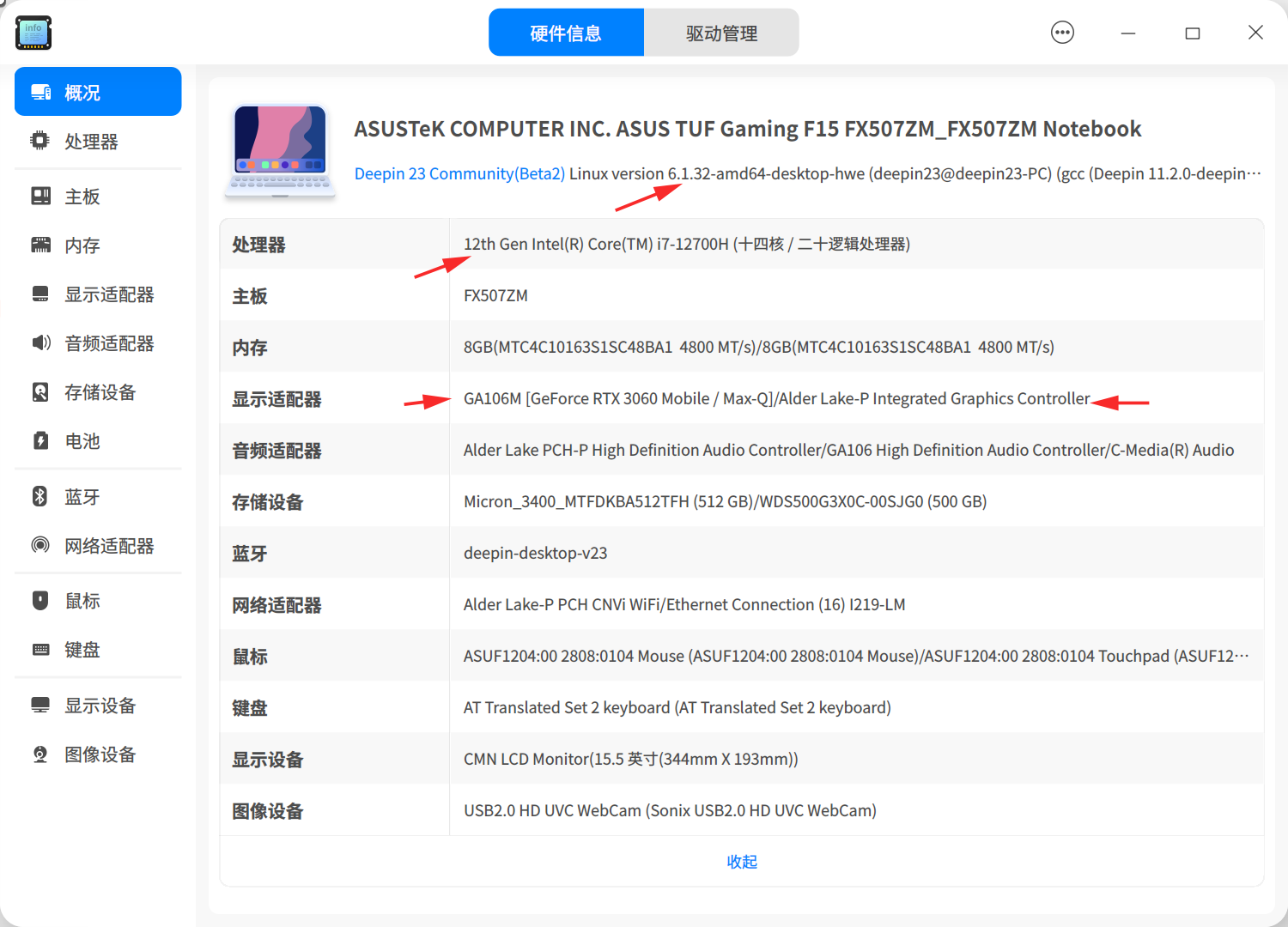
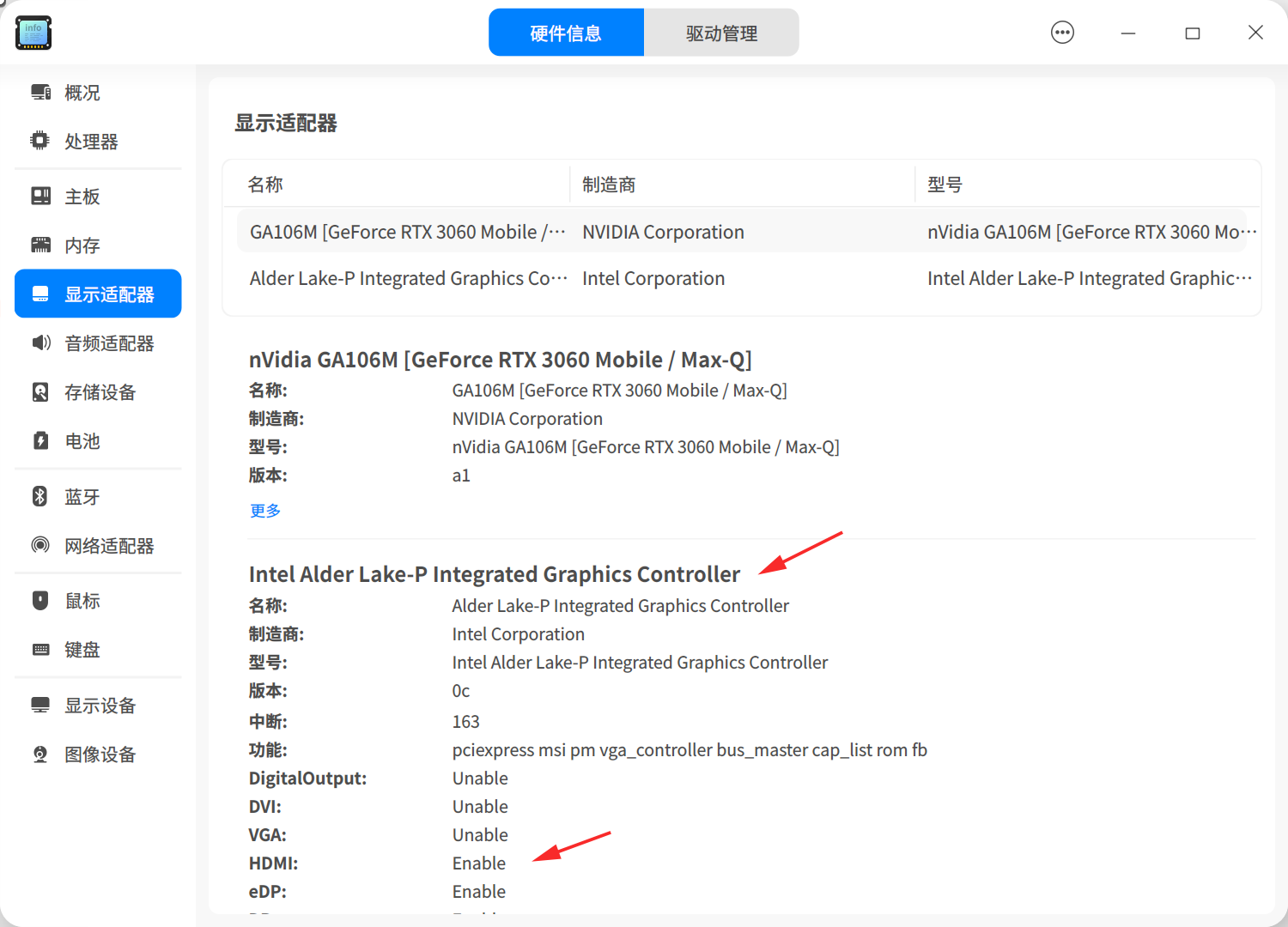
 你好,这个是不是可能跟内核版本有关?我的华硕intel i7 12700H的笔记本用6.1.32的版本时,显示是支持的,这是我的截图:
Popular Ranking
ChangePopular Events
More


 necesito ayuda