

 中文
中文 
LiuYongzhang deepin
2023-04-10 03:45 deepin 你跳过20.8了必须加入内测才能到20.9
Reply Like 0 View the author
 deepin
 你跳过20.8了必须加入内测才能到20.9
 deepin
 20.9是内侧版,你加入内侧了吗?
 deepin
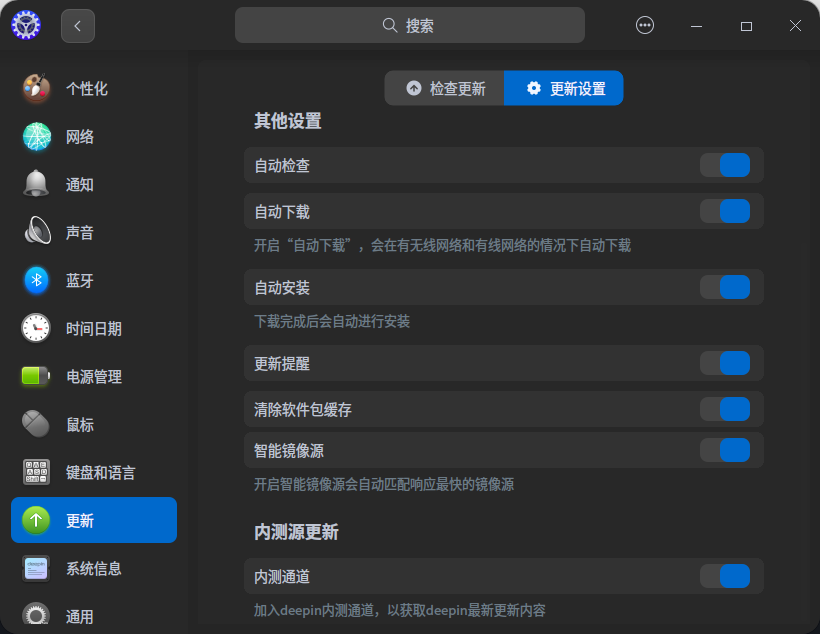
 209尚未正式发布,如果不加入内测,无法更新到20.9
 deepin
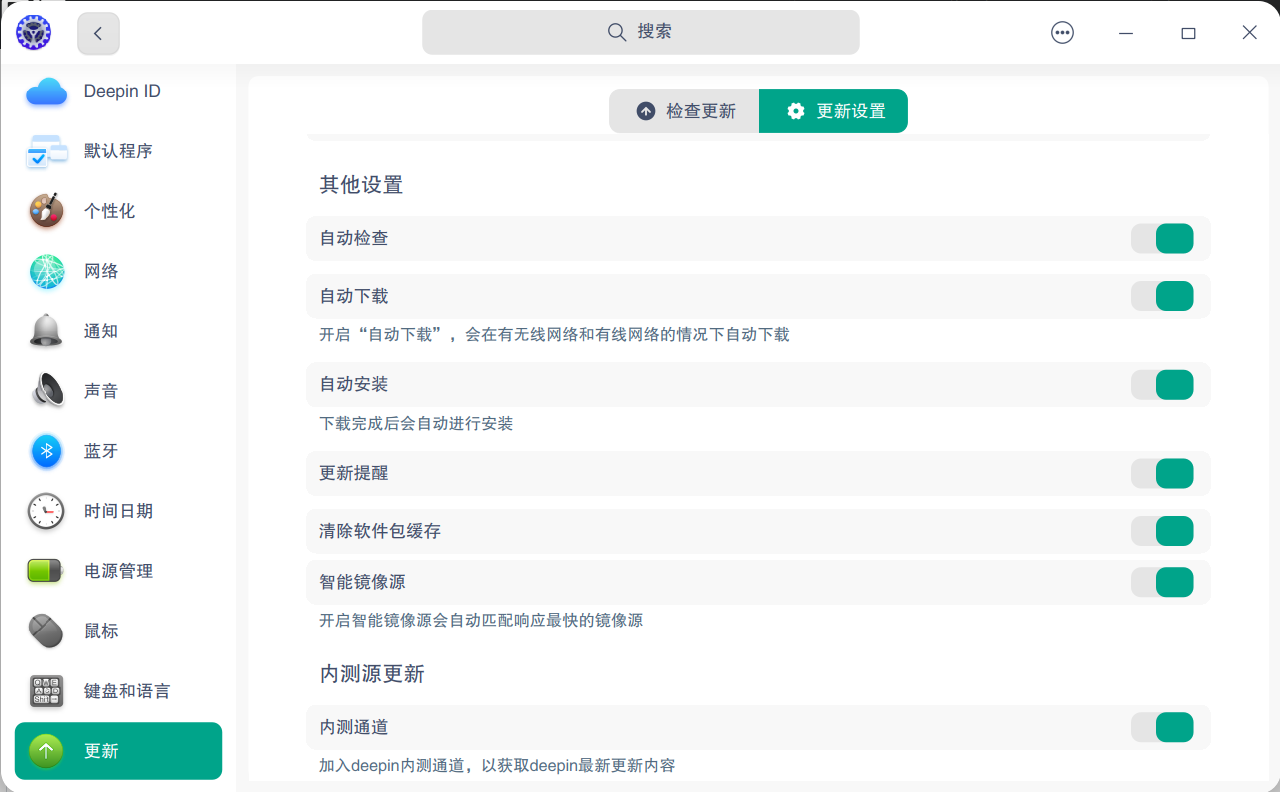
 感谢各位的回复,我已加入内测,我的问题准确说是每次更新版本号都不会改变,包括升级到20.8。
deepin 要不试着把内核更新一下
sudo apt update && sudo apt install linux-image-6.2.1 linux-headers-6.2.1
deepin 要不试着把内核更新一下
sudo apt update && sudo apt install linux-image-6.2.1 linux-headers-6.2.1
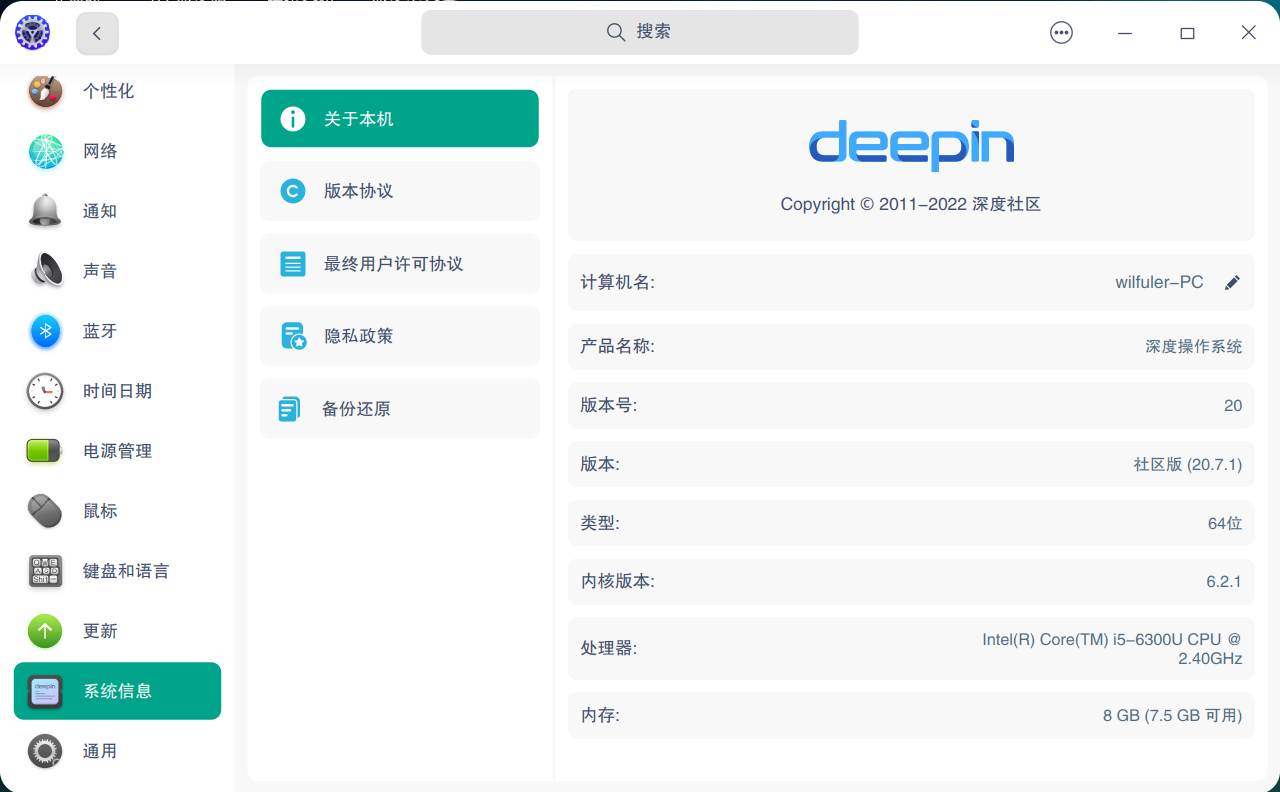
你好,内核已升级,依然显示20.7.1,是不是版本号的配置文件没改?

这个问题比较诡异额,有做过什么配置么?更新后重启系统也还是不贼嘛?
deepin 这个问题比较诡异额,有做过什么配置么?更新后重启系统也还是不贼嘛?
你好,之前通过“控制中心”“更新”,失败过。
你好,之前通过“控制中心”“更新”,失败过。
控制中心更新失败可能需要通过终端看具体报错信息才知道具体原因,有可能部分组件没有得到正常更新,可以通过终端更新试试,看是否有相关更新资源: sudo apt update && sudo apt dist-upgrade
deepin 控制中心更新失败可能需要通过终端看具体报错信息才知道具体原因,有可能部分组件没有得到正常更新,可以通过终端更新试试,看是否有相关更新资源: sudo apt update && sudo apt dist-upgrade
这些命令都执行过,问题依旧。
 deepin
 不是软件可以版本锁定吗?可能你下过这样的命令
deepin 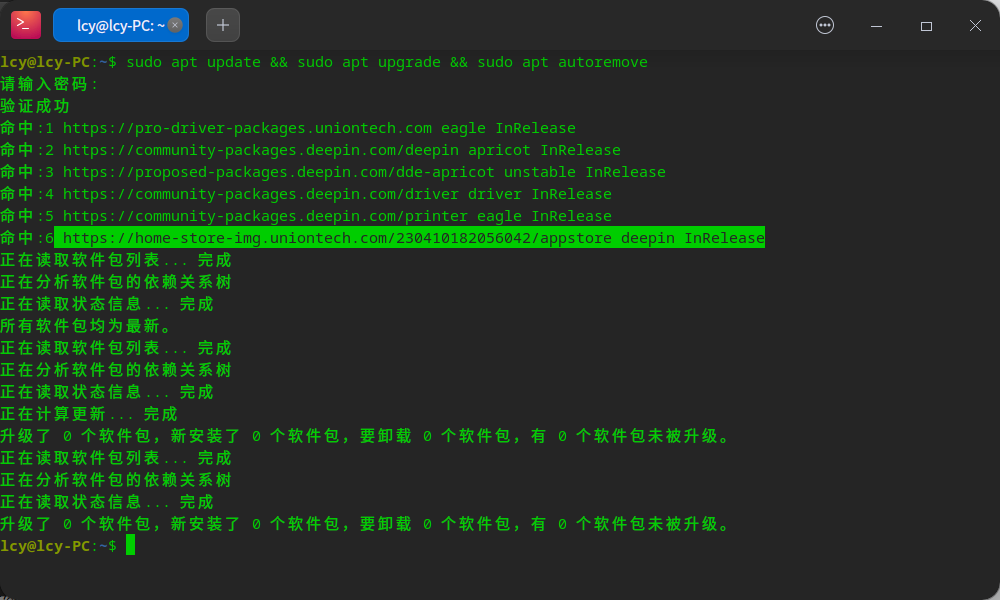
sudo sh -c 'echo "deb https://home-store-img.uniontech.com/230410182056042/appstore deepin InRelease " > /etc/apt/sources.list.d/deepin-testing.list'
你看一下有这个库没有,没有的话添加一下
deepin
sudo sh -c 'echo "deb https://home-store-img.uniontech.com/230410182056042/appstore deepin InRelease " > /etc/apt/sources.list.d/deepin-testing.list'
你看一下有这个库没有,没有的话添加一下
还是没有变。
deepin 查看版本的命令都是20.9,唯独“控制中心”的“系统信息”里显示“社区版(20.7.1)”
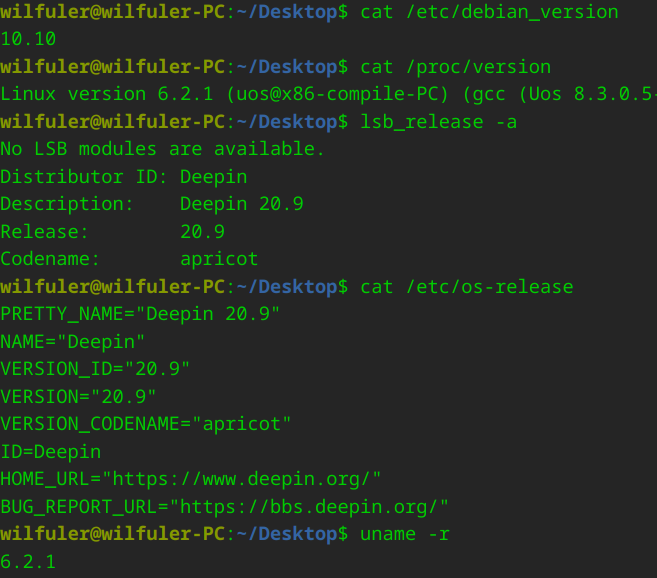
deepin 查看版本的命令都是20.9,唯独“控制中心”的“系统信息”里显示“社区版(20.7.1)”
用命令删除控制中心,然后重新安装
deepin 用命令删除控制中心,然后重新安装
sudo apt remove dde-control-center
sudo apt install dde-control-center
deepin 看看你的版本号一样吗
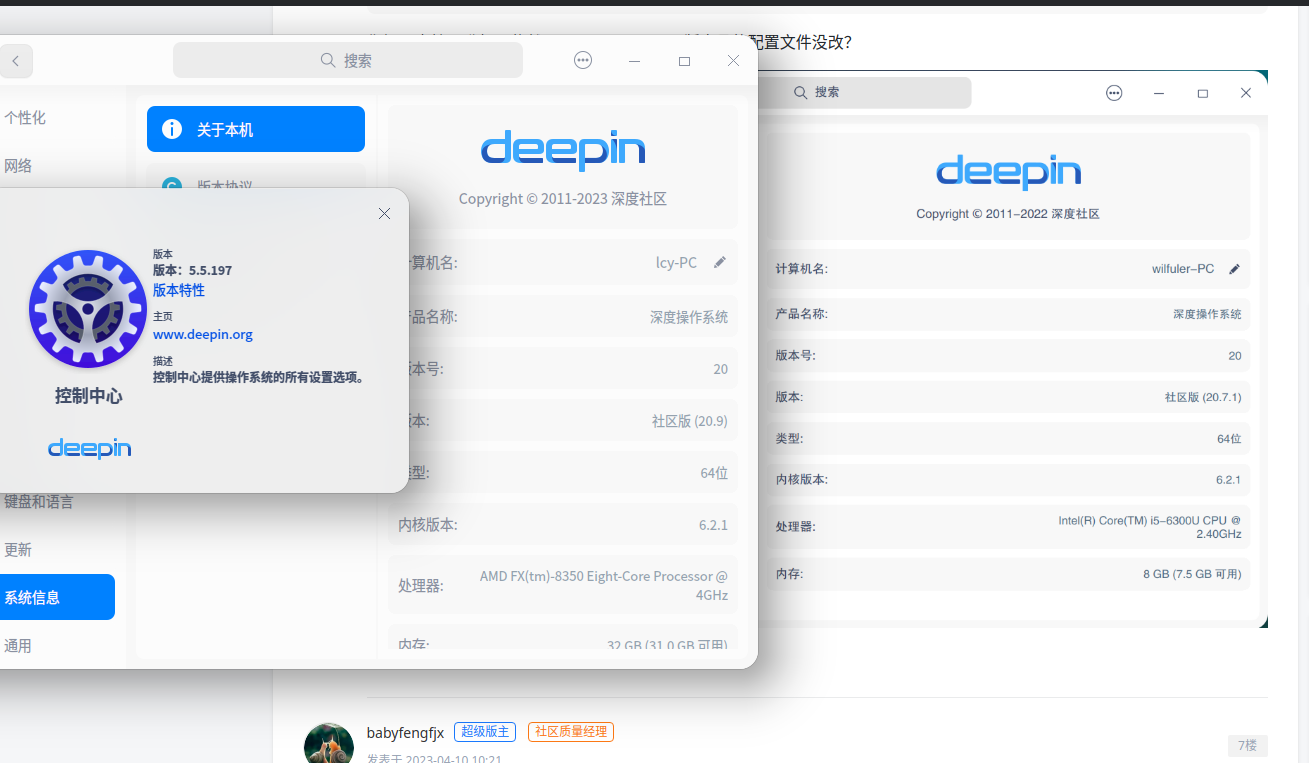
 deepin
 升级出错,内测,版本号20.9,是不是不能升级啊
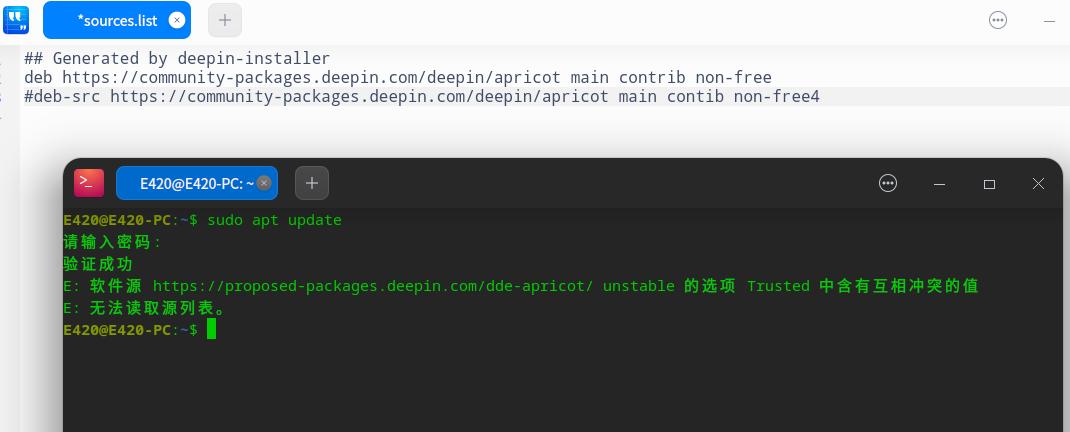
deepin 看看你的版本号一样吗
你好,试过了,还是不行。
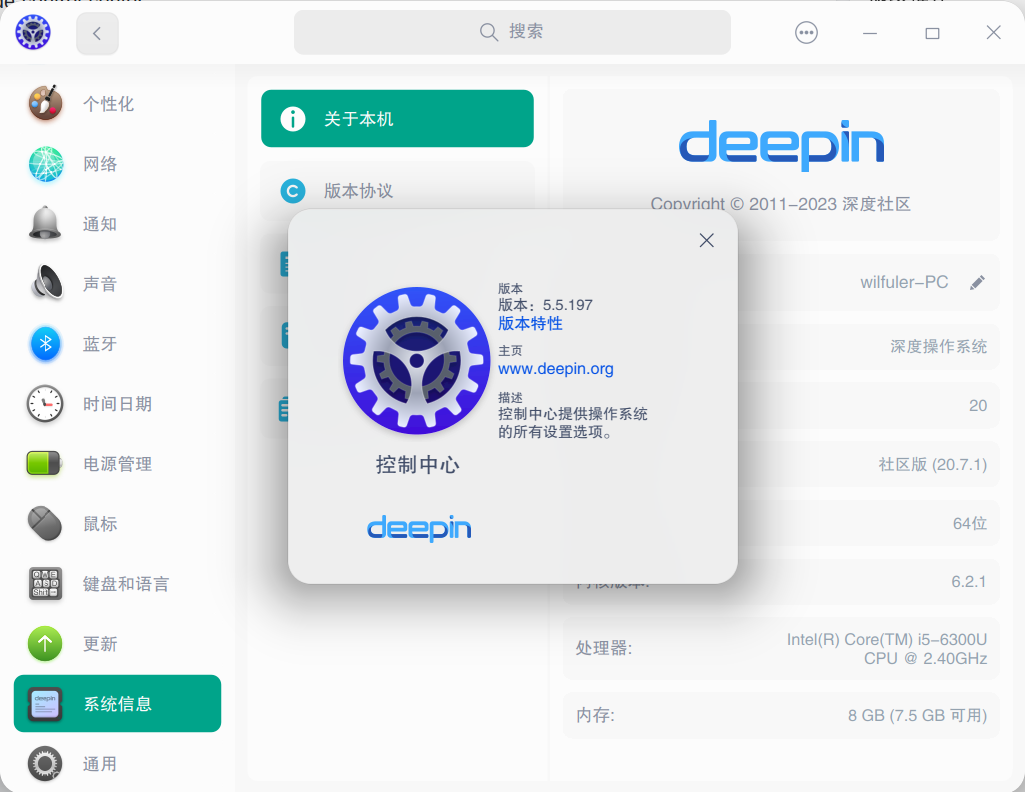
 deepin
 你好,试过了,还是不行。
可能是控制中心的显示bug吧。目前还找不到解决方法。
(同款方正黑体)
Popular Ranking
ChangePopular Events
More


 necesito ayuda
通过控制中心“更新”,将系统升级至20.9,升级成功并重启,但系统版本号未变,仍未20.7.1。