[Seek Help] 单位办公电脑安装时遇到的问题
Tofloor
poster avatar
155******98
deepin
2023-04-07 00:44
Author

Reply Favorite View the author
All Replies
fuuko
deepin
2023-04-07 00:48
#1

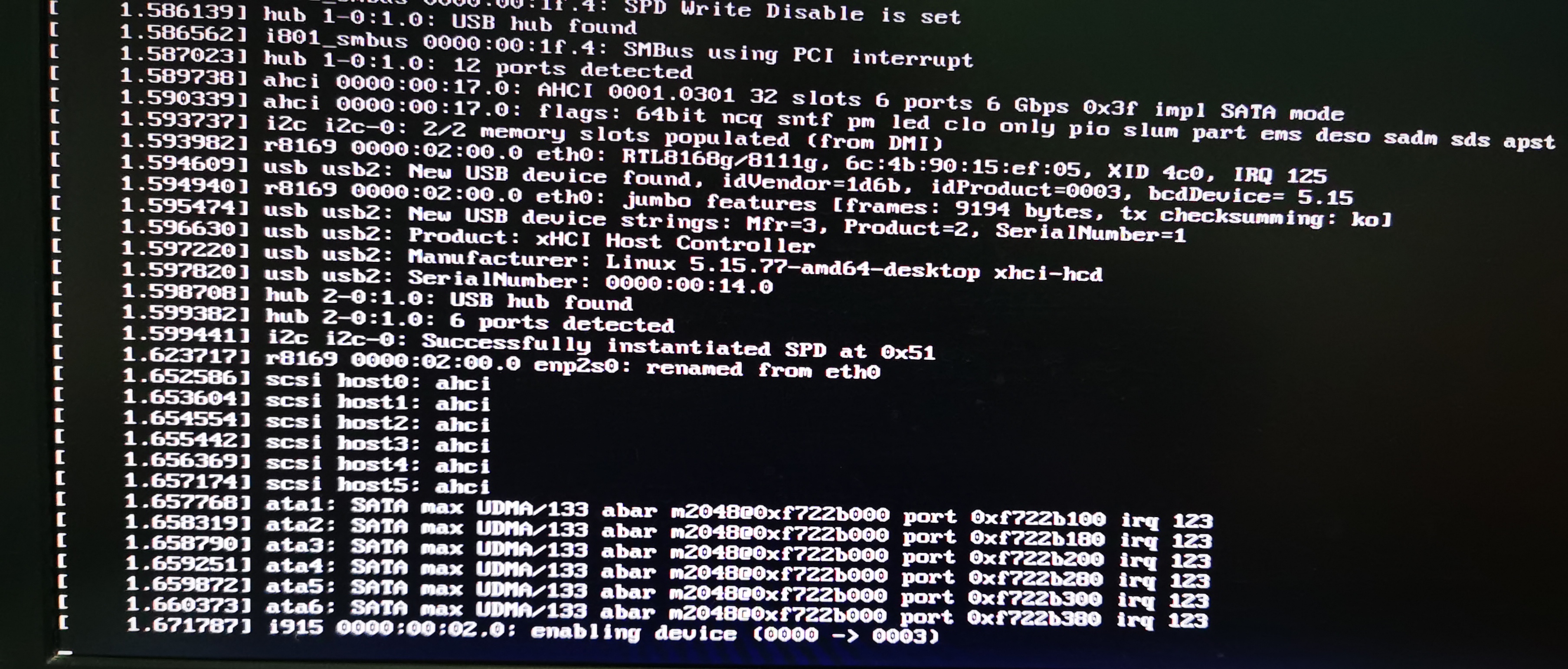
然后就卡死在这里了?

Reply View the author
jjcui8595
deepin
2023-04-07 00:51
#2

什么配置

Reply View the author
155******98
deepin
2023-04-07 01:03
#3
fuuko

然后就卡死在这里了?

是的

Reply View the author
W2J
deepin
2023-04-07 01:04
#4

i915显卡,没报错信息。

换根视频线和显卡接口试试。

Reply View the author
155******98
deepin
2023-04-07 01:06
#5
jjcui8595

什么配置

下班了,等明天上班再看,就是联想的旧办公电脑。

Reply View the author
W2J
deepin
2023-04-07 01:08
#6

或者按fn-f3切换一下桌面工作区

Reply View the author
155******98
deepin
2023-04-07 01:13
#7
It has been deleted!
155******98
deepin
2023-04-07 01:16
#8
W2J

或者按fn-f3切换一下桌面工作区

是win键+f3?

Reply View the author
Comments
W2J
2023-04-07 01:55
fn是彩色按键的选择键。我是用笔记本电脑,F1~F12的键都有一个彩色的媒体控制功能,fn位于Ctrl和win键之间。
W2J
deepin
2023-04-07 02:02
#9

如果你的图形卡有两个以上视频输出口(例如一个VGA一个Hdmi),

可能linux启动桌面时把主输出送到没接显示器的那个输出口上,表现就是既没图像也没报错信息。

Reply View the author
璀璨星空
deepin
2023-04-07 02:06
#10
155******98

下班了,等明天上班再看,就是联想的旧办公电脑。

还有这么早就能下班的公司吗?羡慕sad

Reply View the author
W2J
deepin
2023-04-07 02:08
#11

我有次升级ubuntu结果就是这样,后来换了根接口线就有了桌面图像。

Reply View the author