

 中文
中文 
辉夜 deepin
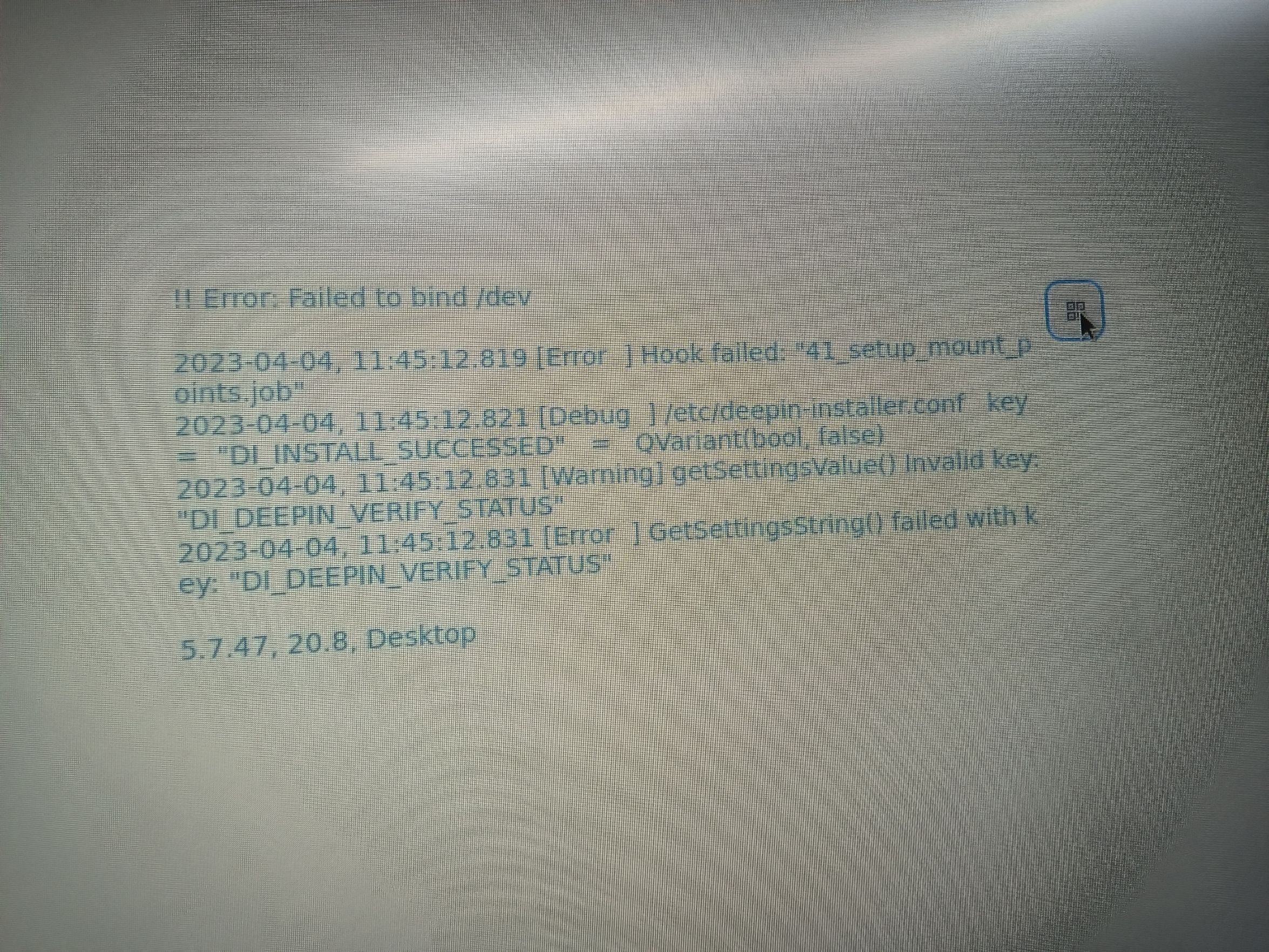
2023-04-04 19:56 deepin 遇到这种,直接放弃,等新iso
Reply Like 0 View the author

 deepin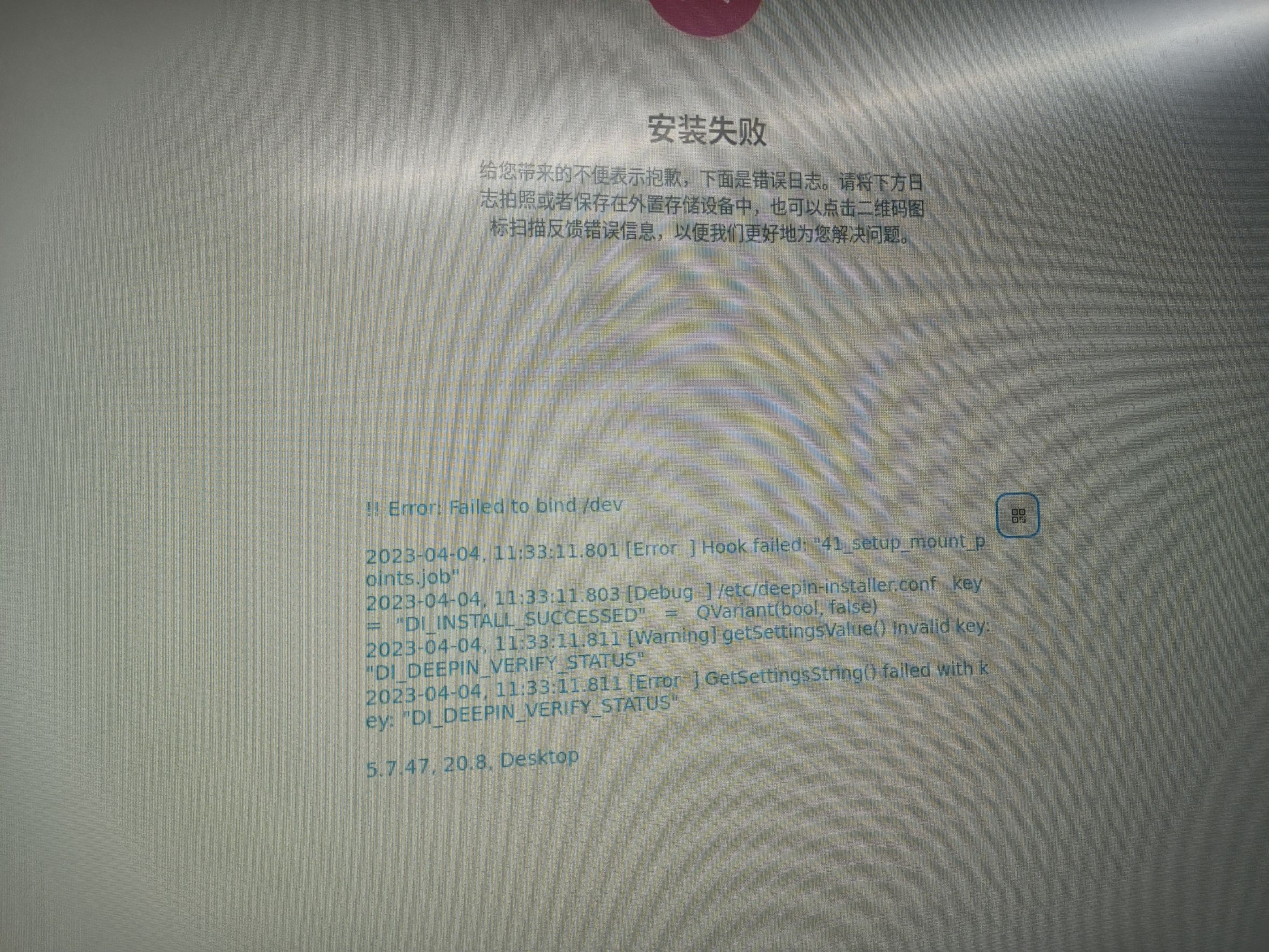
 deepin
 遇到这种,直接放弃,等新iso
 deepin
 安装时选择5.18内核试试
 deepin
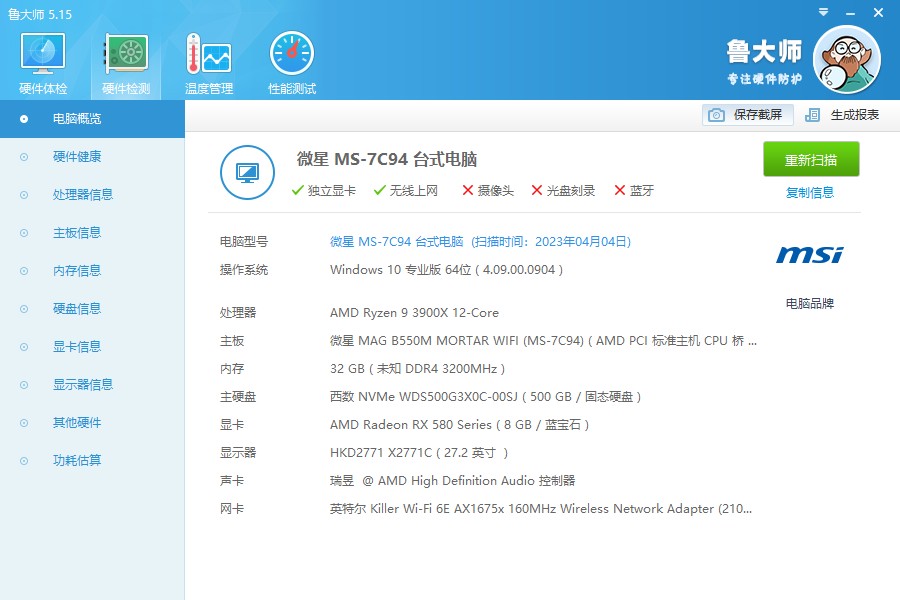
 选择5.18内核试试看,说一下设备型号,方便我更好的回答问题。
deepin deepin 选择5.18内核试试看,说一下设备型号,方便我更好的回答问题。
deepin 安装时选择5.18内核试试
在那选择得呀?我是看b站官方得教程来的(深度操作系统deepin下载安装(附双系统安装及分区指引)_哔哩哔哩_bilibili)。win下装双系统来着
deepin 选择5.18内核试试看,说一下设备型号,方便我更好的回答问题。
怎么切换内核的呀?
deepin 怎么切换内核的呀?
u盘启动时,进入的GRUD界面,就会有四个install选项,第一个是5.18,第二个是5.18 safe graphics,第三个是5.15,第四个是5.15 safe graphics
 deepin
 u盘启动之后会进入这个界面:
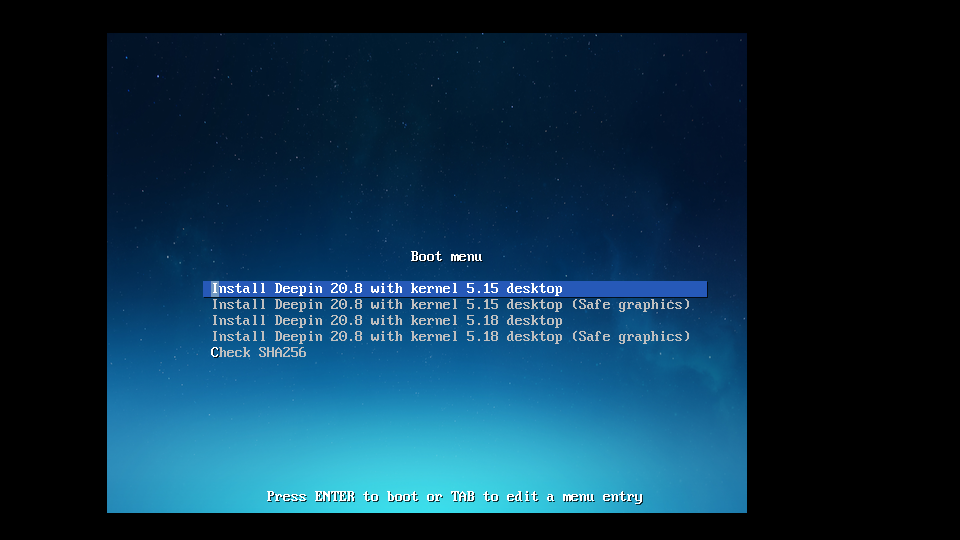
先选择最后一项"Check SHA256"看看,这是检查iso是否完整。如果检查无误会显示一个checksum success,这时候回车,电脑会自动关机。如果出现任何其它结果,请重新下载iso文件。之后重新从u盘启动,选择第三项"Install Deepin 20.8 with kernel 5.18 desktop"尝试进行安装。
deepin 我的也是这种情况,不管安装哪个内核,不管是20.8还是23,我刚开始安装的时候怕装错盘(三个硬盘),所以就其他两个盘拆掉,结果怎么都安装不上,我把另外两个硬盘挂上安装就完全OK,我也不知道是什么原因,只不过现在就是我的显卡(昂达9600GSO 384M),始终都安装不上,按照网上的方法都试了,整整四天时间了都搞不好。
Popular Ranking
ChangePopular Events
More


 necesito ayuda