[Newbies] .sh文件执行权限问题
Tofloor
poster avatar
阿乔菌
deepin
2023-03-31 20:09
Author

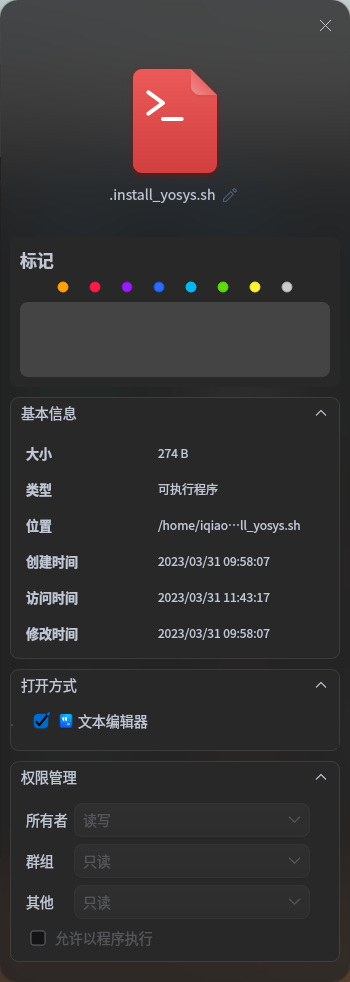
请问这个.sh文件这里这个最下面允许程序执行的对勾点不了,有什么办法可以赋予权限吗?(入门小白)
截图_dde-file-manager_20230331120541.png

Reply Favorite View the author
All Replies
enforcee
deepin
2023-03-31 20:12
#1

chmod a+x 文件名

需要root权限就在前面加sudo空格

Reply View the author
jjcui8595
deepin
2023-03-31 20:21
#2

管理员权限操作

Reply View the author
wlly-lzh
deepin
2023-03-31 20:27
#3

要么用命令行提升权限

要么使用bash **.sh的方式运行脚本

Reply View the author
xuqi
deepin testing team
2023-03-31 21:40
#4
  • 一、直接./加上文件名.sh,如运行hello.sh为./hello.sh【hello.sh必须有x权限】
  • 二、直接sh 加上文件名.sh,如运行hello.sh为sh hello.sh【hello.sh可以没有x权限】
  • 也可以先加一下权限chmod u+x hello.sh
Reply View the author
jjcui8595
deepin
2023-04-01 00:15
#5
xuqi
  • 一、直接./加上文件名.sh,如运行hello.sh为./hello.sh【hello.sh必须有x权限】
  • 二、直接sh 加上文件名.sh,如运行hello.sh为sh hello.sh【hello.sh可以没有x权限】
  • 也可以先加一下权限chmod u+x hello.sh

第二点学习了

Reply View the author
阿乔菌
deepin
2023-04-01 01:14
#6
jjcui8595

第二点学习了

多谢,已经有运行选项了

Reply View the author
阿乔菌
deepin
2023-04-01 01:17
#7
xuqi
  • 一、直接./加上文件名.sh,如运行hello.sh为./hello.sh【hello.sh必须有x权限】
  • 二、直接sh 加上文件名.sh,如运行hello.sh为sh hello.sh【hello.sh可以没有x权限】
  • 也可以先加一下权限chmod u+x hello.sh

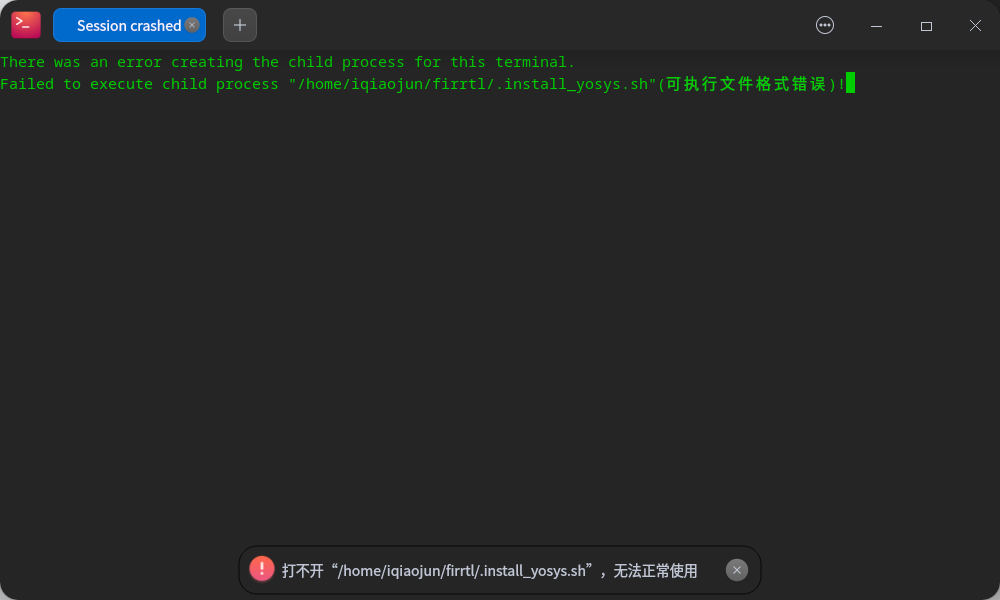
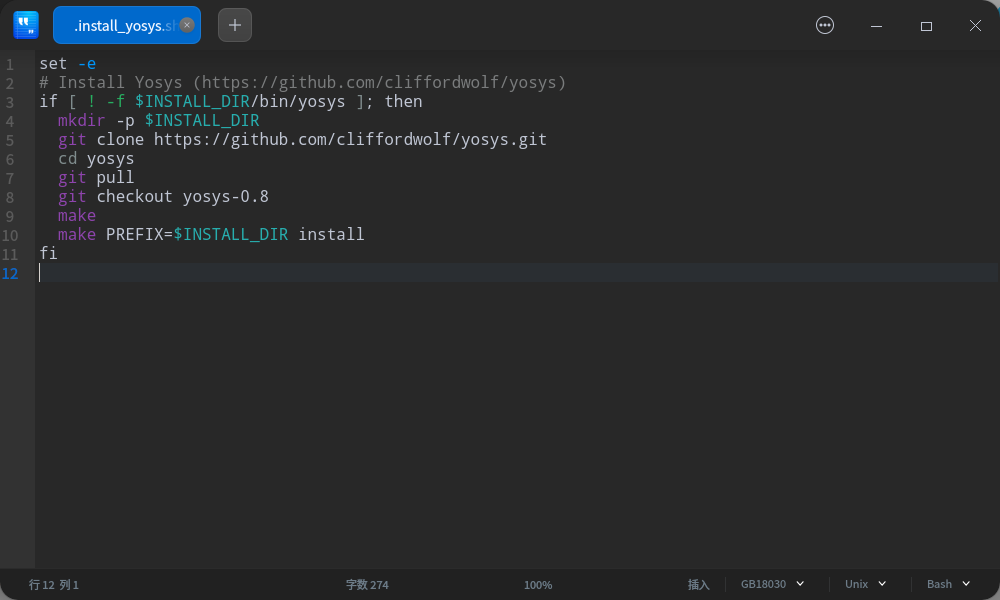
多谢,可以运行了,但是又有了新问题。不知道是不少脚本本身的问题

截图_deepin-terminal_20230331171404.png

截图_deepin-editor_20230331171630.png

Reply View the author
enforcee
deepin
2023-04-01 03:28
#8
xuqi
  • 一、直接./加上文件名.sh,如运行hello.sh为./hello.sh【hello.sh必须有x权限】
  • 二、直接sh 加上文件名.sh,如运行hello.sh为sh hello.sh【hello.sh可以没有x权限】
  • 也可以先加一下权限chmod u+x hello.sh

不可取

rage

你又不知道他到底是给什么shell写的,况且debian的sh还不是bash是dash

Reply View the author
enforcee
deepin
2023-04-01 03:58
#9
阿乔菌

多谢,可以运行了,但是又有了新问题。不知道是不少脚本本身的问题

截图_deepin-terminal_20230331171404.png

截图_deepin-editor_20230331171630.png

这是谁写的脚本

joy

他这个第一行没有用#!指定解释器,你可以尝试用三楼的方法 bash 文件名执行一下。

Reply View the author
爱开发
deepin
2023-04-01 19:44
#10
阿乔菌

多谢,可以运行了,但是又有了新问题。不知道是不少脚本本身的问题

截图_deepin-terminal_20230331171404.png

截图_deepin-editor_20230331171630.png

在第一行添加

#!/usr/bin/env bash

Reply View the author