中文
中文 
pzm9012
2023-03-31 04:45 Moderator
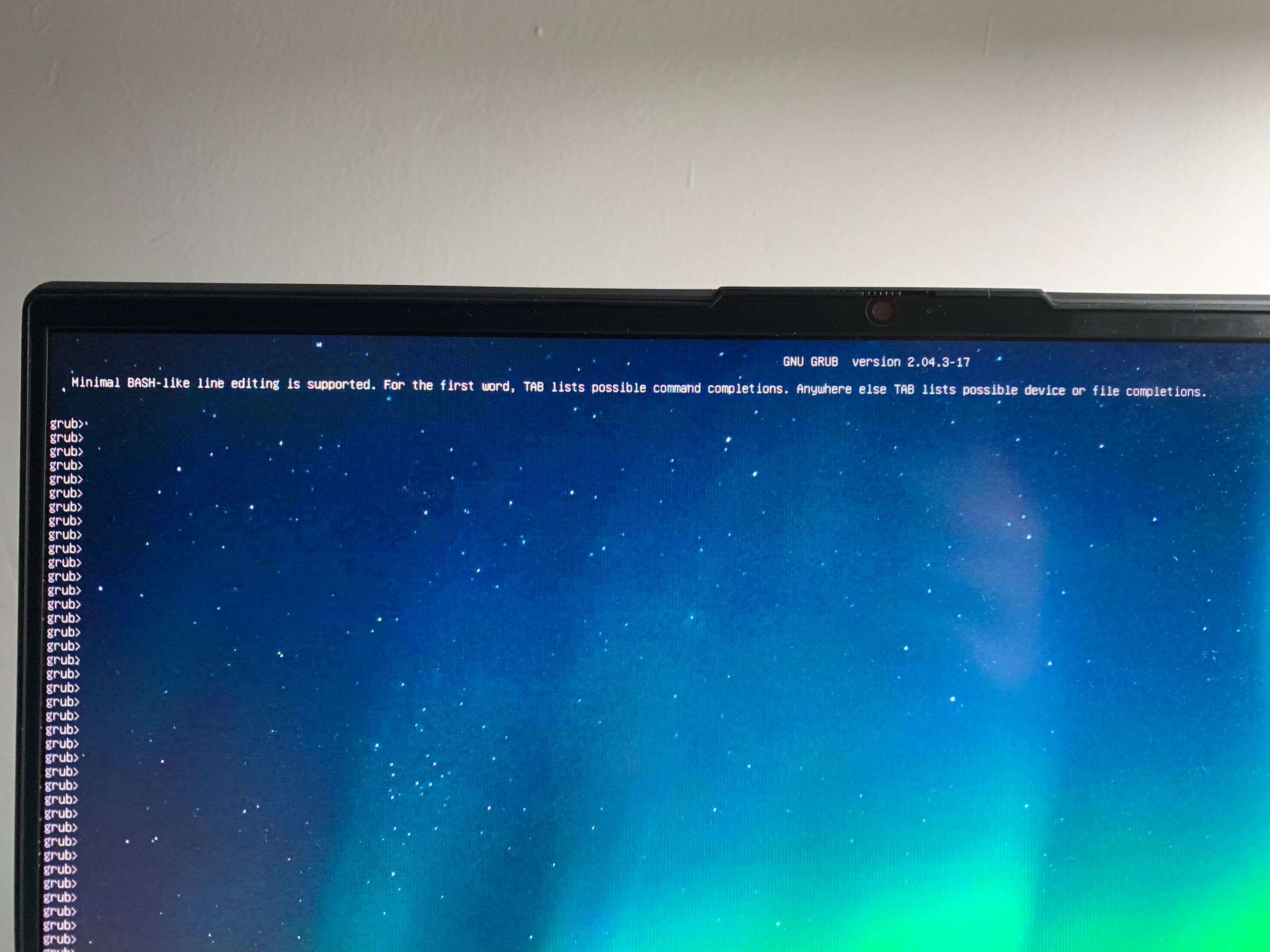
是没有任何操作就进command line了吗?上次使用deepin时有没有进行更新或者牵涉到引导的操作?
或者有启动盘的话试一下修复引导,参考 https://pzm9012.github.io/doc-vite/deepin-live.html
Reply Like 0 View the author

是没有任何操作就进command line了吗?上次使用deepin时有没有进行更新或者牵涉到引导的操作?
或者有启动盘的话试一下修复引导,参考 https://pzm9012.github.io/doc-vite/deepin-live.html
 deepin
 是没有任何操作就进command line了吗?上次使用deepin时有没有进行更新或者牵涉到引导的操作?
或者有启动盘的话试一下修复引导,参考 https://pzm9012.github.io/doc-vite/deepin-live.html
感谢,我试试

 deepin
 重新安装grub
 deepin
 试试这个:
   1、查看分区:grub rescue> ls   回车

        会出现如下字样:

        (hd0) (hd0,msdos9) (hd0,msdos8) (hd0,msdos7) (hd0,msdos6) (hd0,msdos5) (hd0,msdos2) (hd0,msdos1)

   注:上面是我的分区设备,每个人可能不一样,但原理都是一样的。


   2、寻找ubuntu所在分区:

       (就是寻找你的Linux系统是装在以上哪个分区里)

         grub rescue> ls (hd0,msdos1)/

        若出现unknown filesystem字样,则尝试下一个

        ……

        若出现的是你的ubuntu主文件夹下的文件夹和文件的名字,那就是的要找的分区了。


    3、修改启动分区:

         (假如你找到的启动分区是hd0,msdos8)

     grub rescue>root=(hd0,msdos8)
     grub rescue>prefix=/boot/grub                         //grub路径设置
     grub rescue>set root=(hd0,msdos8)
     grub rescue>set prefix=(hd0,msdos8)/boot/grub
     grub rescue>insmod normal                            //启动normal启动

     grub rescue>normal

    之后你就会看到熟悉的启动菜单栏了
4、进入命令行启动ubuntu
     进入系统启动选项界面后还是进不去,

   因为你还没有真正的修改grub,这个要到ubuntu里修改
进入系统启动项界面后,按C进入命令行模式
    grub >set root=hd0,msdos8

    grub >set prefix=(hd0,msdos8)/boot/grub

    grub >linux /vmlinuz-xxx-xxx root=/dev/sda8 //里边的xxxx可以按Tab键,如果有acpi问题,在最后加一句acpi=off
    grub >initrd /initrd.img-xxx-xxx
    grub >boot

   这样就可以进入了


   5、进入ubuntu修复grub
在终端里运行 sudo update-grub
                                    sudo grub-install /dev/sda


   6、重启,搞定!!
应该是静电问题,已解决,感谢各位
Popular Ranking
ChangePopular Events
More


 necesito ayuda
双系统,开机一直打印这个,没法切换系统,bios也进不去,有没有大佬知道怎么解决哇