

 中文
中文 
jjcui8595 deepin
2023-02-27 19:19 deepin 建议使用较新内核
Reply Like 0 View the author
 deepin
 建议使用较新内核

 deepin
 更新内核至6.1,就可以了,具体更新方法可以在论坛搜
 deepin
 加入深度内测,进入系统更新设置,登录深度账号,就可以过得内测,之后输入命令安装6.1内核,即可正常
deepin 这里我进行引用
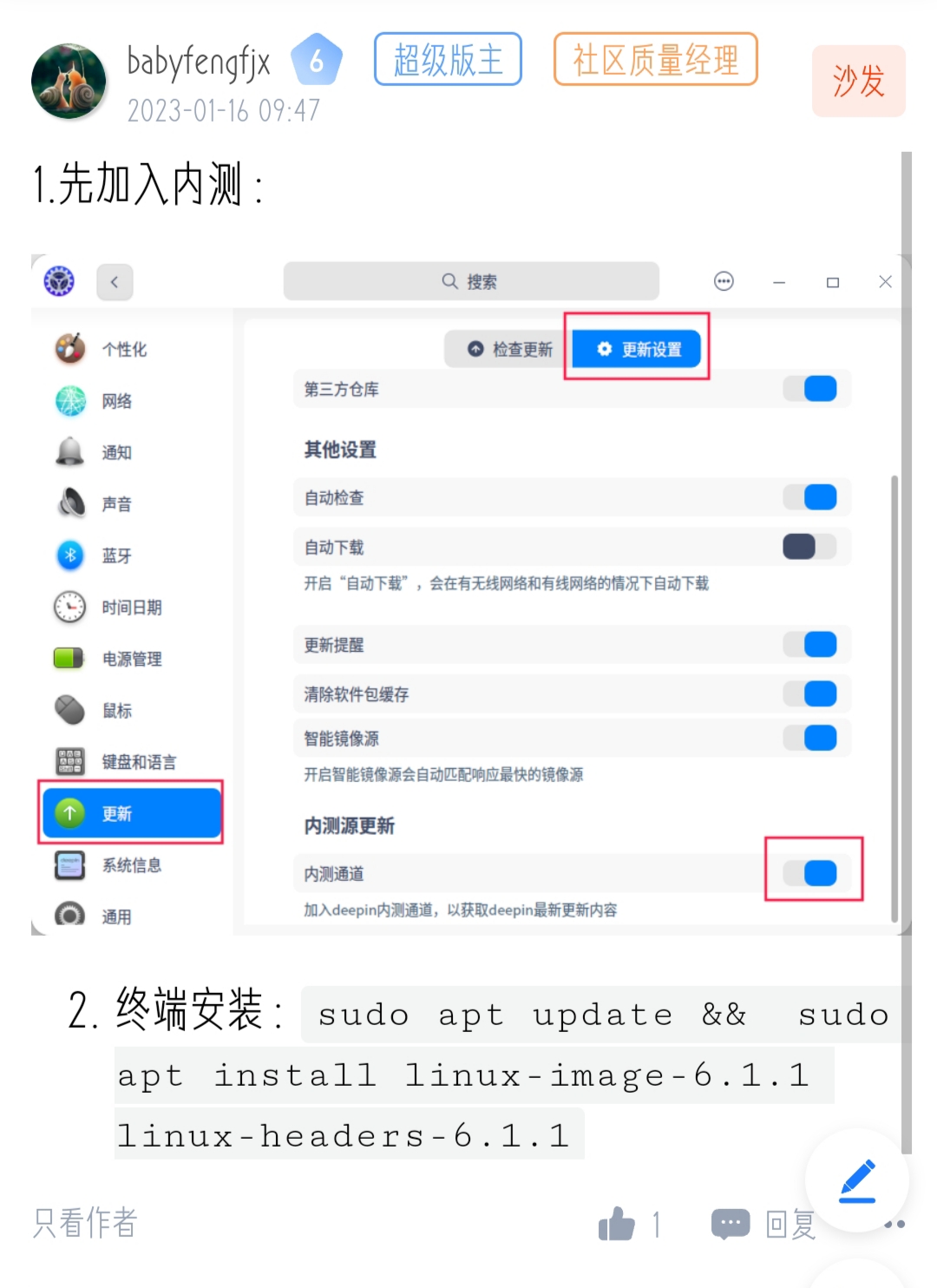
 deepin
 试试sudo apt update && sudo apt install linux-image-6.1.12 linux-headers-6.1.12

 deepin
 要 怎么加入 深度内侧
 deepin
 我已加入内测
内核也升级到了6.1.2
现在的情况是显卡正常,HDMI也能用
但是现在网卡无论怎么样都弄不好,原来的rtl8852be库也无法编译,rtw89库也无法使用
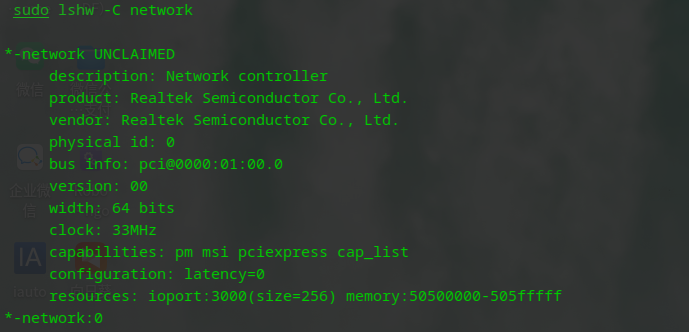

deepin 这里我进行引用
您好
我加入了内测完成了升级内核,但是网卡不能用了,请问怎么破
deepin 您好
我加入了内测完成了升级内核,但是网卡不能用了,请问怎么破
试试下载linux下的闭源网卡驱动看看
deepin 我已加入内测
内核也升级到了6.1.2
现在的情况是显卡正常,HDMI也能用
但是现在网卡无论怎么样都弄不好,原来的rtl8852be库也无法编译,rtw89库也无法使用
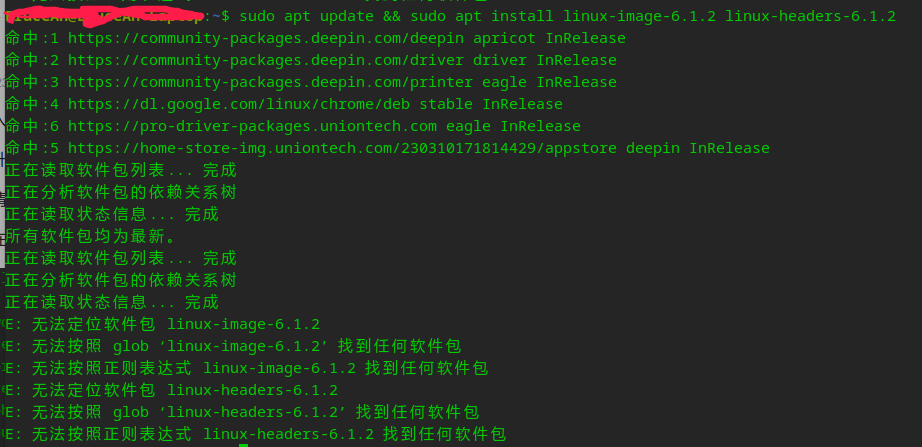
6.1.2内核找不到?你是如何操作的?
deepin 找到命令错误问题了,拷贝的命令有特殊字符,用这个命令就OK:
sudo apt update && sudo apt install linux-image-6.1.12 linux-headers-6.1.12
试试下载linux下的闭源网卡驱动看看
内核升级到6.1.12版本后,依然无法识别显卡
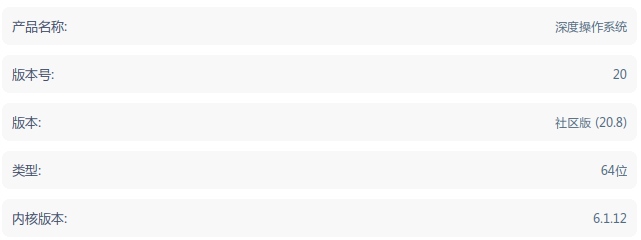
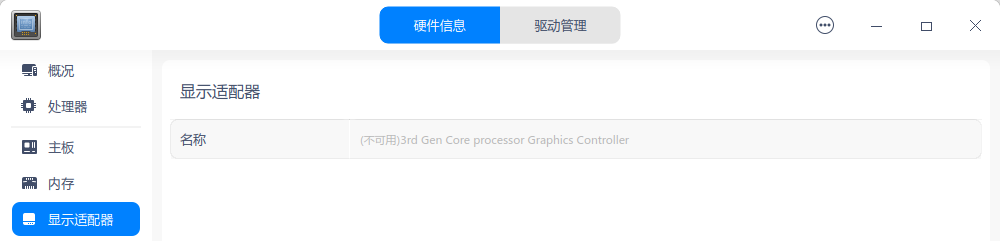
系统显示区域还是单显示器设置:
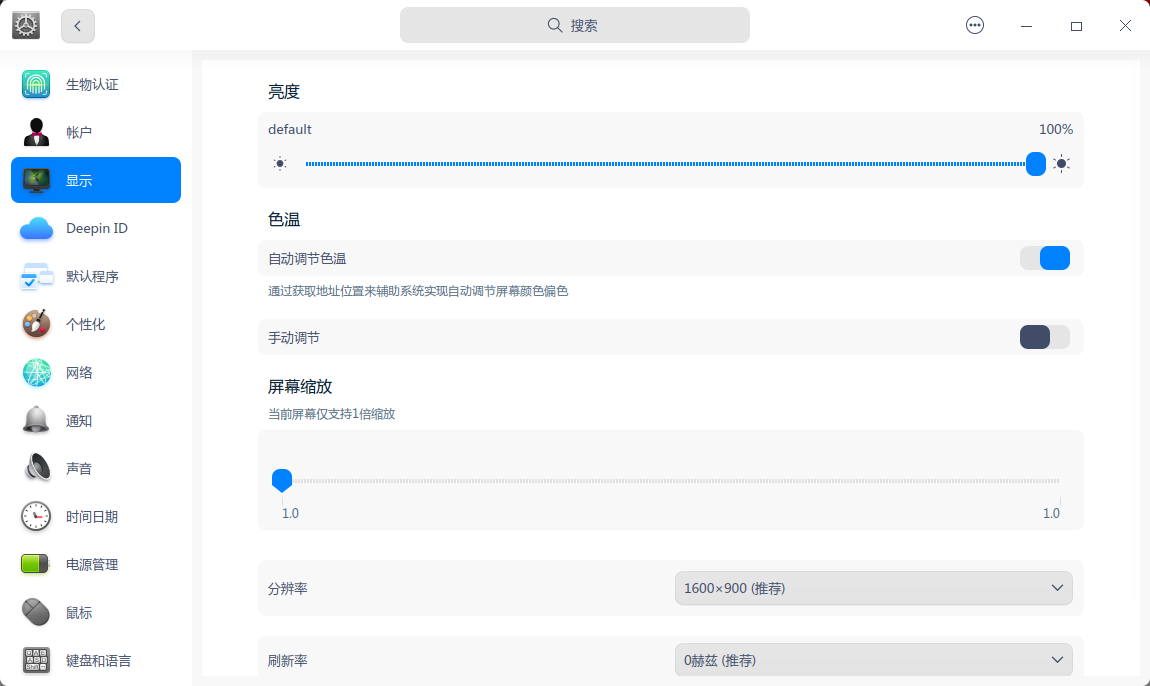
该如何处理呢?另外一个帖子提到了intel官方linux驱动的下载地址,可惜访问不了了
https://01.org/linuxgraphics/downloads/2013/intelr-graphics-installer-1.0.2-linux
访问后提示:

deepin 内核升级到6.1.12版本后,依然无法识别显卡
系统显示区域还是单显示器设置:
该如何处理呢?另外一个帖子提到了intel官方linux驱动的下载地址,可惜访问不了了
https://01.org/linuxgraphics/downloads/2013/intelr-graphics-installer-1.0.2-linux
访问后提示:
集成显卡吗?英特尔的,那就不用管了,能正常用就可以了,如果是英特尔的,内核自动集成。
deepin 集成显卡吗?英特尔的,那就不用管了,能正常用就可以了,如果是英特尔的,内核自动集成。
没法识别外接的显示器,笔记本屏幕正常可以使用,但无法识别DP接口连接的外接第二块显示器。
deepin 没法识别外接的显示器,笔记本屏幕正常可以使用,但无法识别DP接口连接的外接第二块显示器。
这个建议你发个帖,发体验心得,问题求助,看看有没有人能帮助你,我不会了😂😂😂
deepin 👍 发个新帖碰碰运气
https://bbs.deepin.org/post/253646
Popular Ranking
ChangePopular Events
More


 unable to type in Deepin ID login menu
求助
笔记本:hp laptop 14s
集成显卡驱动异常
这是切换到windows下面查看的显卡信息
在deepin中
开始网卡也无法使用,在网上找了驱动安装,可以上网了
但是现在显卡不正常,HDMI接口无法使用
求大佬支招!