

 中文
中文 
deepin-chinaren deepin
2023-02-23 18:32 deepin 降低内核
Reply Like 0 View the author
 deepin
 降低内核

 deepin
 降低内核
我安装的20.8,使用的内核是5.15
deepin 使用的系统版本是deepin20.8, 无线网卡: Network controller: Qualcomm Device 1103 (rev 01)
 deepin
 sudo apt install inxi -y && inxi -F && cat /etc/apt/sources.list /etc/apt/sources.list.d/*.list |grep -v ^# (解决控制中心没有蓝牙)
我发帖问了这命令还能解决别的问题不。
你要是想捣鼓一下的话可以打完这命令重启下试试,稳点的话等回复。
 deepin
 一,找个liveCD盘,只要能用wifi发现热点,就把其/lib/firmware/下的厂家fireware复制保存起来备用。
二,如果是VM下,可能还需要DKMS下的驱动。DKMS是动态内核管理系统,相当于WinALL的用户模式驱动系统。
三,复制厂家firmware到其他兼容OS的厂家对应目录,解决驱动缺失问题。
四,相关命令行查看效果:modprobe
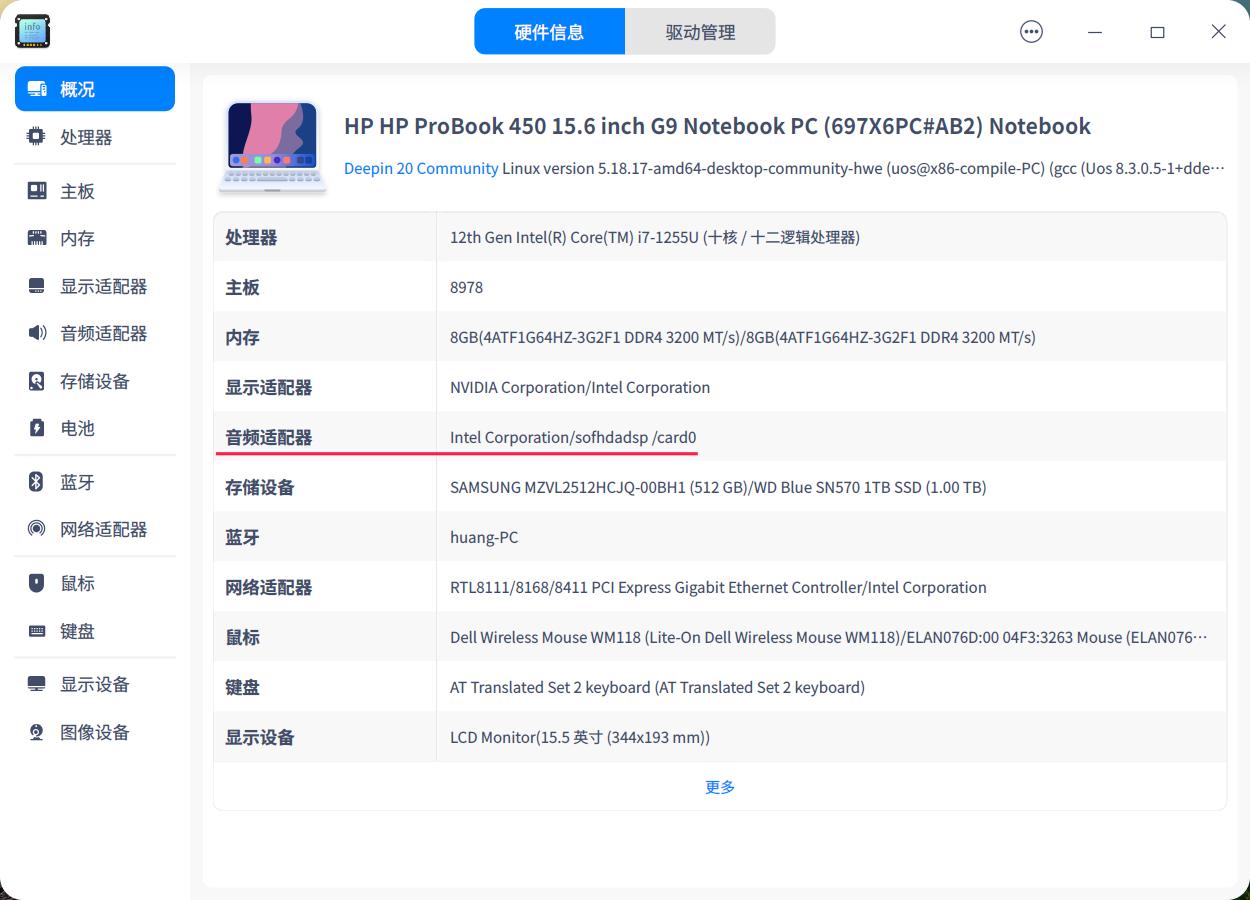
deepin 我的惠普战66 五代 i7-1255U 15.6寸笔记本安装 deepin 20.8 ,安装内核5.15和5.18 无线网卡和触摸板使用正常,没有出现你说的情况。只是声音不正常,在看了论坛里 chenqin 大侠的帖子(电脑没有声音-论坛-深度科技 (deepin.org))后,把Ubuntu系统里的intel文件夹和deepin里的 /lib/firmware/intel 文件夹互换后声音正常,电脑使用正常。仅供参考。
Popular Ranking
ChangePopular Events
More


 is Deepin 25 using OSTree?
我的战66五代安装deepin后,无线网卡未发现,应该是缺少驱动,还有触控板的手势感觉反着