

 中文
中文 
fax928 deepin
2023-02-22 06:52 deepin Q&A Team
二选一呗。1.0和1.25啥区别啊?
Reply Like 0 View the author
deepin 二选一呗。1.0和1.25啥区别啊?

 deepin
 二选一呗。1.0和1.25啥区别啊?
我的意思是不能细分更多比例吗?就好像1.1,1.2,1.3,1.4,1.5一直到2.0等等
deepin 我的意思是不能细分更多比例吗?就好像1.1,1.2,1.3,1.4,1.5一直到2.0等等
细分的话可能需要更多的时间和人力吧。我这边华山一条路。
deepin 细分的话可能需要更多的时间和人力吧。我这边华山一条路。
是不是跟硬件有关😂 那假如你的屏幕画面显示比例不舒服怎么办😂

 deepin
 可以试着调整下字体大小,一般的GTK和QT应用UI都会随着字体变
deepin 可以试着调整下字体大小,一般的GTK和QT应用UI都会随着字体变
我就是调来调去都不合适😂

 deepin
 1.0太小,1.25又太大
 deepin
 这是在喊你买高分屏了

 deepin
 建议是换显示器,软件再怎么优化也突破不了物理上限。
去年折腾了半天分辨率怎么也不满意,最后900多买个4k的27寸显示器,体验直接升天

 deepin
 同一台笔记本,用windows就可以1.5,deepin只能1.25,这个怎么破?
deepin 同一台笔记本,用windows就可以1.5,deepin只能1.25,这个怎么破?
得问官方了,驱动这英伟达官方不配合没有匹配好没办法
Popular Ranking
ChangePopular Events
More


 is Deepin 25 using OSTree?
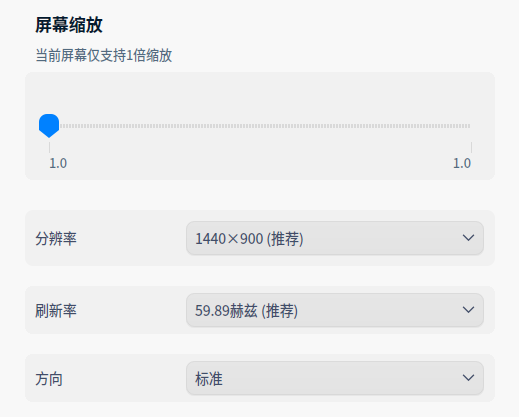
如题,为什么控制中心的显示只有两个比例可以选?只有1和1.25
处理器 : Intel(R) Core(TM) i5-7300HQ CPU @ 2.50GHz (四核 / 四逻辑处理器)
主板 : LNVNB161216
显示适配器 : GP107M [GeForce GTX 1050 Ti Mobile]/HD Graphics 630
显示设备 : LG Display LCD Monitor(15.5 英寸 (344x194 mm))