中文
中文 
那一个夜晚 deepin
2023-02-15 03:43 deepin 这就有点尴尬了
Reply Like 0 View the author
 deepin
 这就有点尴尬了

 deepin
 这是一个bug,不过不影响使用吧!
 deepin
 我猜这不是linux的文件吧,应该是windows上的吧,有没有可能是linux对windows文件的误判?

 deepin
 我猜这不是linux的文件吧,应该是windows上的吧,有没有可能是linux对windows文件的误判?
应该是
 deepin
 这是一个bug,不过不影响使用吧!
也可能是feature,因为Linux下面是依靠mime type来解析文件类型的,涉及读取文件本身的数据

 deepin
 这是一个bug,不过不影响使用吧!
这是一个技术能力的问题

 deepin
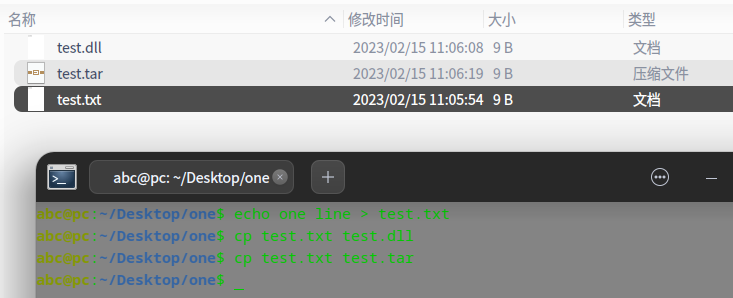
 新建一个test.txt的文件, 里面的内容只有:
one line
然后复制这个文件到test.dll和test.tar
deepin 新建一个test.txt的文件, 里面的内容只有:
one line
然后复制这个文件到test.dll和test.tar
好吧看来是文件管理器的问题,这是一个设计问题。
deepin 我一直是用file xxx的,试了一下这个mimetype 命令,并不靠谱呀。
和9楼一样的操作,这是终端的显示:
l.tar: application/x-tar
l.dll: text/plain
 deepin
 好吧看来是文件管理器的问题,这是一个设计问题。
不是,而是文件类型看文件内容
Popular Ranking
ChangePopular Events
More


 is Deepin 25 using OSTree?
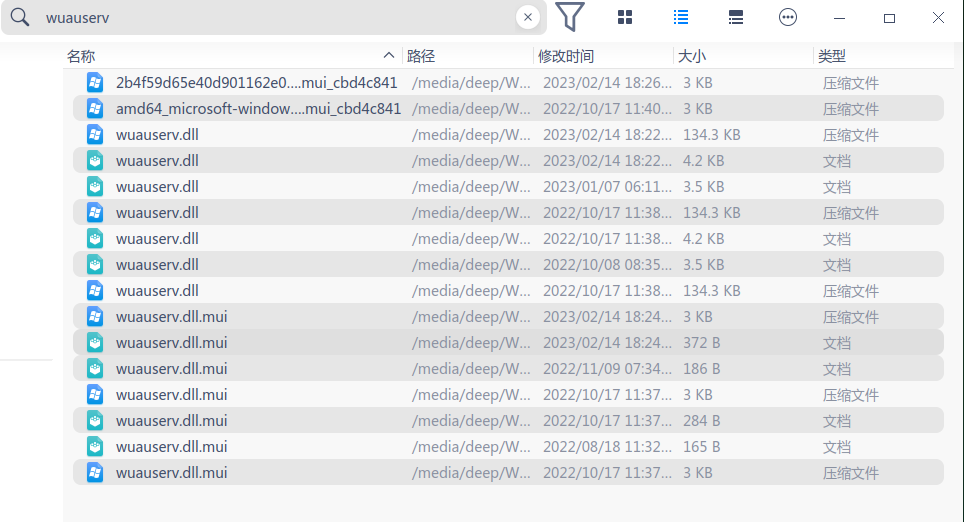
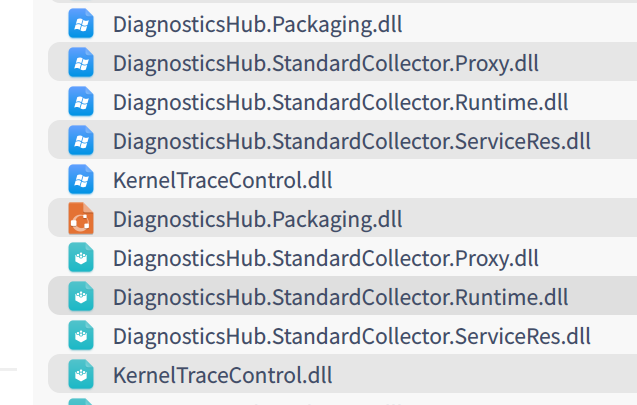
同样的文件,有的显示为压缩文件,有的显示为文档,其实都是dll库文件
20.8