

 中文
中文 
uos008 deepin
2023-02-12 10:13 deepin Alpha 2上也碰到过,按Esc键可以查看更多信息,卡在user manager进程,会倒计时1分49秒。
修改/etc/systemd/system.conf
修改#DefaultTimeoutStopSec=90s
为:
DefaultTimeoutStopSec=10s
限制为10s试试。
Reply Like 2 View the author
 deepin
 Alpha 2上也碰到过,按Esc键可以查看更多信息,卡在user manager进程,会倒计时1分49秒。
修改/etc/systemd/system.conf
修改#DefaultTimeoutStopSec=90s
为:
DefaultTimeoutStopSec=10s
限制为10s试试。
 deepin
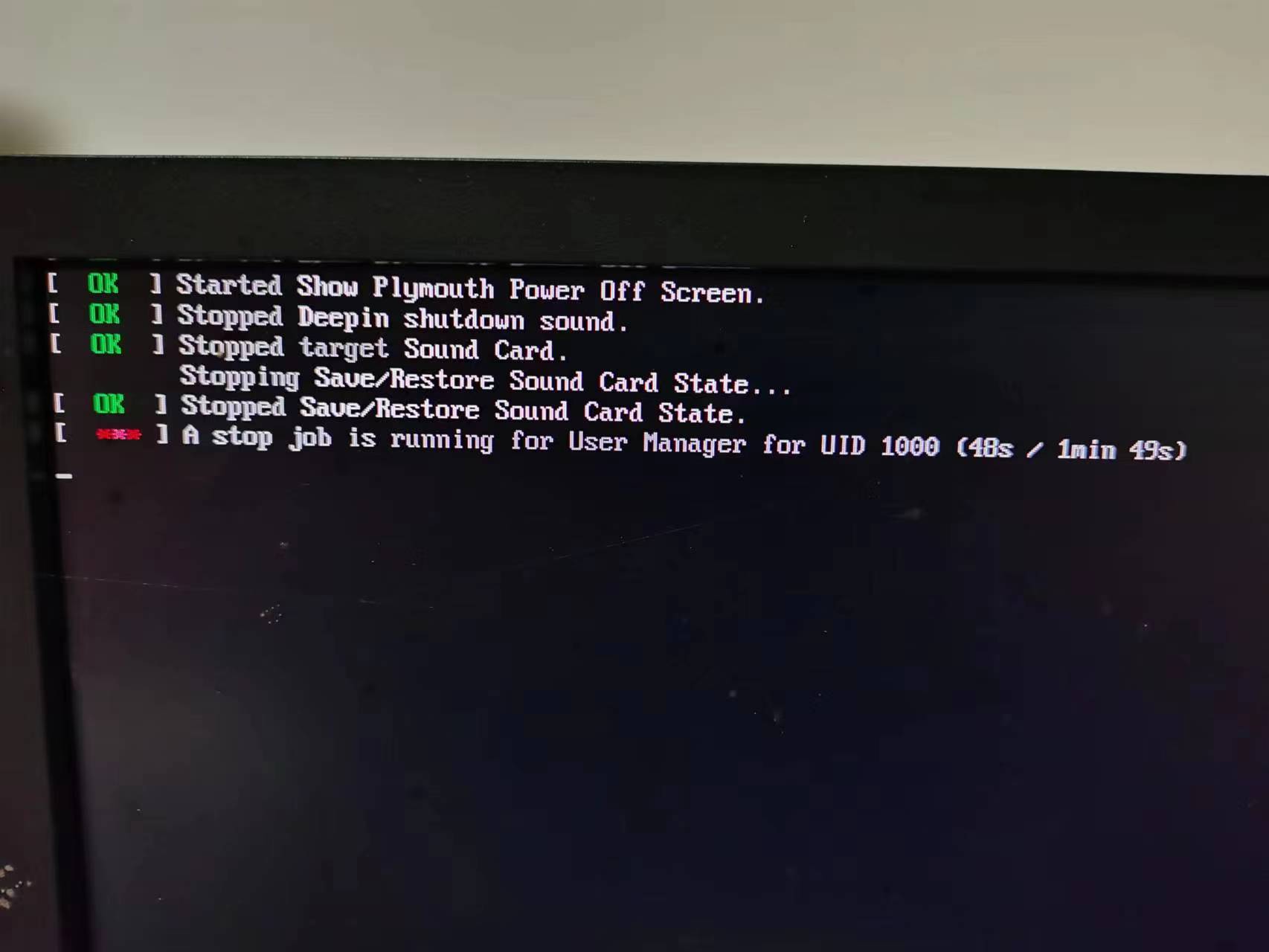
 我这边没用,还有别的办法吗?(下图是关机卡logo时按ESC的画面)
 deepin
 这个还是建议官方像windows一样,做个提示,显示还在运行的应用,是否强制关闭用户应用
 deepin
 关机更新/休眠更新,这些都耗时间,也会引起系统状态不稳定。你更不知道用户不耐烦会不会伸手就按下关机键。

 deepin
 Alpha 2上也碰到过,按Esc键可以查看更多信息,卡在user manager进程,会倒计时1分49秒。
修改/etc/systemd/system.conf
修改#DefaultTimeoutStopSec=90s
为:
DefaultTimeoutStopSec=10s
限制为10s试试。
有作用。
deepin 我这边没用,还有别的办法吗?(下图是关机卡logo时按ESC的画面)
有移除前面的#号?
deepin 有移除前面的#号?
嗯,但是无效。
deepin 嗯,但是无效。
常碰到?我只在装完第一次关机时碰到,后来改了就没有碰到过。
不知道是没有再现还是改了有效。
Popular Ranking
ChangePopular Events
More


 is Deepin 25 using OSTree?
如题。卡在蓝色deepin图标好久才关机。