

 中文
中文 
辉夜 deepin
2023-01-30 20:33 deepin 收藏了,有机会试试
Reply Like 0 View the author
 deepin
 收藏了,有机会试试
deepin 标题错别字
 deepin
 https://ghproxy.com/ 试试哪里敏感

 deepin
 lgq@lgq-PC:~/Desktop$ git clone --recursive https://github.com/akinomyoga/ble.sh.git
正克隆到 'ble.sh'...
fatal: unable to access 'https://github.com/akinomyoga/ble.sh.git/': gnutls_handshake() failed: The TLS connection was non-properly terminated.
没成功哦, 修改代理的方法能稍微详细点说么?

 deepin
 lgq@lgq-PC:~/Desktop$ git clone --recursive https://github.com/akinomyoga/ble.sh.git
正克隆到 'ble.sh'...
fatal: unable to access 'https://github.com/akinomyoga/ble.sh.git/': gnutls_handshake() failed: The TLS connection was non-properly terminated.
没成功哦, 修改代理的方法能稍微详细点说么?
git clone --recursive https://ghpr《》oxy.com/https://github.com/akinomyoga/ble.sh.git
克隆地址修改为这个链接。
真的敏感呀,发布出去
deepin https://ghproxy.com/ 试试哪里敏感
为什么你发的出去啊????我一发就铭感
deepin 为什么你发的出去啊????我一发就铭感
我也不知道啊。。我就随手一发
 deepin
 太赞了.用过一段zsh,有时候处理一些带变量的命令的时候会出问题,今天重新安装了 20.9,就看到这个帖子了.果断测试了一下,很好用.感谢楼主啊.
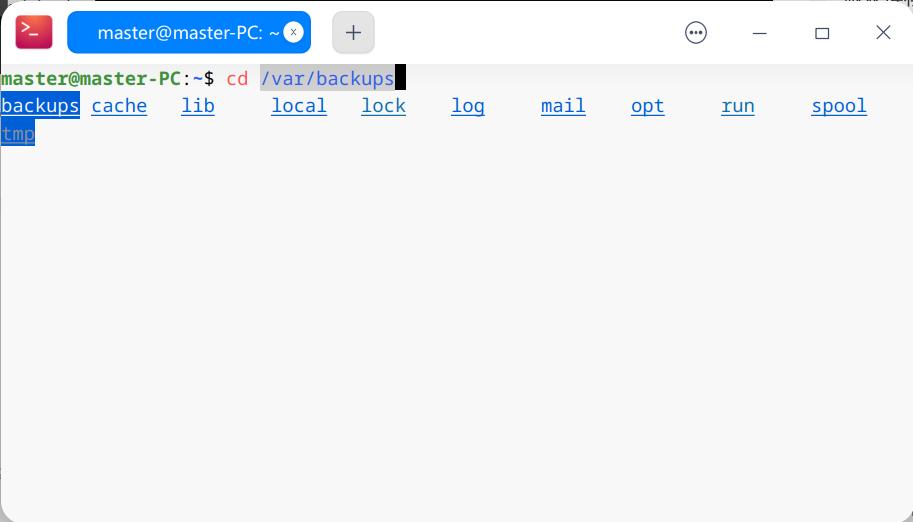
deepin 发现一个bug,直接复制上去的命令,如果后边带回车的话,或者是复制两行命令的时候,就会报错了
-- MULTILINE -- (RET or C-m: insert a newline, C-j: run)
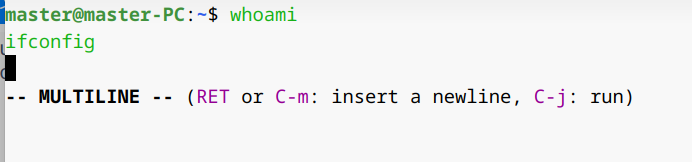
也不一定是bug,或许是我不会使用.
deepin 发现一个bug,直接复制上去的命令,如果后边带回车的话,或者是复制两行命令的时候,就会报错了
-- MULTILINE -- (RET or C-m: insert a newline, C-j: run)
也不一定是bug,或许是我不会使用.
我没有遇到这种情况,如果有解决方案可以分享一下。
deepin 大家还是用 ohmyzsh吧,我又变回 ohmyzsh了。。
deepin 大家还是用 ohmyzsh吧,我又变回 ohmyzsh了。。
哈哈哈,为啥?
Popular Ranking
ChangePopular Events
More


 is Deepin 25 using OSTree?
为什么要使用这个插件?
也许很多人和我一样,使用过zsh的命令提示功能,而且会匹配自己之前执行的命令显示,只需要按→键就可以完成之前的命令。
但是bash默认并没有这么好用的功能,你按tab他只会列出一大堆命令,并不智能。
所以经过我的查找,发现了一个插件, 就是今天的主角:ble.sh ―Bash Line Editor―
github仓库是:https://github.com/akinomyoga/ble.sh
插件的安装
如果clone失败,可以通过以下分享的代理网站进行修改。
https://ghpr
eg:把原来clone仓库修改为代理的地址 git clone --recursive https://ghpr
或者像我之前的文章https://bbs.deepin.org/zh/post/248585,这样先拉取到自己的仓库再进行clone。
当我输入ls 的时候 后面内容就自动提示了,这时候按→键就自动补全了。
但是,这时候你会发现你重启终端的时候,这个自动补全的提示就没了。
这时候我们需要修改个人用户目录下的 .bashrc 文件
可以通过 vim 或者 vi 进行编辑
效果展示