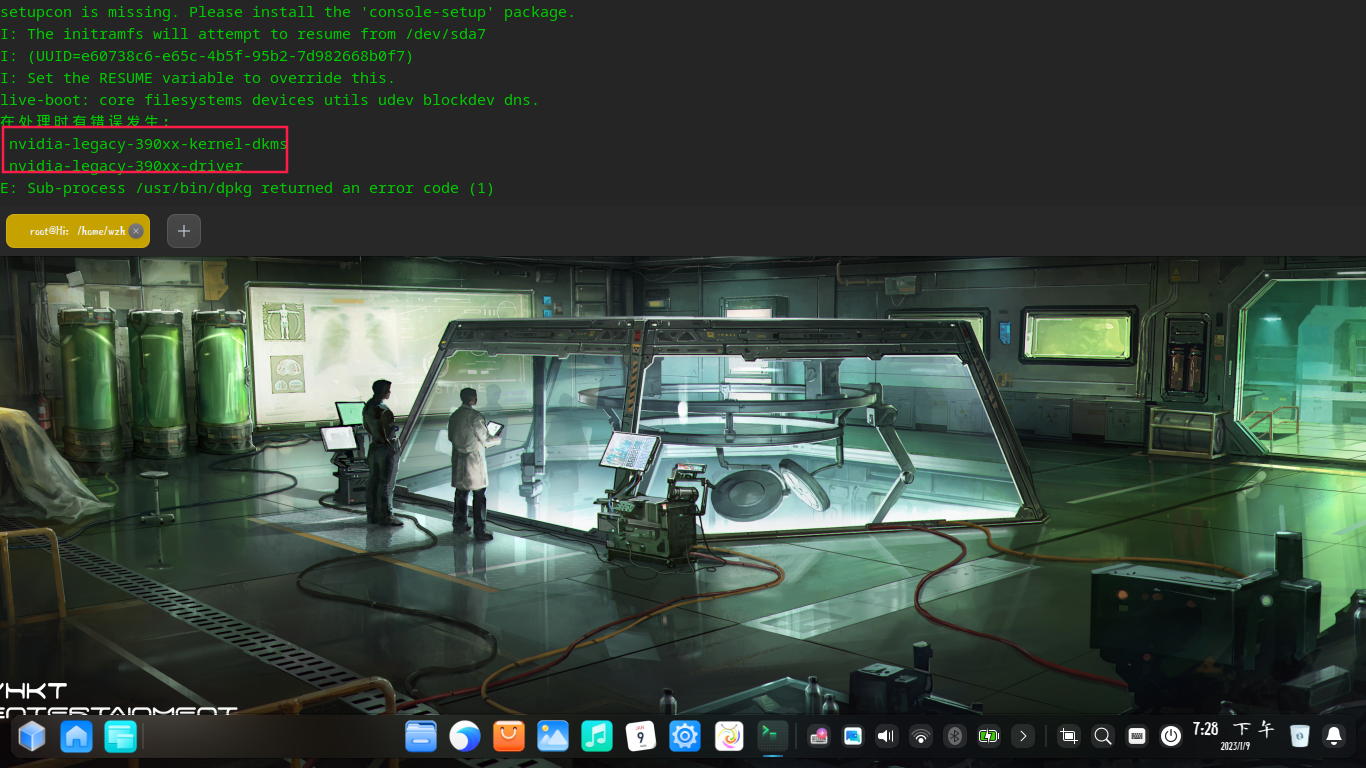
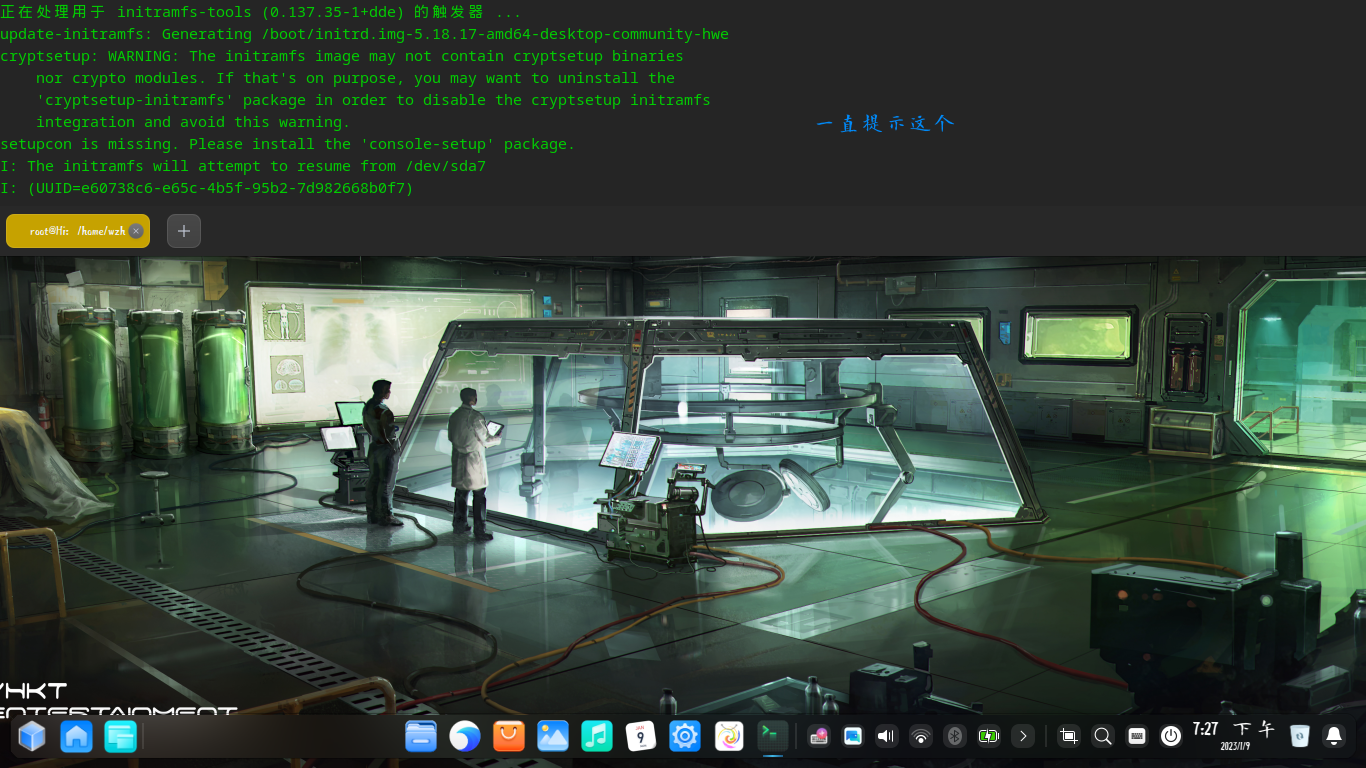
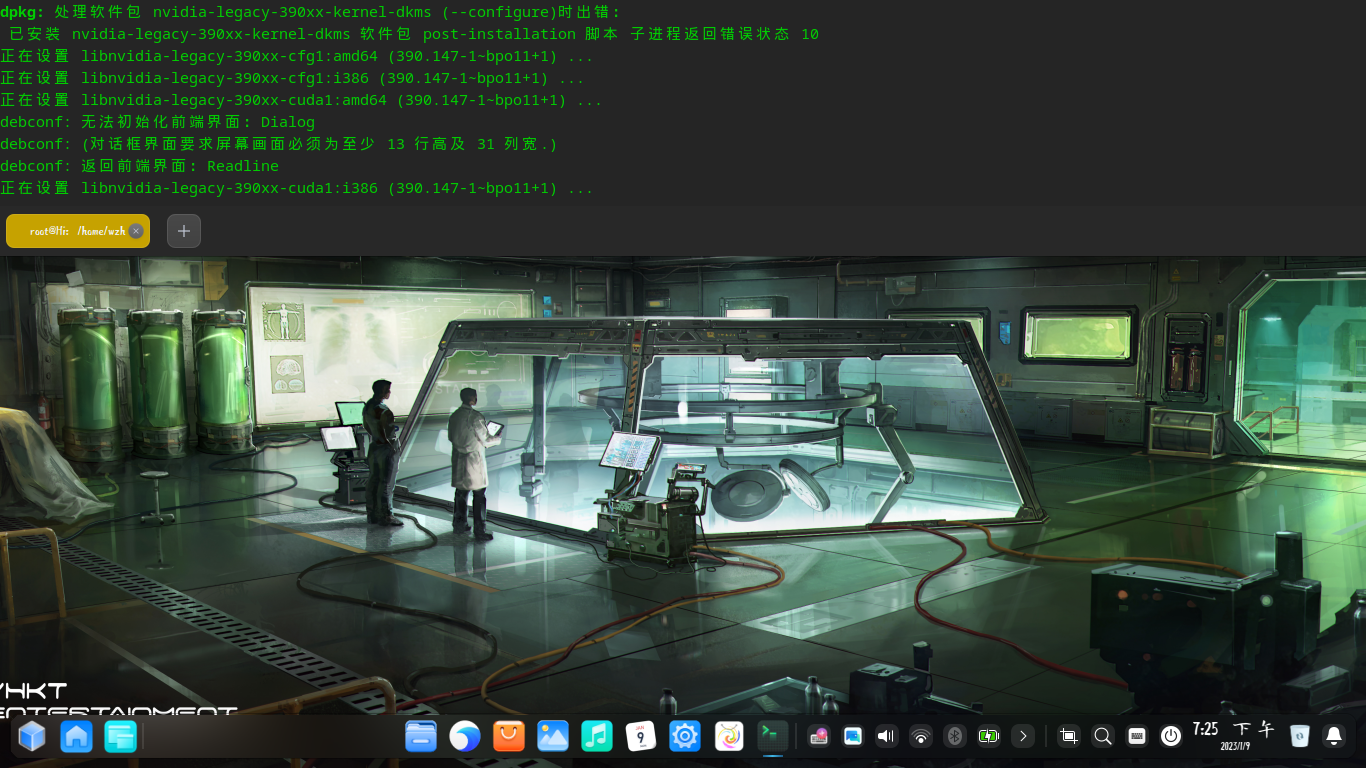
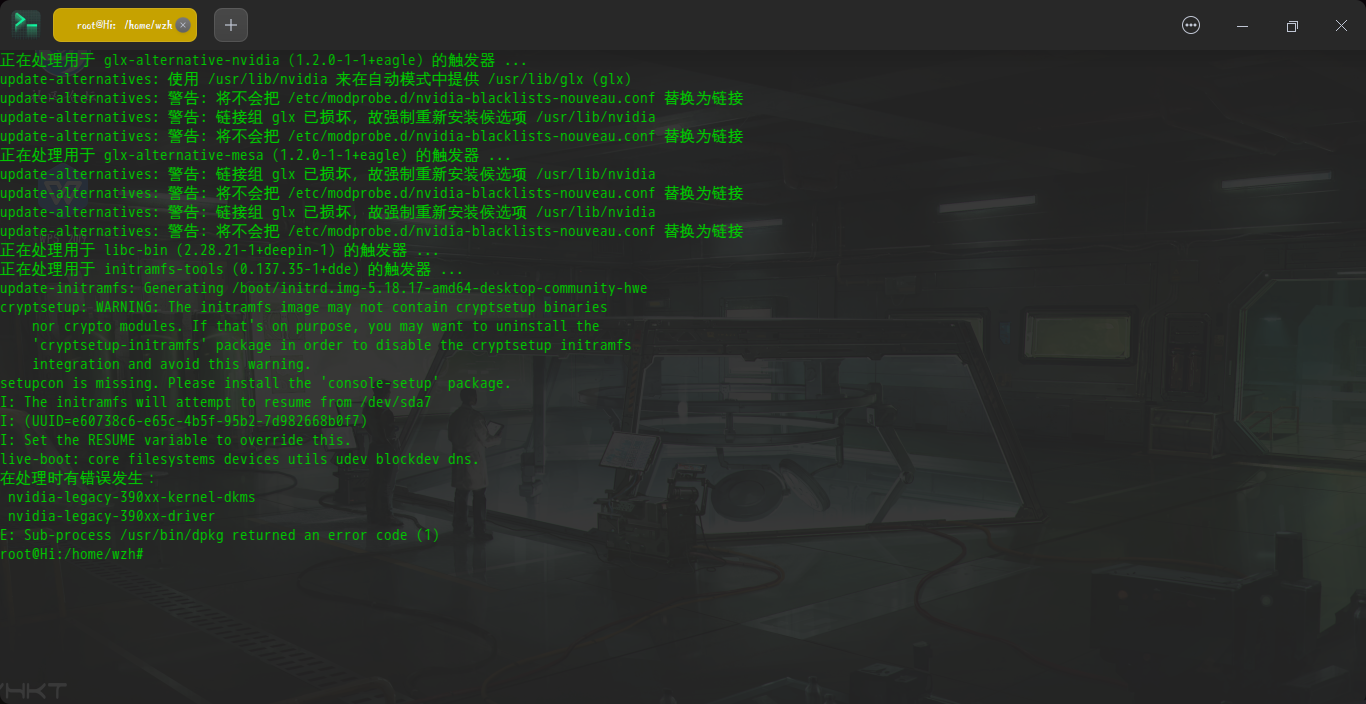
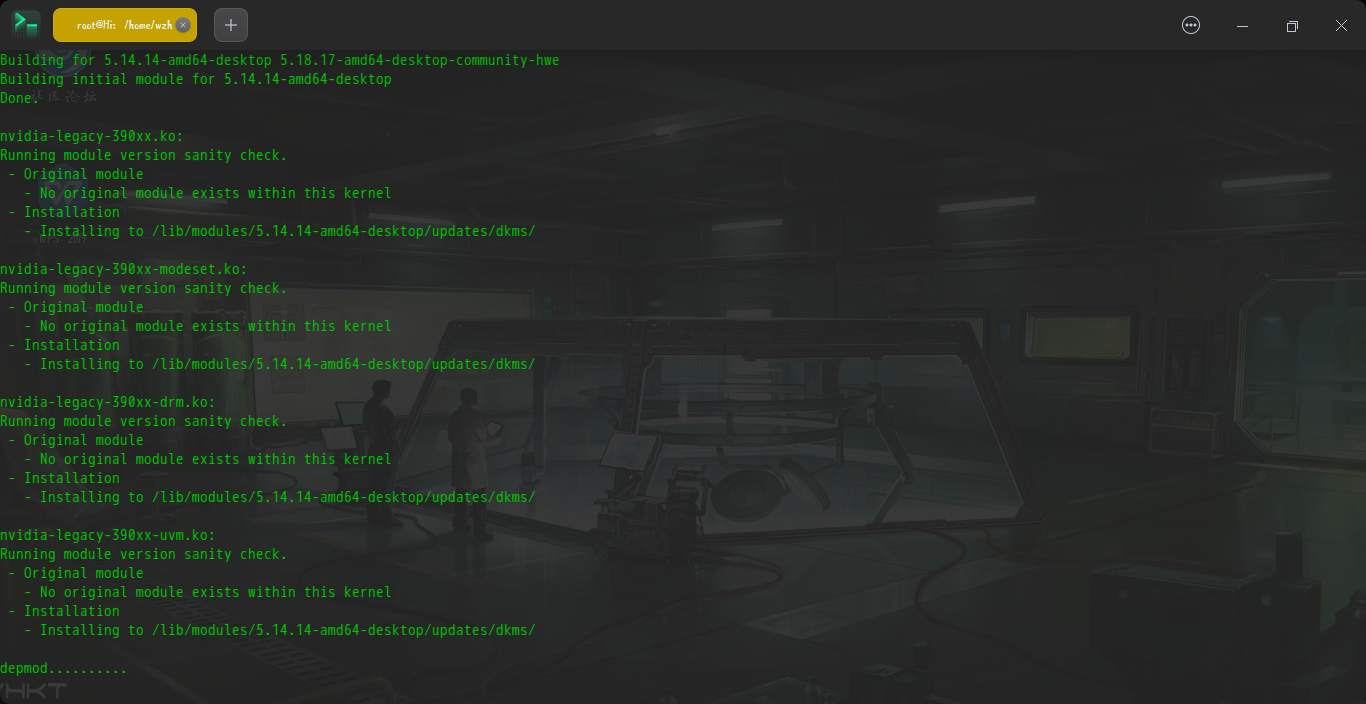
[Seek Help] 安装N卡390驱动一直报错
Tofloor
poster avatar
Reid
deepin
2023-01-10 03:35
Author

截图_dde-desktop_20230109192834.png

截图_dde-desktop_20230109192809.png

截图_dde-desktop_20230109192711.png

用了root、sudo和pkexec,结果都是一样的,还请大佬们帮忙解决!
Reply Favorite View the author
All Replies
璀璨星空
deepin
2023-01-10 03:49
#1

试试这个方法:https://bbs.deepin.org/post/232923 doubt

Reply View the author
Reid
deepin
2023-01-10 03:58
#2
璀璨星空

试试这个方法:https://bbs.deepin.org/post/232923 doubt
image.png

404了

Reply View the author
火彩
deepin
2023-01-10 04:28
#3
Reid

image.png

404了

链接后去掉 :doubt:的表情占位符doubt

Reply View the author
Comments
沉默的羔羊
2023-01-10 04:31
谢谢!
神末shenmo
deepin
Spark-App
Q&A Team
2023-01-10 04:29
#4
Reid

image.png

404了

https://bbs.deepin.org/post/232923

表情的问题

Reply View the author
Comments
沉默的羔羊
2023-01-10 04:31
谢谢!
神末shenmo
deepin
Spark-App
Q&A Team
2023-01-10 04:30
#5

你最后一张图片是说的终端太小了请用标准终端打开

老旧驱动打不上去可能和内核有关,也许降低版本会有用

Reply View the author
Reid
deepin
2023-01-10 04:32
#6
It has been deleted!
Reid
deepin
2023-01-10 04:34
#7
璀璨星空

试试这个方法:https://bbs.deepin.org/post/232923 doubt

但是我有些键用不了sad

Reply View the author
Reid
deepin
2023-01-10 04:44
#8
神末shenmo

你最后一张图片是说的终端太小了请用标准终端打开

老旧驱动打不上去可能和内核有关,也许降低版本会有用

可是之前打上去过的啊,版本也是20.8

Reply View the author
Ziggy
deepin
2023-01-10 05:01
#9

先把旧驱动卸载,用aptitude卸载,比apt智能

Reply View the author
Reid
deepin
2023-01-10 05:07
#10
Ziggy

先把旧驱动卸载,用aptitude卸载,比apt智能

怎么卸载/confused

Reply View the author
Bail
deepin
2023-01-10 05:41
#11

我使用官方 .run驱动安装成功了。要不你试试?

说明:安装 .run驱动前请将apt安装的驱动卸载干净,否则会报冲突。

Reply View the author
Ziggy
deepin
2023-01-10 05:44
#12
Reid

怎么卸载/confused

把报错的包aptitude purge卸载掉

Reply View the author
Bail
deepin
2023-01-10 05:45
#13
Reid

怎么卸载/confused

sudo aptitude remove 

remove后面写你的包名

Reply View the author
Reid
deepin
2023-01-10 19:16
#14
神末shenmo

你最后一张图片是说的终端太小了请用标准终端打开

老旧驱动打不上去可能和内核有关,也许降低版本会有用
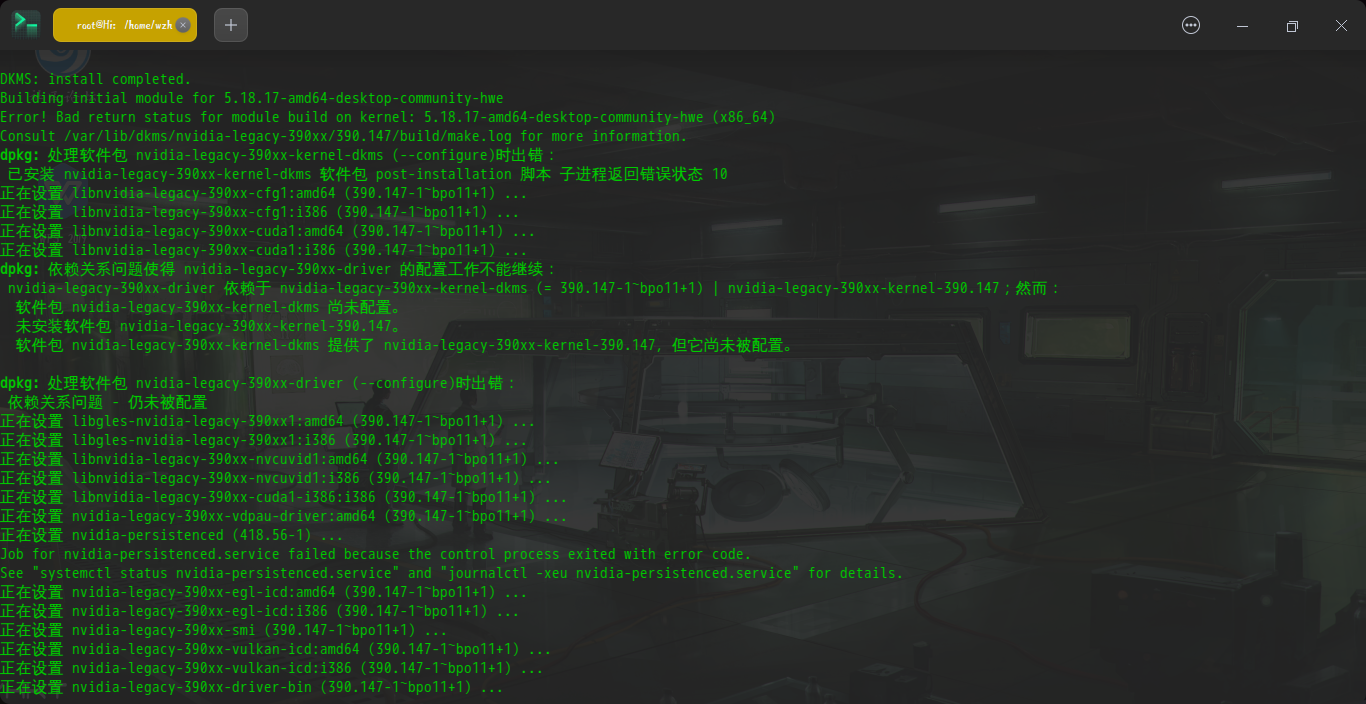
截图_deepin-terminal_20230110111406.png

截图_deepin-terminal_20230110111347.png

截图_deepin-terminal_20230110111417.png

5.14的内核也不可以sob

Reply View the author
Reid
deepin
2023-01-10 19:25
#15
It has been deleted!
Reid
deepin
2023-01-10 19:34
#16
It has been deleted!