

 中文
中文 
晚秋(lateautumn)
2023-01-09 19:20 Moderator
是不是系统分辩率的原因呀?
Reply Like 0 View the author
 deepin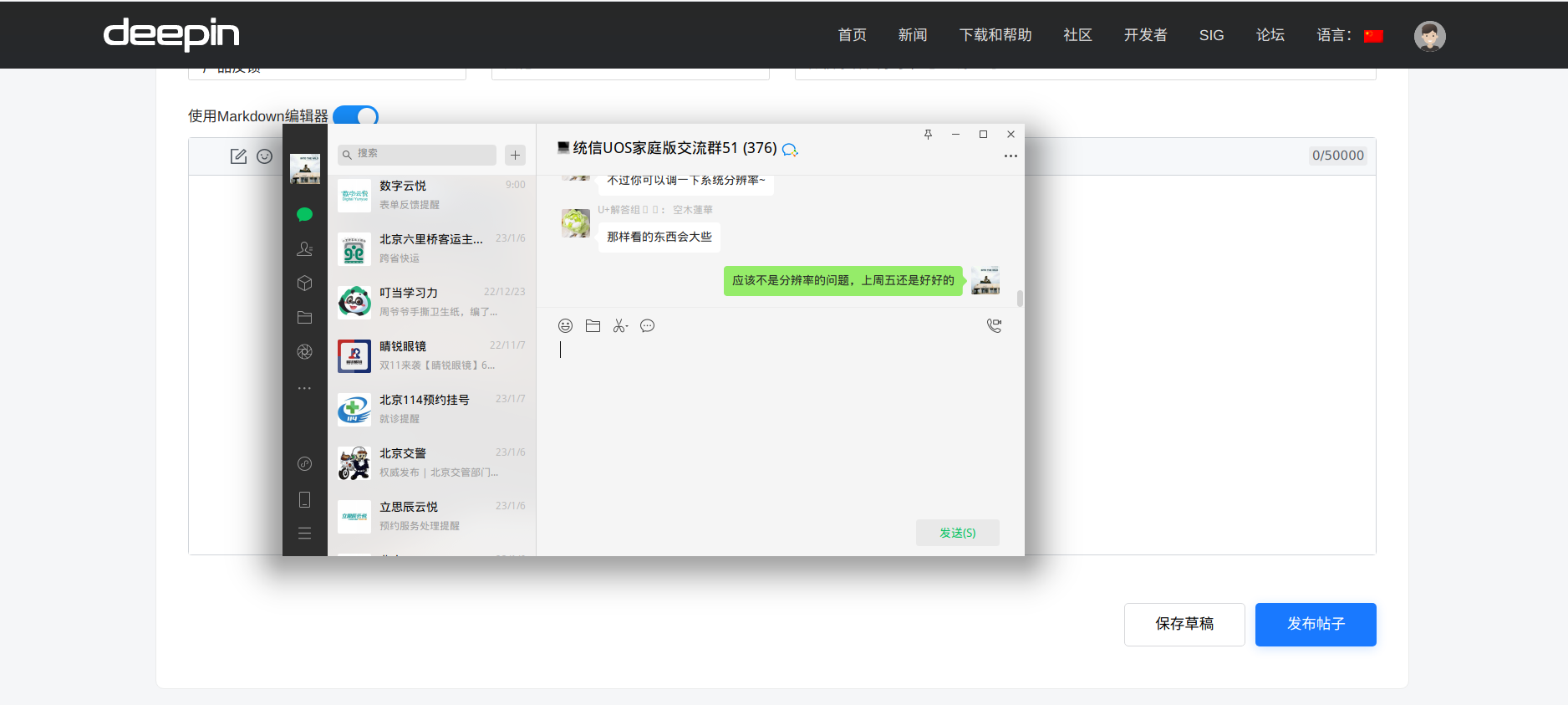

是不是系统分辩率的原因呀?
deepin 是不是系统分辩率的原因呀?
不是,上周五还没事,今天开机就这样了

 deepin
 其实用15.6寸笔记本就会发现,所有的第三方软件需要缩放1.25倍才好看,但是,deepin自带的软件,商店也好,文件管理器也好,不缩放好看,一放大没法看,这两者是冲突的,希望deepin重视一下这个问题

 deepin
 系统缩放调大一些应该会好一点。

 deepin
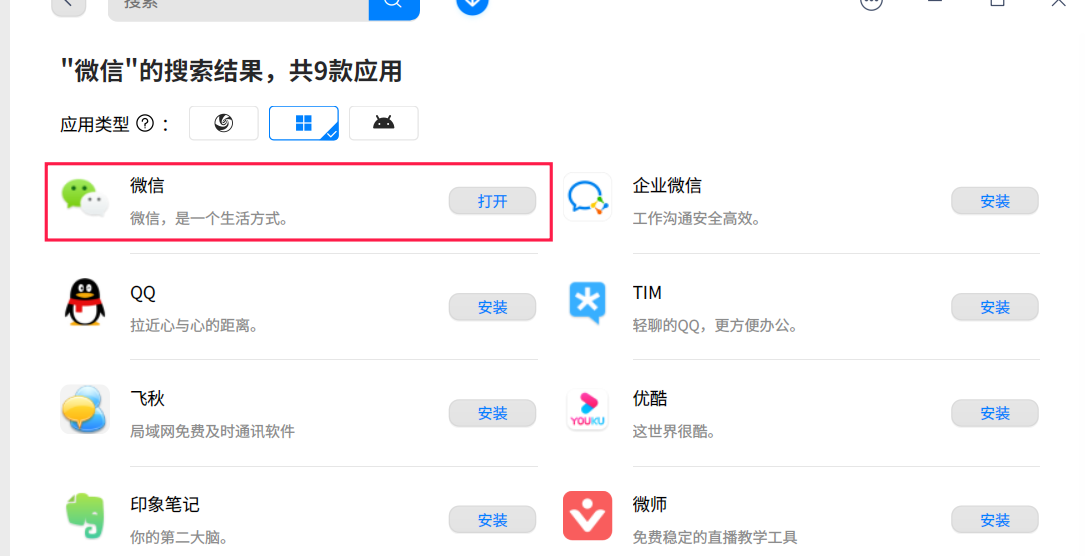
 从哪里获取的微信?
deepin 从哪里获取的微信?
应用商店
deepin 应用商店
deepin 系统缩放调大一些应该会好一点。
调大了,其他软件就太大了
 deepin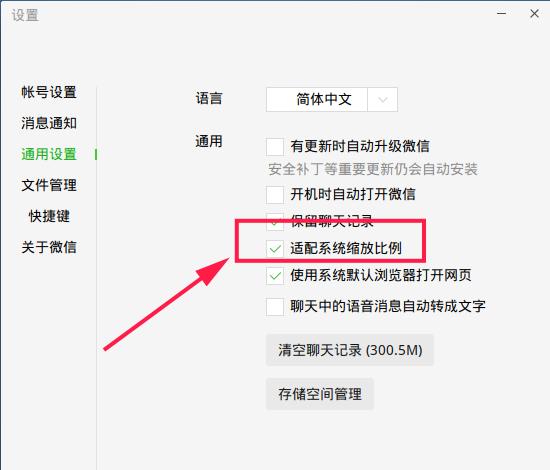
把适配系统缩放比例去掉勾选,重启微信后,再勾选,然后再重新登录试试?
如果还是不起作用,那就只能扩大系统自身的缩放比例了(一般需要借助第三方的软件),我比较喜欢的比例是1.6倍
另外,可能还有一个方法可以试一下,就是卸载微信后,再重新安装
deepin
把适配系统缩放比例去掉勾选,重启微信后,再勾选,然后再重新登录试试?
如果还是不起作用,那就只能扩大系统自身的缩放比例了(一般需要借助第三方的软件),我比较喜欢的比例是1.6倍
另外,可能还有一个方法可以试一下,就是卸载微信后,再重新安装
卸载试过不行,微信适配系统缩放比例试过不行,缩放比例我找个软件试试看
deepin 调大了,其他软件就太大了
找到微信的快捷方式,通常在/usr/share/applications下面。把这个快捷方式复制到~/.local/share/applications,然后用编辑器打开,找到
Exec=
开头的行,在 =号后面添加:
env DEEPIN_WINE_SCALE=2
也就是说,如果原来是
Exec=xxxxxx
那么修改之后变成
Exec=env DEEPIN_WINE_SCALE=2 xxxxxx
这里的2可以是任何你想要的缩放比例。重启电脑,启动微信看看效果。
deepin 找到微信的快捷方式,通常在/usr/share/applications下面。把这个快捷方式复制到~/.local/share/applications,然后用编辑器打开,找到
Exec=
开头的行,在 =号后面添加:
env DEEPIN_WINE_SCALE=2
也就是说,如果原来是
Exec=xxxxxx
那么修改之后变成
Exec=env DEEPIN_WINE_SCALE=2 xxxxxx
这里的2可以是任何你想要的缩放比例。重启电脑,启动微信看看效果。
deepin
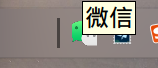
小图标变大了,字体没变
[Desktop Entry]
Encoding=UTF-8
Type=Application
X-Created-By=Deepin WINE Team
Categories=chat;
Icon=com.qq.weixin.deepin
Exec=env DEEPIN_WINE_SCALE=2 "/opt/apps/com.qq.weixin.deepin/files/run.sh" -f %f
Name=WeChat
Name[zh_CN]=微信
Comment=Tencent WeChat Client on Deepin Wine6
StartupWMClass=WeChat.exe
MimeType=
deepin 小图标变大了,字体没变
[Desktop Entry]
Encoding=UTF-8
Type=Application
X-Created-By=Deepin WINE Team
Categories=chat;
Icon=com.qq.weixin.deepin
Exec=env DEEPIN_WINE_SCALE=2 "/opt/apps/com.qq.weixin.deepin/files/run.sh" -f %f
Name=WeChat
Name[zh_CN]=微信
Comment=Tencent WeChat Client on Deepin Wine6
StartupWMClass=WeChat.exe
MimeType=
如果微信里面开了适配系统缩放比例之后调了这个还是不行那我真不知道怎么办了。
 deepin
  deepin
 这个我熟打开终端,执行
env WINEPREFIX=~/.deepinwine/Deepin-WeChat deepin-wine6-stable winecfg
调整这里
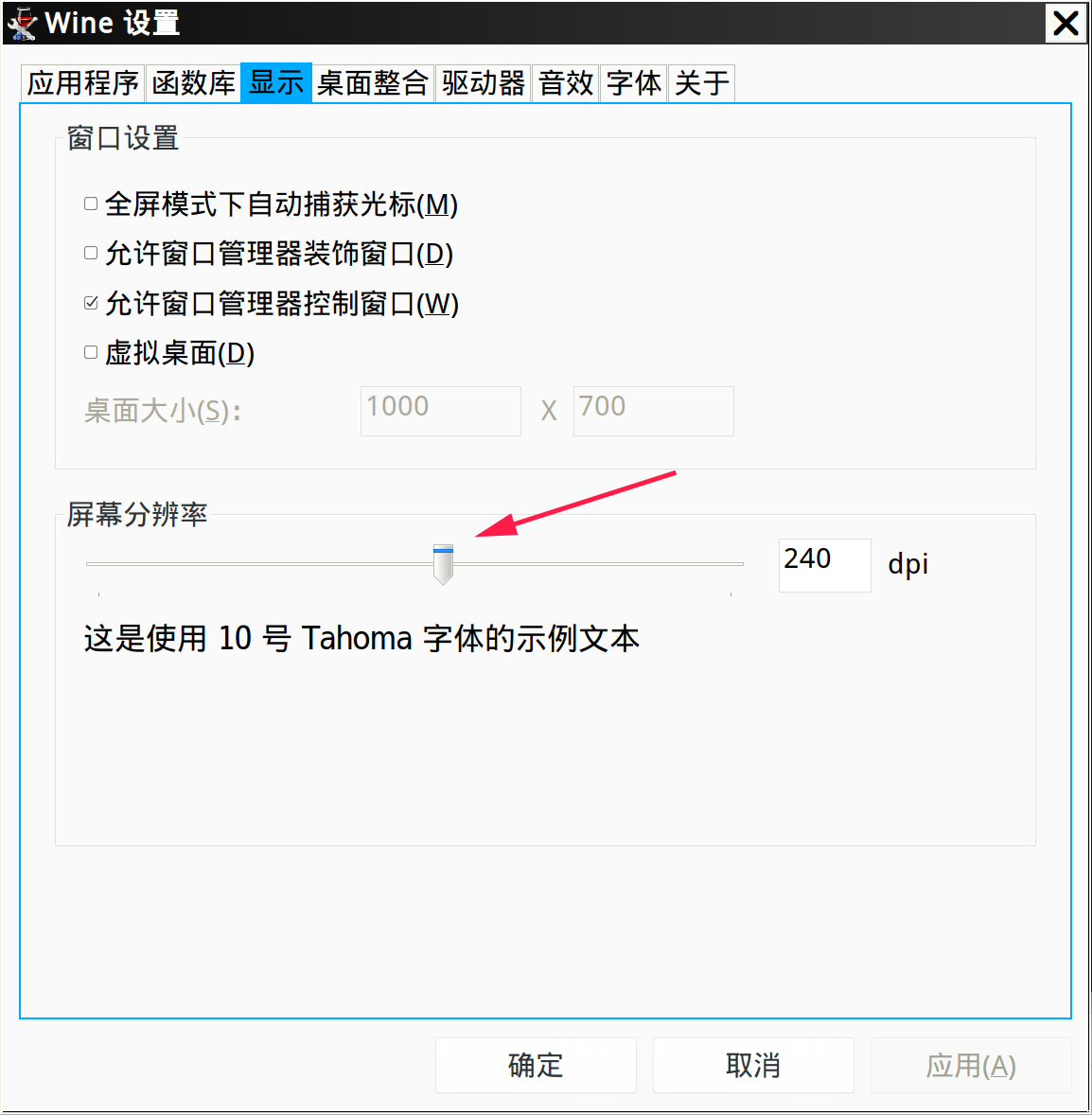
deepin 这个我熟打开终端,执行
env WINEPREFIX=~/.deepinwine/Deepin-WeChat deepin-wine6-stable winecfg
调整这里
这个方法解决了我的问题
Popular Ranking
ChangePopular Events
More


 is Deepin 25 using OSTree?