[Seek Help] 账户出了问题,我直接新建一个,把原来的删了,结果软件打不开了
Tofloor
poster avatar
灵触大圣
deepin
2022-12-22 18:48
Author

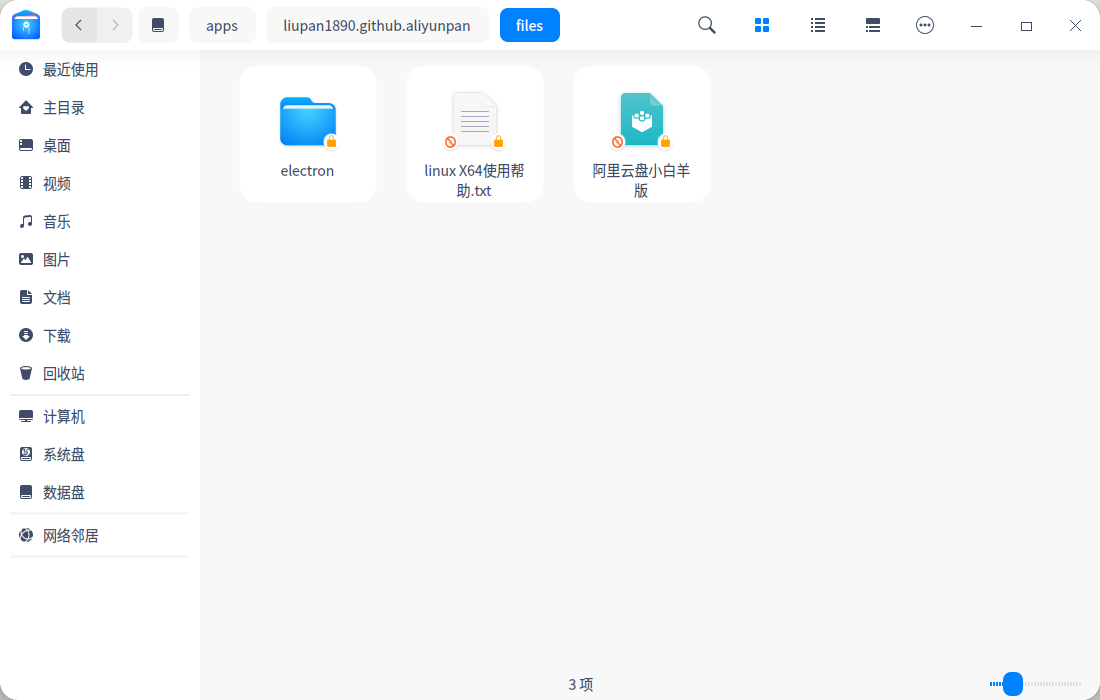
目前就是这么个情况
截图_dde-file-manager_20221222102805.png

重装也不行,desktop也打不开,然后用管理员打开以后

截图_dde-file-manager_20221222102911.png

截图_dde-file-manager_20221222102951.png

就可以双击打开了

截图_alixby_20221222103012.png

但是.desktop还是打不开

Reply Favorite View the author
All Replies
black_white_bear
deepin
2022-12-22 19:28
#1

从我的角度看起来,是因为App在用户所属的目录下,做了一些配置

therefore,reinstall this App or open its desktop file with Text Editor to look up configurations that may relate with user's information

  • by the way, the password is really long
Reply View the author
寂静的羽夏
deepin
2022-12-22 19:28
#2

应该是 linux 的文件权限机制把你困住了。linux 默认新建的文件默认当前用户是可读写,其他非 root 用户都是只读的。你尝试把新建的用户的名字改为被删掉的看看能不能解决问题。

Reply View the author
灵触大圣
deepin
2022-12-22 20:04
#3
black_white_bear

从我的角度看起来,是因为App在用户所属的目录下,做了一些配置

therefore,reinstall this App or open its desktop file with Text Editor to look up configurations that may relate with user's information

  • by the way, the password is really long

咋还中英文混合,虽说我能看懂😂

Reply View the author
灵触大圣
deepin
2022-12-22 20:05
#4
寂静的羽夏

应该是 linux 的文件权限机制把你困住了。linux 默认新建的文件默认当前用户是可读写,其他非 root 用户都是只读的。你尝试把新建的用户的名字改为被删掉的看看能不能解决问题。

用户名可以通过命令行改吗

Reply View the author
寂静的羽夏
deepin
2022-12-22 20:25
#5
灵触大圣

用户名可以通过命令行改吗

给你的教程看一下:https://linux.cn/article-9192-1.html

不过提醒一句:谨慎操作(因为我没处理过这样的东西)

Reply View the author