中文
中文 
Lwh2008-Equinox deepin
2022-12-16 16:55 deepin 说一个无聊的:win➕d,显示桌面
Reply Like 1 View the author
 deepin
 说一个无聊的:win➕d,显示桌面
 deepin
 说一个更简便的:任务栏最右侧有个小方块,也可以显示桌面

 deepin
 上面两位都说完了,那我再说个其他的 win + ← 或者 →可以切换多桌面
 deepin
 方法1:快捷键Super+D
方法2:点任务栏最右侧的小方块,颜色较任务栏稍淡

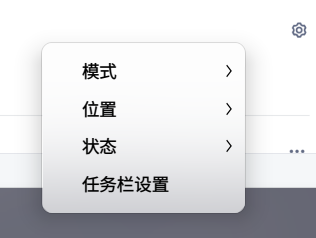
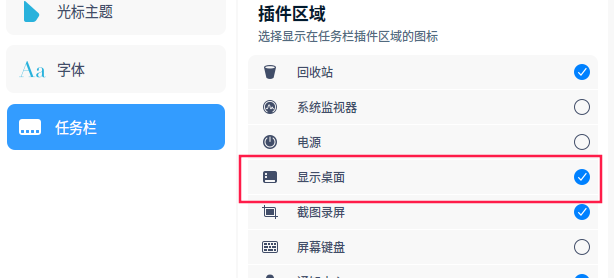
方法3:任务栏上点右键,任务栏设置,选中显示桌面

 deepin
 应该和windows一样,把鼠标移到屏幕最右下角,单击一下0就能回到桌面
Popular Ranking
ChangePopular Events
More


 is Deepin 25 using OSTree?
如题,习惯win系统的右键菜单了,希望添加!