这是我写的帖子,里面介绍了基于Chromium的浏览器如何安装插件
https://bbs.deepin.org/post/245457
基于这个帖子里的方法,给Deepin浏览器安装https://www.crxsoso.com/webstore/detail/jfiihjeimjpkpoaekpdpllpaeichkiod链接里的这个插件
然后在电脑任意位置新建html文件,在文件里连续写入几十个
这样就能实现白板的上下翻页,跟classin的黑板很像
此时保存html文件,将保存好的html文件拖动到浏览器上打开
然后点击Draw On Page插件
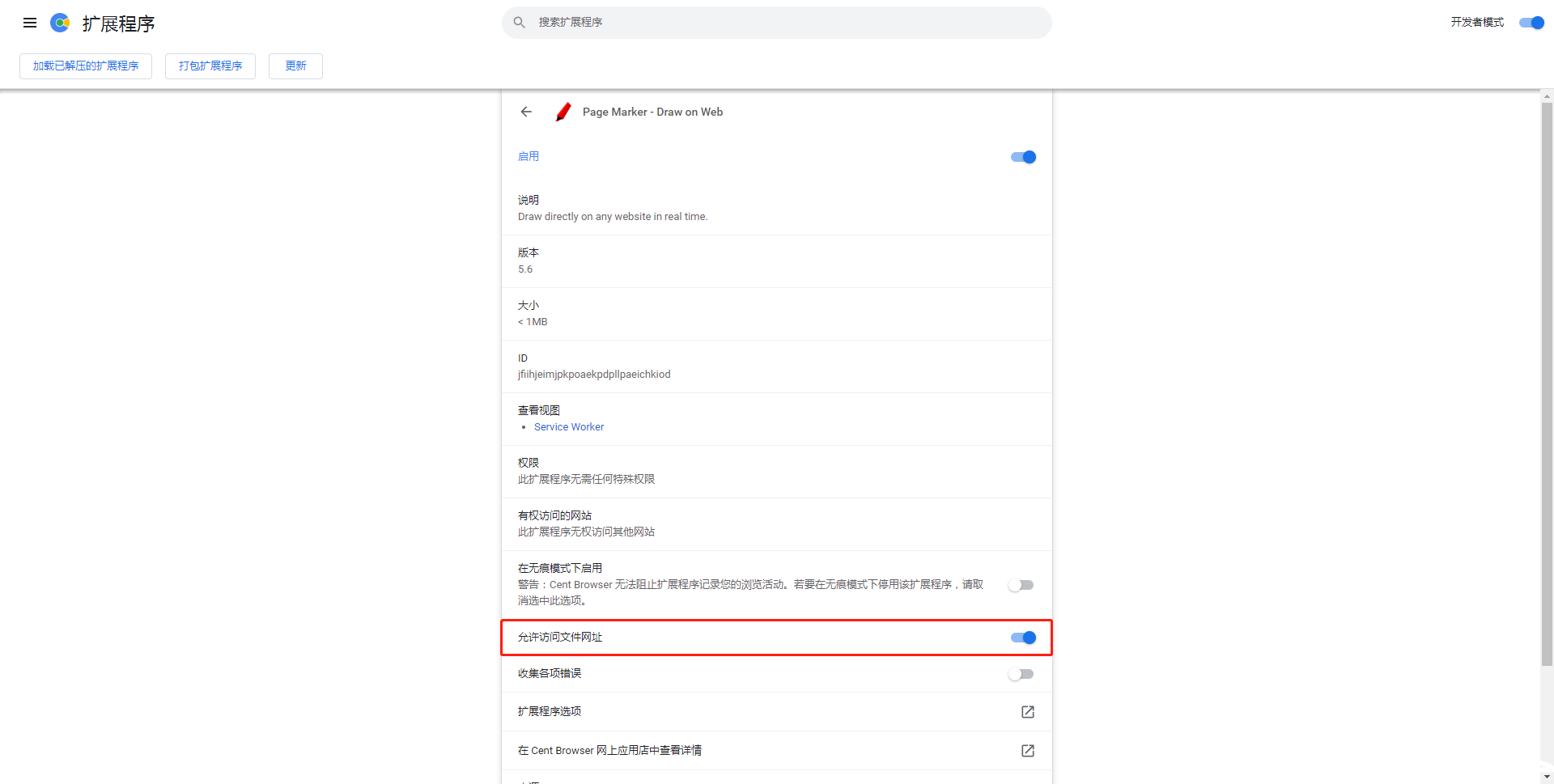
修改一下插件设置
现在来测试一下这个自制的“白板”
发现这个“白板笔”颜色比希沃,classin,钉钉自带的白板笔自由很多,甚至还能改色号
线条粗细也比这三者(希沃,classin,钉钉)更好控制,这三者的白板笔粗细只能分**px一档,而这个“白板”不是分档调节粗细的
搭配触摸屏用这个“白板”,它就会成为老师在网课期间授课的绝佳利器
而且把老师的课件转换成html格式导入“白板”,老师这网课上得爽歪歪了
还有荧光笔,直线,擦除,截图。。。等你体验
有了这款“白板”,现在老师们只需要单纯的屏幕共享软件就可以了
赞一个
感谢分享
但是,这个保存浏览器就退出了!你们是不是同样的问题呢
Featured Collection
Popular Ranking
Popular Events


 中文
中文 
 deepin deepin
 deepin
 deepin
 deepin
 deepin
  deepin deepin

 deepin


 is Deepin 25 using OSTree?
这是我写的帖子,里面介绍了基于Chromium的浏览器如何安装插件
https://bbs.deepin.org/post/245457
基于这个帖子里的方法,给Deepin浏览器安装https://www.crxsoso.com/webstore/detail/jfiihjeimjpkpoaekpdpllpaeichkiod链接里的这个插件
然后在电脑任意位置新建html文件,在文件里连续写入几十个
这样就能实现白板的上下翻页,跟classin的黑板很像
此时保存html文件,将保存好的html文件拖动到浏览器上打开
然后点击Draw On Page插件
修改一下插件设置
现在来测试一下这个自制的“白板”
发现这个“白板笔”颜色比希沃,classin,钉钉自带的白板笔自由很多,甚至还能改色号
线条粗细也比这三者(希沃,classin,钉钉)更好控制,这三者的白板笔粗细只能分**px一档,而这个“白板”不是分档调节粗细的
搭配触摸屏用这个“白板”,它就会成为老师在网课期间授课的绝佳利器
而且把老师的课件转换成html格式导入“白板”,老师这网课上得爽歪歪了
还有荧光笔,直线,擦除,截图。。。等你体验
有了这款“白板”,现在老师们只需要单纯的屏幕共享软件就可以了