

 中文
中文 
来自Ubuntu的某位用户 deepin
2022-06-07 19:14 deepin 你说的是LibreOffice Clac不支持xlsx吗
Reply Like 0 View the author
 deepin
 你说的是LibreOffice Clac不支持xlsx吗

 deepin
 WPS还是可以的
 deepin
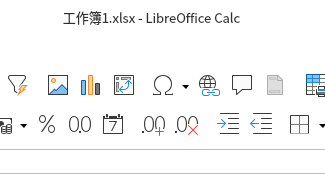
 应该是支持的
 deepin
 你说的是LibreOffice Clac不支持xlsx吗
只能打开,编辑的话,不能原路保存,只能存成不带x的
deepin 只能打开,编辑的话,不能原路保存,只能存成不带x的
xls是Microsoft Office 97-2003 工作表文档,发给其他人其他人照常打开文件,就是用Microsoft Office 2007及以上的会以兼容模式打开
 deepin
  deepin
 wps是免费的吗?办公室电脑怕很多都要重新买,不敢换deepin系统
deepin wps是免费的吗?办公室电脑怕很多都要重新买,不敢换deepin系统
除了WPS PDF编辑和转换,WPS内置的稻壳模板要付费,其他Word,PPT,Excel的编辑功能都免费
deepin Deepin自带Python,可以用Python实现免费PDF转Word,不花一分钱
import argparse
from pdf2docx import Converter

def main(pdf_file,docx_file):
    cv = Converter(pdf_file)
    cv.convert(docx_file, start=0, end=None)
    cv.close()

if __name__ == "__main__":
    parser = argparse.ArgumentParser()
    parser.add_argument("--pdf_file",type=str)
    parser.add_argument('--docx_file',type=str)
    args = parser.parse_args()
    main(args.pdf_file,args.docx_file)
需要安装pdf2docx库
上述脚本用法:
python pdf2word.py --pdf_file pdf文件路径\example.pdf --docx_file 输出word文件的路径\example.docx
或者有一个六行的版本:
from pdf2docx import Converter
pdf_file = 'pdf文件路径'
docx_file = '输出word文件的路径'
cv = Converter(pdf_file)
cv.convert(docx_file, start=0, end=None)
cv.close()
(我们不是卖课的)
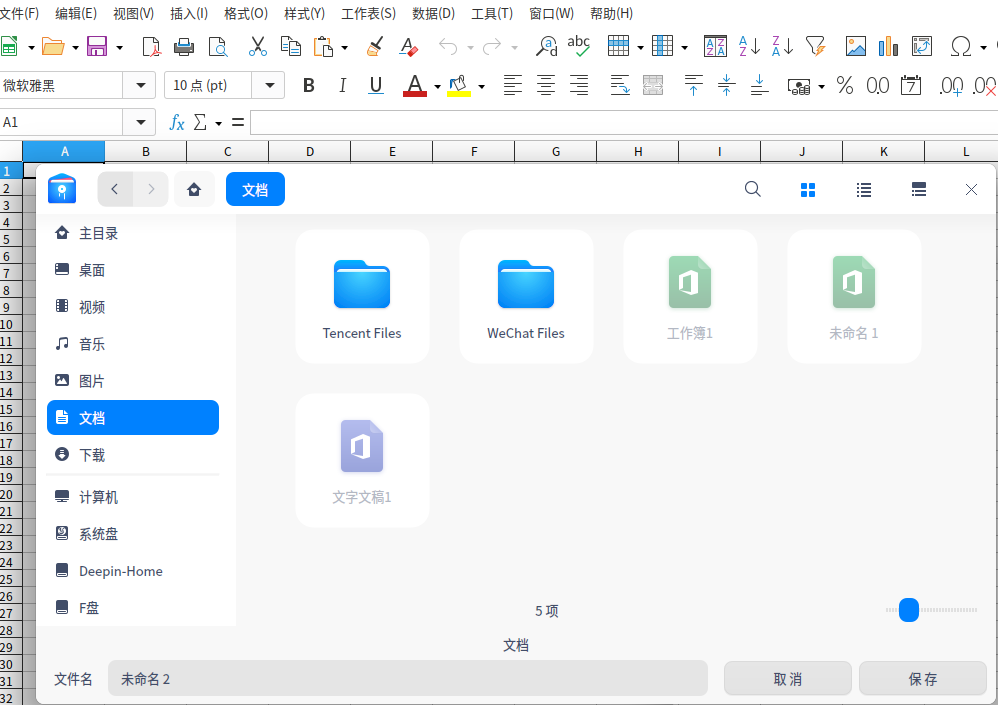
deepin 我的是7.0.4版,打开、保存怎么都是系统文管对话框?
deepin deepin 我的是这样:
 deepin
 Deepin自带Python,可以用Python实现免费PDF转Word,不花一分钱
import argparse
from pdf2docx import Converter

def main(pdf_file,docx_file):
    cv = Converter(pdf_file)
    cv.convert(docx_file, start=0, end=None)
    cv.close()

if __name__ == "__main__":
    parser = argparse.ArgumentParser()
    parser.add_argument("--pdf_file",type=str)
    parser.add_argument('--docx_file',type=str)
    args = parser.parse_args()
    main(args.pdf_file,args.docx_file)
需要安装pdf2docx库
上述脚本用法:
python pdf2word.py --pdf_file pdf文件路径\example.pdf --docx_file 输出word文件的路径\example.docx
或者有一个六行的版本:
from pdf2docx import Converter
pdf_file = 'pdf文件路径'
docx_file = '输出word文件的路径'
cv = Converter(pdf_file)
cv.convert(docx_file, start=0, end=None)
cv.close()
(我们不是卖课的)
请问这个pdf2word包转换pdf时格式变化大吗?对于无编辑和修改权限的pdf文件支持转换吗?
我在用Apache PDFBox以及Free Spire.PDF,想要了解一下,谢谢
deepin 请问这个pdf2word包转换pdf时格式变化大吗?对于无编辑和修改权限的pdf文件支持转换吗?
我在用Apache PDFBox以及Free Spire.PDF,想要了解一下,谢谢
pdf2docx可以完美还原排版。
如果pdf2docx的方法用不了,可以试试pdfminer的方法,这个方法适合转换纯文字的PDF文件,但是这个方法可以实现多线程转换。
无编辑和修改权限的pdf文件应该能转换,但是转出来的Word是只读,或者不能转换(如果改文件只读)
或者可以试试pdfminer或pdfplumber能不能从没有编辑权限的PDF里提取文字,如果可以,就可以让Python将提取出来的文字写到Word里
提取文字的话pdfplumber要写的代码比pdfminer短,并且pdfplumber更加精准
deepin 请问这个pdf2word包转换pdf时格式变化大吗?对于无编辑和修改权限的pdf文件支持转换吗?
我在用Apache PDFBox以及Free Spire.PDF,想要了解一下,谢谢
pdfminer的方法
from pdfminer.pdfinterp import PDFResourceManager
from pdfminer.pdfinterp import process_pdf
from pdfminer.converter import TextConverter
from pdfminer.layout import LAParams
from docx import Document

resource_manager = PDFResourceManager()
return_str = StringIO()
lap_params = LAParams()

device = TextConverter(resource_manager, return_str, laparams=lap_params)
process_pdf(resource_manager, device, file)  # file是使用open方法打开的PDF文件句柄
device.close()

# 此处content就是转换为文字的PDF内容
content = return_str.getvalue()


doc = Document()
for line in content.split('\n'):
    paragraph = doc.add_paragraph()
    paragraph.add_run(remove_control_characters(line))
doc.save(file_path)

def remove_control_characters(content):
    mpa = dict.fromkeys(range(32))
    return content.translate(mpa)
pdf2docx可以完美还原排版。
如果pdf2docx的方法用不了,可以试试pdfminer的方法,这个方法适合转换纯文字的PDF文件,但是这个方法可以实现多线程转换。
无编辑和修改权限的pdf文件应该能转换,但是转出来的Word是只读,或者不能转换(如果改文件只读)
或者可以试试pdfminer或pdfplumber能不能从没有编辑权限的PDF里提取文字,如果可以,就可以让Python将提取出来的文字写到Word里
提取文字的话pdfplumber要写的代码比pdfminer短,并且pdfplumber更加精准
好的,万分感谢,我回头试下
Popular Ranking
ChangePopular Events
More


 Which version of the Deepin system is the best?
还得装回金山