中文
中文 
安洛 deepin
2022-01-27 15:53 deepin What is your nvidia card? Have you installed the proprietary driver of nvidia?
Reply Like 0 View the author
 deepin
 What is your nvidia card? Have you installed the proprietary driver of nvidia?

 deepin
 I've installed this one.
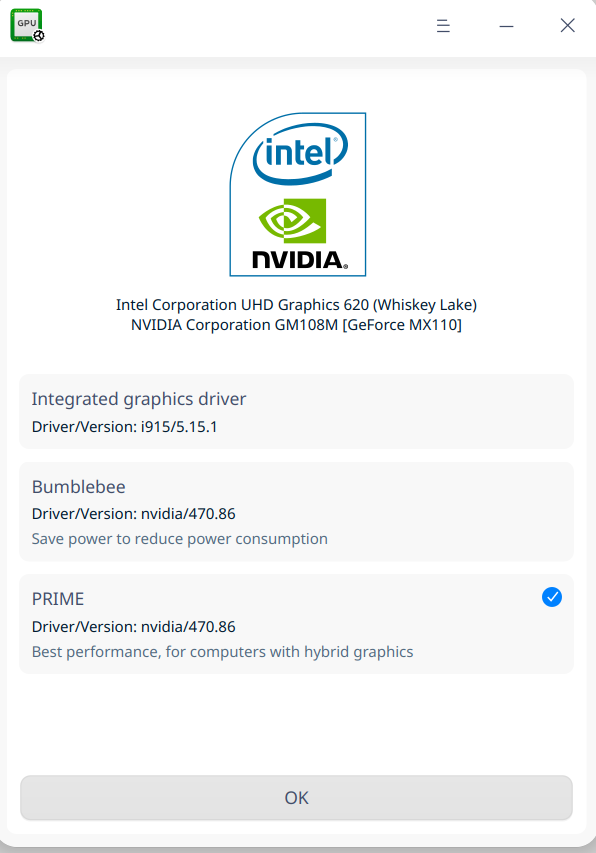
deepin What is your nvidia card? Have you installed the proprietary driver of nvidia?
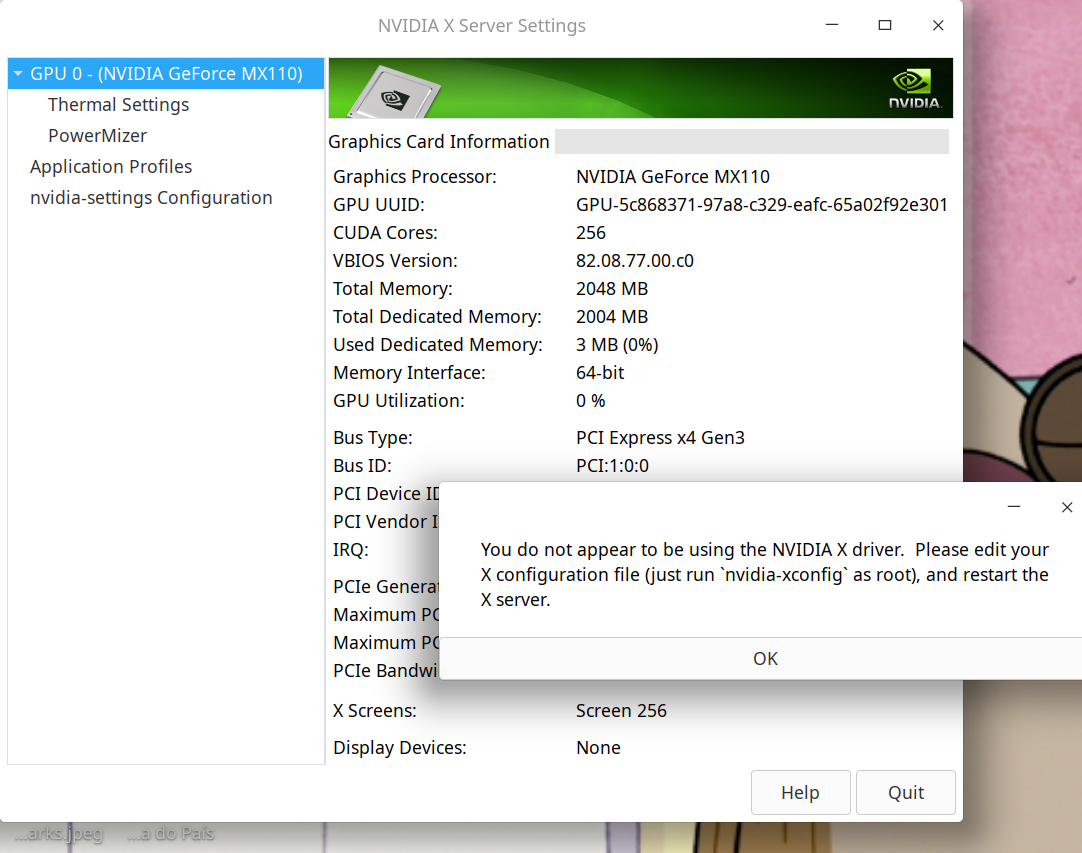
deepin
Can you show me the result of this command:
sudo nvidia-smi
If you don't have nvidia-smi installed, just install it through apt first:
sudo apt install nvidia-smi
But if installing nvidia-smi requires you a lot of dependencies, do not install it, show me the result.
deepin Can you show me the result of this command:
sudo nvidia-smi
If you don't have nvidia-smi installed, just install it through apt first:
sudo apt install nvidia-smi
But if installing nvidia-smi requires you a lot of dependencies, do not install it, show me the result.
carlos@carlos-PC:~$ sudo nvidia-smi
[sudo] password for carlos:
Verification successful
NVIDIA-SMI has failed because it couldn't communicate with the NVIDIA driver. Make sure that the latest NVIDIA driver is installed and running.
deepin carlos@carlos-PC:~$ sudo nvidia-smi
[sudo] password for carlos:
Verification successful
NVIDIA-SMI has failed because it couldn't communicate with the NVIDIA driver. Make sure that the latest NVIDIA driver is installed and running.
Oh...it seems that you haven't installed nvidia driver successfully. This is not strange, since the graphics driver manager has some(maybe many) bugs. I suggest you to install the driver manually. It's a little dangerous, which may crach your system, but if you do want to use your nvidia card, it's neccessary. Here is a method that has been tried by lots of users including me and succeeded many times. I think it worth a try. Or you can turn to the debian pages for help. Whatever you want to try, remenber to back up your data.
Here is the method:
launch the graphics driver manager, and change to integrated graphics driver.
After reboot, use this command one by one:
sudo dpkg --add-architecture i386


sudo apt update


sudo  apt  install  nvidia-driver  nvidia-smi  nvidia-settings  nvidia-vulkan-icd  vulkan-utils  nvidia-driver-libs:i386  libnvidia-ml1:i386  libxnvctrl0:i386  libvulkan1  libvulkan1:i386


sudo update-initramfs -k all -u
Just check yes during the installing. Then reboot.
Now, you can use the nvidia card. But the whole system will run on nvidia card, which will cost much electricity. If you don't use laptop, ignore it. But if you are using a laptop, I suggest you to install this deb:
https://gitee.com/deepin-opensource/switch-graphics-card/attach_files/886374/download/dde-dock-graphics-plugin_1.8.4-1_amd64.deb
This is a plugin developed by a deepin lover. It will add an icon to the system tray, and enable you to switch between intel card and nvidia card, as well as using nvidia card in some software while running system on intel card. After install it, reboot, then switch to nvidia card, and switch back to intel card, now you can enjoy the wonderful nvidia-prime function.
deepin Oh...it seems that you haven't installed nvidia driver successfully. This is not strange, since the graphics driver manager has some(maybe many) bugs. I suggest you to install the driver manually. It's a little dangerous, which may crach your system, but if you do want to use your nvidia card, it's neccessary. Here is a method that has been tried by lots of users including me and succeeded many times. I think it worth a try. Or you can turn to the debian pages for help. Whatever you want to try, remenber to back up your data.
Here is the method:
launch the graphics driver manager, and change to integrated graphics driver.
After reboot, use this command one by one:
sudo dpkg --add-architecture i386


sudo apt update


sudo  apt  install  nvidia-driver  nvidia-smi  nvidia-settings  nvidia-vulkan-icd  vulkan-utils  nvidia-driver-libs:i386  libnvidia-ml1:i386  libxnvctrl0:i386  libvulkan1  libvulkan1:i386


sudo update-initramfs -k all -u
Just check yes during the installing. Then reboot.
Now, you can use the nvidia card. But the whole system will run on nvidia card, which will cost much electricity. If you don't use laptop, ignore it. But if you are using a laptop, I suggest you to install this deb:
https://gitee.com/deepin-opensource/switch-graphics-card/attach_files/886374/download/dde-dock-graphics-plugin_1.8.4-1_amd64.deb
This is a plugin developed by a deepin lover. It will add an icon to the system tray, and enable you to switch between intel card and nvidia card, as well as using nvidia card in some software while running system on intel card. After install it, reboot, then switch to nvidia card, and switch back to intel card, now you can enjoy the wonderful nvidia-prime function.
Everything is working like a clock now! Thank you very much!
You explained everything clearly and thoroughly! Besides being a genius, are you a teacher? Anyway, have you tried any of the games?
deepin deepin Everything is working like a clock now! Thank you very much!
You explained everything clearly and thoroughly! Besides being a genius, are you a teacher? Anyway, have you tried any of the games?
I'm glad it works. Well I'm just a student. I haven't tried the appimage game yet, but I often play games through steam on linux. But I think packaging games as appimages is a good idea. I'm looking forward to more games like that.


Good Day!
Thanks for providing us with this awesome distro!
I’d like to suggest 2 things:
would be nice if you added the possibility of organising them
horizontally as well. You guys read things vertically, right? I speak
Portuguese and we read things horizontally. As I do translations, it
would be very helpful indeed!
https://www.youtube.com/channel/UCrE7Vzc6G971XnrDyo53mGA
This guy packages windows games into .deb and AppImage!!!! Would you
ever imagined playing God of War 4.AppImage? Fantastic right?
Unfortunately, it does not recognise Nvidia video cards (Vulkan) in Deepin!
If I try to install nvidia-vulkan-common, libimage-viewer is
uninstalled!!!!!!
I have installed graphics driver manager and managed to change the
settings to PRIME. But it doesn’t work either.
I’m playing Far Cry 3 using the Intel driver at the moment!
Can you guys do something about it? I think a lot of people would
enjoy that!
Thanks very much for the oportunity to speak to you!