

 中文
中文 
eahaha deepin
2021-07-14 18:41 deepin 系统自带的浏览器,商店,也没有这个标题.咋去掉啊?
Reply Like 0 View the author
 deepin
 系统自带的浏览器,商店,也没有这个标题.咋去掉啊?

 deepin
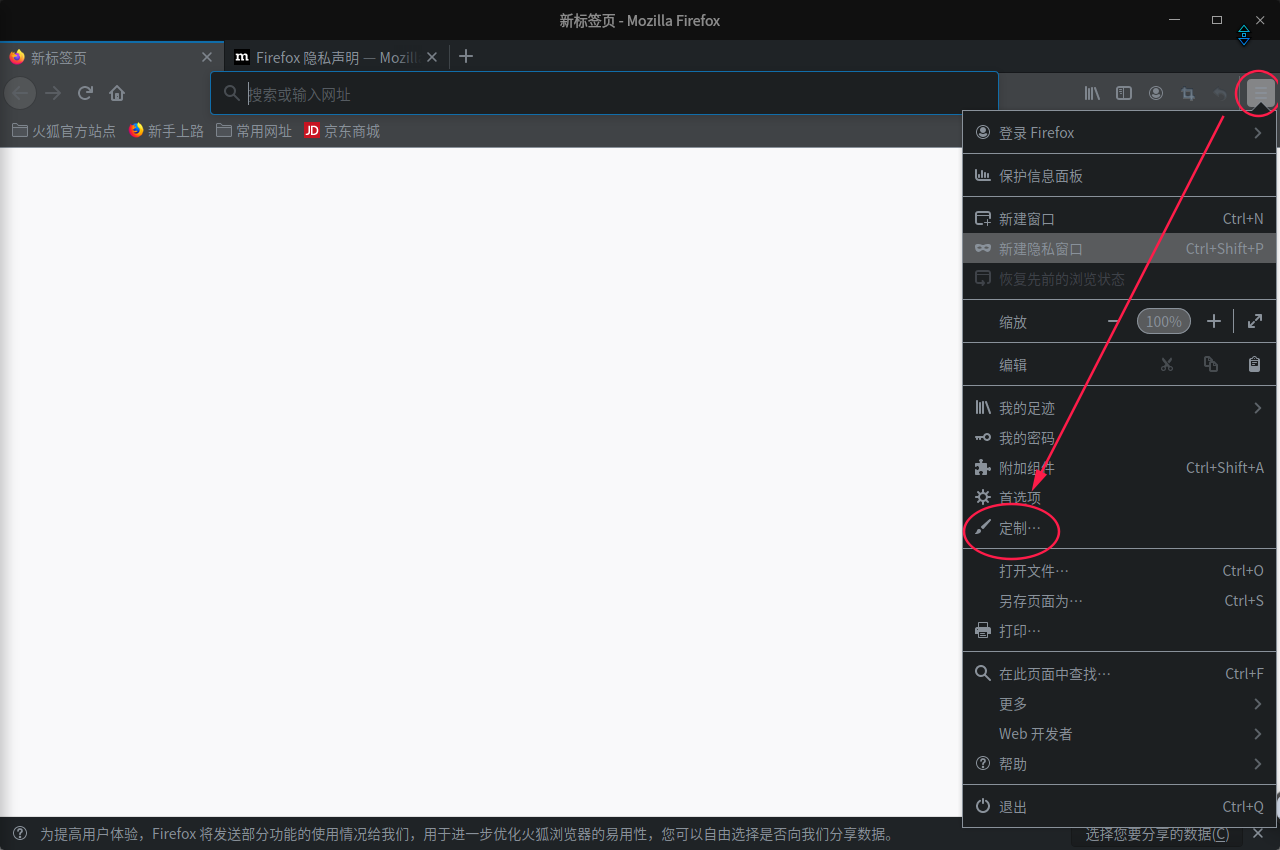
 我知道 firefox 的
点击右上角的三横,点“定制”
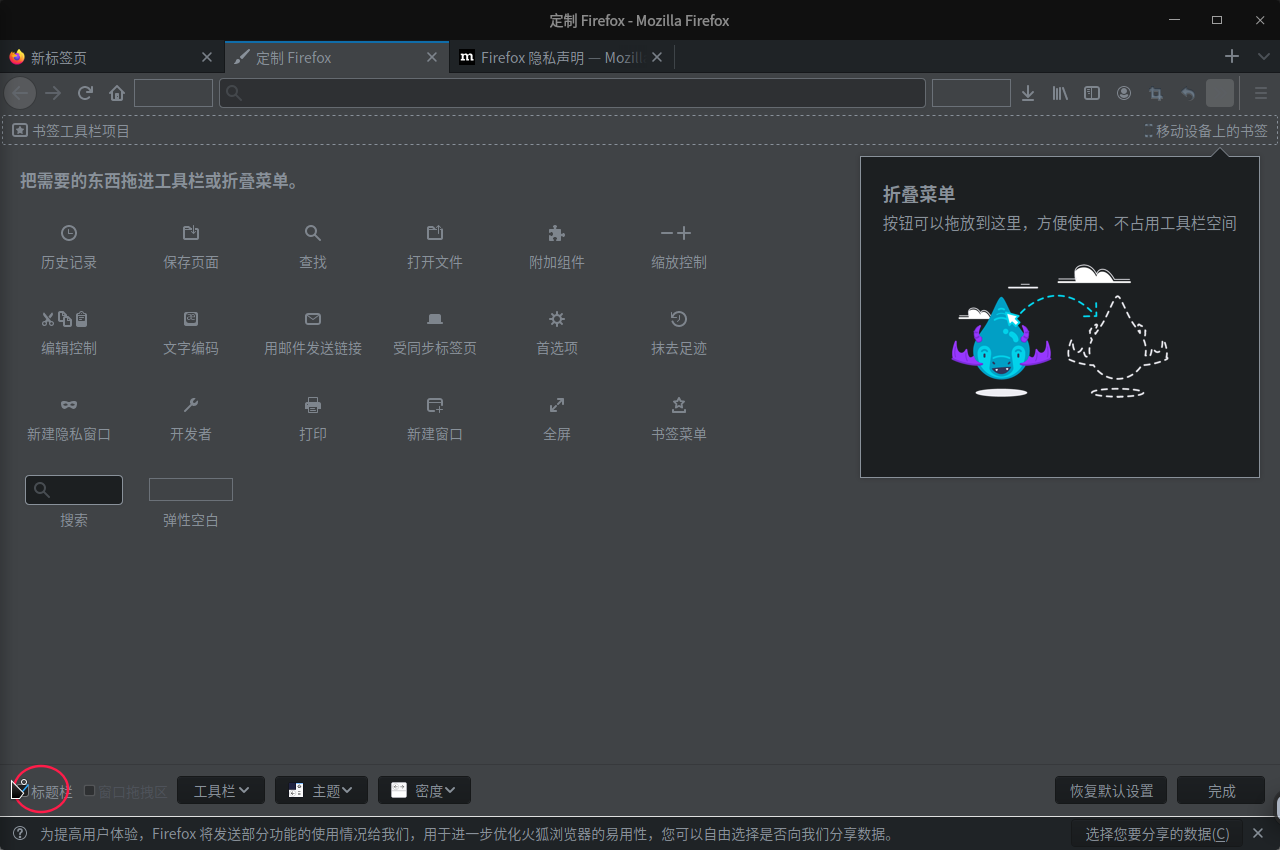
然后取消勾选“标题栏”即可
deepin deepin 我知道 firefox 的
点击右上角的三横,点“定制”
然后取消勾选“标题栏”即可
这个我把勾去掉了,重启浏览器,还在
deepin 我知道 firefox 的
点击右上角的三横,点“定制”
然后取消勾选“标题栏”即可
好了,下载的新版的火狐就好了
之前用的是应用商店的版本

 deepin
 sudo dedit ~/.config/kwinrc
添加
[Windows]
BorderlessMaximizedWindows=true注销重新登陆,窗口最大化就没有标题栏了,恢复窗口super+下

 deepin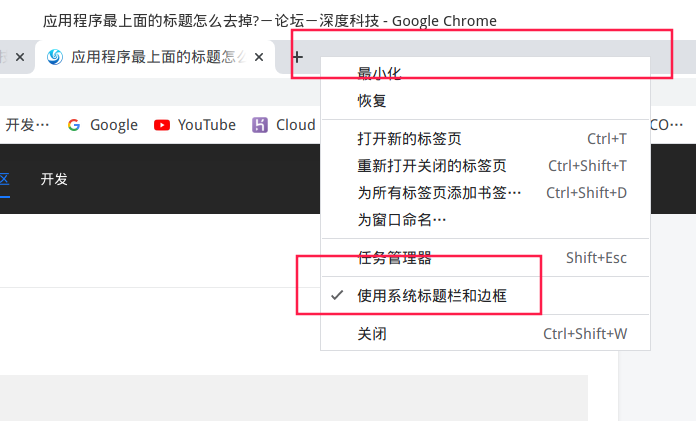
标签那里点右键,把使用系统标题栏和边框去掉,就是你想要的。右键要点空白处哦,你试试吧
deepin sudo dedit ~/.config/kwinrc
添加
[Windows]
BorderlessMaximizedWindows=true注销重新登陆,窗口最大化就没有标题栏了,恢复窗口super+下
这个有用
Popular Events
More


 The settings menu needs to be translated into Russian.
这些红框里的标题怎么去掉?这就占了屏幕一截,使用上也因为这个不方便. 在window10上是没有的.