

 中文
中文 
嘿_老板 deepin
2021-07-08 04:30 deepin 降低内核版本
Reply Like 0 View the author
 deepin
 降低内核版本

 deepin
 https://bbs.deepin.org/zh/post/211628
https://bbs.deepin.org/zh/post/214079
为啥这么久了还有人问同样的问题啊......但凡动手百度一下......
deepin https://bbs.deepin.org/zh/post/211628
https://bbs.deepin.org/zh/post/214079
为啥这么久了还有人问同样的问题啊......但凡动手百度一下......
已有回复并不“一定能”解决问题。我的bcm43228至此也无法使用。源码编译不通过。只能外接其他的usb无线网卡使用。
deepin 已有回复并不“一定能”解决问题。我的bcm43228至此也无法使用。源码编译不通过。只能外接其他的usb无线网卡使用。

应该是操作问题?broadcom-sta 明确说支持 BCM43228 的......
deepin
应该是操作问题?broadcom-sta 明确说支持 BCM43228 的......

deepin
应该是操作问题?broadcom-sta 明确说支持 BCM43228 的......
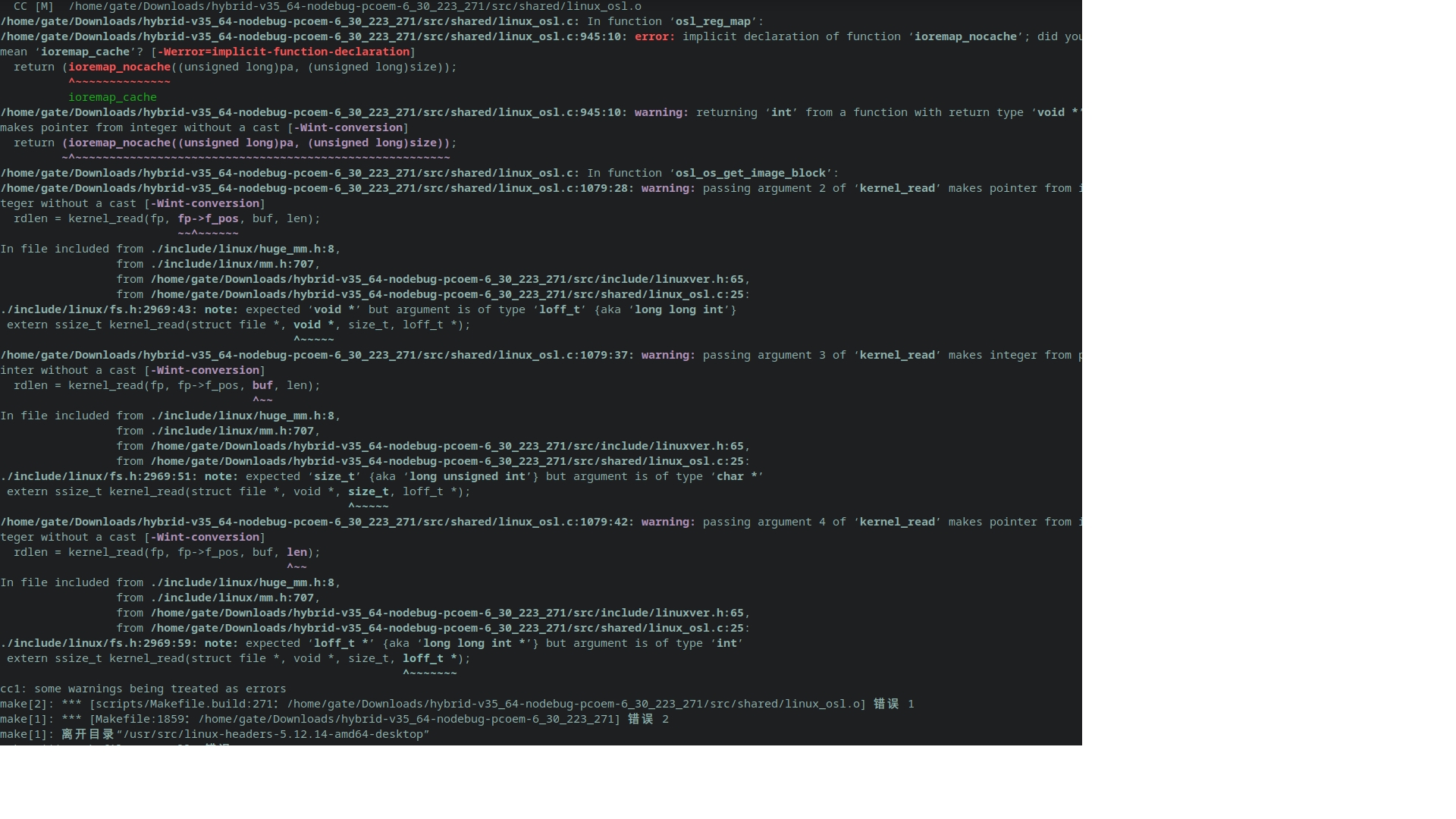
有空时帮我看看,我的出了什么问题。缺少哪个环境?万分感谢
deepin 终端输入 lspci ,查看关于“Network controller:……”的信息,找到你的网卡型号。
然后,满世界的搜索此网卡驱动的支持linux系统的驱动,deb的可以直接安装,在存放目录下,dpkg -i ****.deb。
或者搜索此驱动的tar包,解压缩之后,make,编译,会产生一个**.o的文件,复制到。。。就可以了。百度吧,我也不知道复制到哪了。我的编译都出问题了,还没解决。
deepin 终端输入 lspci ,查看关于“Network controller:……”的信息,找到你的网卡型号。
然后,满世界的搜索此网卡驱动的支持linux系统的驱动,deb的可以直接安装,在存放目录下,dpkg -i ****.deb。
或者搜索此驱动的tar包,解压缩之后,make,编译,会产生一个**.o的文件,复制到。。。就可以了。百度吧,我也不知道复制到哪了。我的编译都出问题了,还没解决。
为什么要自己编译呢?
我在2楼发的地址一个是现成的包,一个是自己编译的操作......应该都是没问题的
 deepin
 谢谢各位大侠
deepin 为什么要自己编译呢?
我在2楼发的地址一个是现成的包,一个是自己编译的操作......应该都是没问题的
您在8楼回复的时候,我发的5、6楼您看了吗?deb安装上驱动不成bcm43228,源文件也编译不成,有报错的截屏。
deepin 为什么要自己编译呢?
我在2楼发的地址一个是现成的包,一个是自己编译的操作......应该都是没问题的
您希望继续执行吗? [Y/n]
正在设置 broadcom-sta-dkms (6.30.223.271-10) ...
Removing old broadcom-sta-6.30.223.271 DKMS files...
------------------------------
Deleting module version: 6.30.223.271
completely from the DKMS tree.
------------------------------
Done.
Loading new broadcom-sta-6.30.223.271 DKMS files...
Building for 5.12.14-amd64-desktop
Building initial module for 5.12.14-amd64-desktop
Error! Bad return status for module build on kernel: 5.12.14-amd64-desktop (x86_64)
Consult /var/lib/dkms/broadcom-sta/6.30.223.271/build/make.log for more information.
dpkg: 处理软件包 broadcom-sta-dkms (--configure)时出错:
已安装 broadcom-sta-dkms 软件包 post-installation 脚本 子进程返回错误状态 10
在处理时有错误发生:
broadcom-sta-dkms
错误:GDBus.Error:org.freedesktop.systemd1.UnitMasked: Unit -.mount is masked.
E: Sub-process /usr/bin/dpkg returned an error code (1)
gate@Bill:~$ cat /var/lib/dkms/broadcom-sta/6.30.223.271/build/make.log
DKMS make.log for broadcom-sta-6.30.223.271 for kernel 5.12.14-amd64-desktop (x86_64)
2021年 07月 09日 星期五 18:43:25 CST
/bin/sh: 1: [: Illegal number:
/bin/sh: 1: [: Illegal number:
Wireless Extension is the only possible API for this kernel version
Using Wireless Extension API
KBUILD_NOPEDANTIC=1 make -C /lib/modules/5.12.14-amd64-desktop/build M=`pwd`
make[1]: 警告: jobserver 不可用: 正使用 -j1。添加 “+” 到父 make 的规则。
make[1]: 进入目录“/usr/src/linux-headers-5.12.14-amd64-desktop”
CFG80211 API is prefered for this kernel version
Using CFG80211 API
Kernel architecture is X86_64
CC [M] /var/lib/dkms/broadcom-sta/6.30.223.271/build/src/shared/linux_osl.o
/var/lib/dkms/broadcom-sta/6.30.223.271/build/src/shared/linux_osl.c: In function ‘osl_reg_map’:
/var/lib/dkms/broadcom-sta/6.30.223.271/build/src/shared/linux_osl.c:949:10: error: implicit declaration of function ‘ioremap_nocache’; did you mean ‘ioremap_cache’? [-Werror=implicit-function-declaration]
return (ioremap_nocache((unsigned long)pa, (unsigned long)size));
^~~~~~~~~~~~~~~
ioremap_cache
/var/lib/dkms/broadcom-sta/6.30.223.271/build/src/shared/linux_osl.c:949:10: warning: returning ‘int’ from a function with return type ‘void *’ makes pointer from integer without a cast [-Wint-conversion]
return (ioremap_nocache((unsigned long)pa, (unsigned long)size));
~^~~~~~~~~~~~~~~~~~~~~~~~~~~~~~~~~~~~~~~~~~~~~~~~~~~~~~~~
cc1: some warnings being treated as errors
make[2]: *** [scripts/Makefile.build:271:/var/lib/dkms/broadcom-sta/6.30.223.271/build/src/shared/linux_osl.o] 错误 1
make[1]: *** [Makefile:1859:/var/lib/dkms/broadcom-sta/6.30.223.271/build] 错误 2
make[1]: 离开目录“/usr/src/linux-headers-5.12.14-amd64-desktop”
make: *** [Makefile:177:all] 错误 2
deepin 您在8楼回复的时候,我发的5、6楼您看了吗?deb安装上驱动不成bcm43228,源文件也编译不成,有报错的截屏。
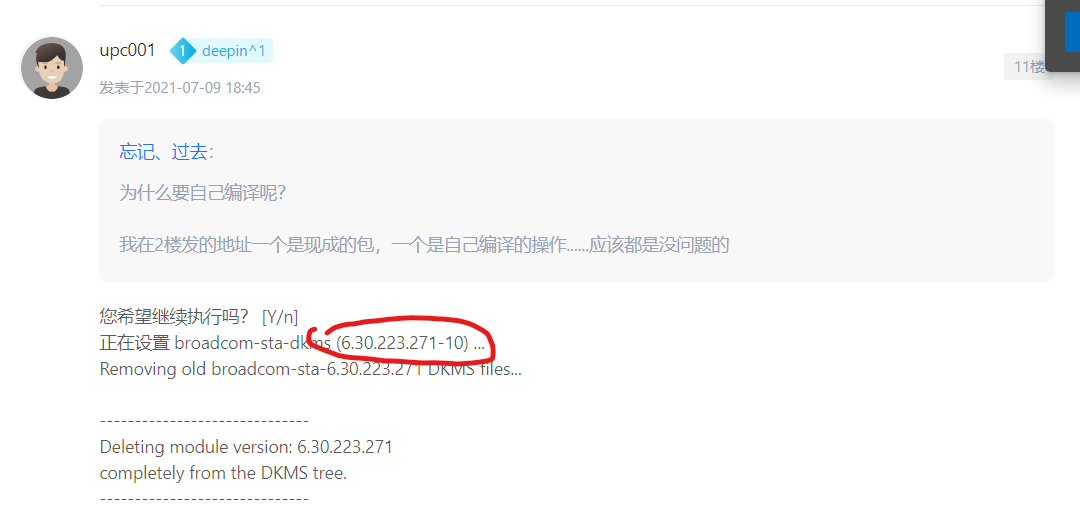
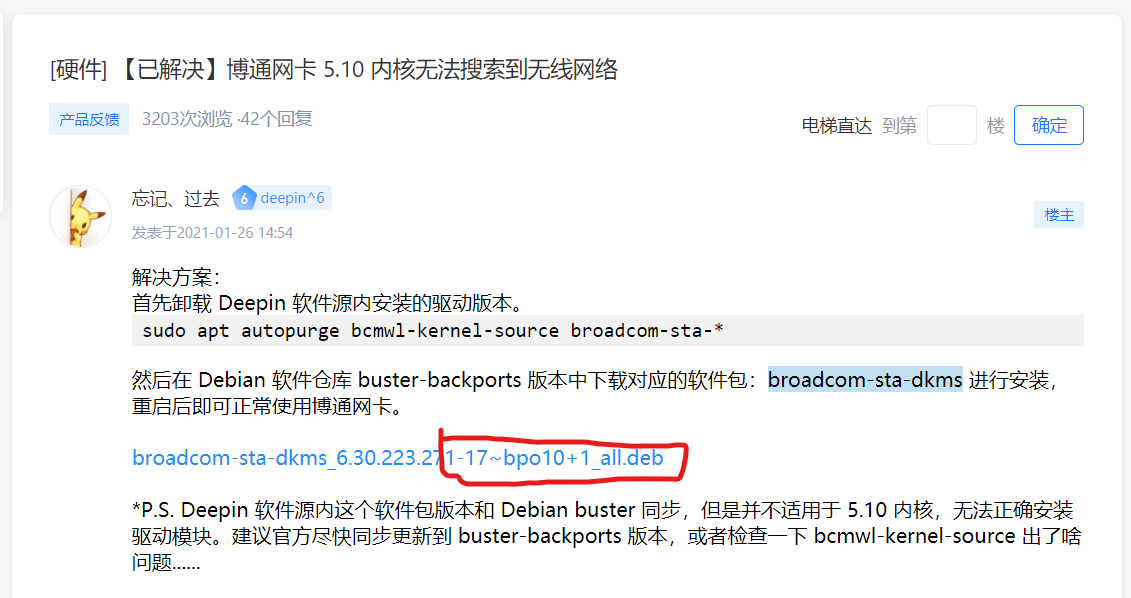
你自己装的版本不对,怪我没看?经典又菜又爱玩......
Debian buster-backports 源里面提供的版本明明是 6.30.223.271-17~bpo10+1,你这个 6.30.223.271-10 只能用于 5.10 以下内核。自己看帖子不仔细就不要赖别人......
deepin
你自己装的版本不对,怪我没看?经典又菜又爱玩......
Debian buster-backports 源里面提供的版本明明是 6.30.223.271-17~bpo10+1,你这个 6.30.223.271-10 只能用于 5.10 以下内核。自己看帖子不仔细就不要赖别人......
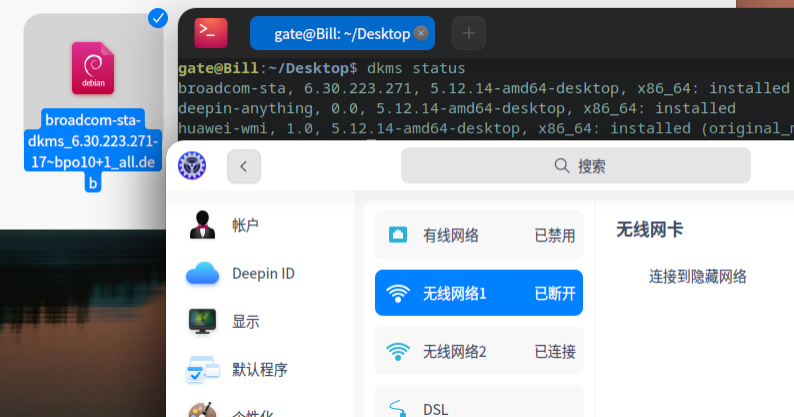
求大神继续协助。已删除原驱动,已安装你推荐驱动。能看到网卡,搜索不到网络。
deepin
求大神继续协助。已删除原驱动,已安装你推荐驱动。能看到网卡,搜索不到网络。
sudo modprobe wl 加载一下驱动模块试下,装完了要重启的
deepin deepin sudo modprobe wl 加载一下驱动模块试下,装完了要重启的
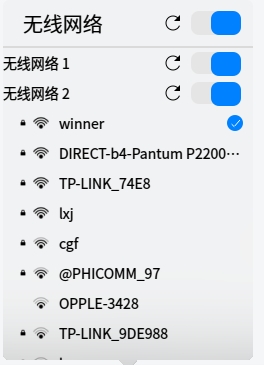 无效
无效
deepin 无效
https://bbs.deepin.org/zh/post/222134
同样也是 BCM43228,这个用户可以按此操作正常使用......
如果操作没问题的话,只能怀疑是不能同时使用两个无线网卡了......试试把 usb 网卡去掉重启看看?
Popular Events
More


 The settings menu needs to be translated into Russian.
。。。。