

 中文
中文 
friddle deepin
2021-07-05 20:56 deepin 是不是装过android app
Reply Like 0 View the author
 deepin
 是不是装过android app
 deepin
 有

 deepin
 在BIOS中关掉安全启动模式(Secure Boot)
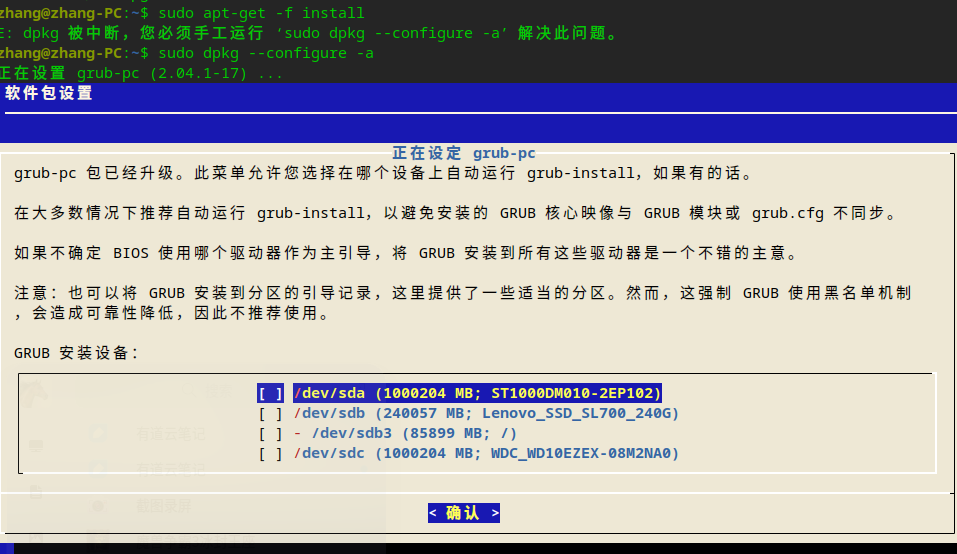
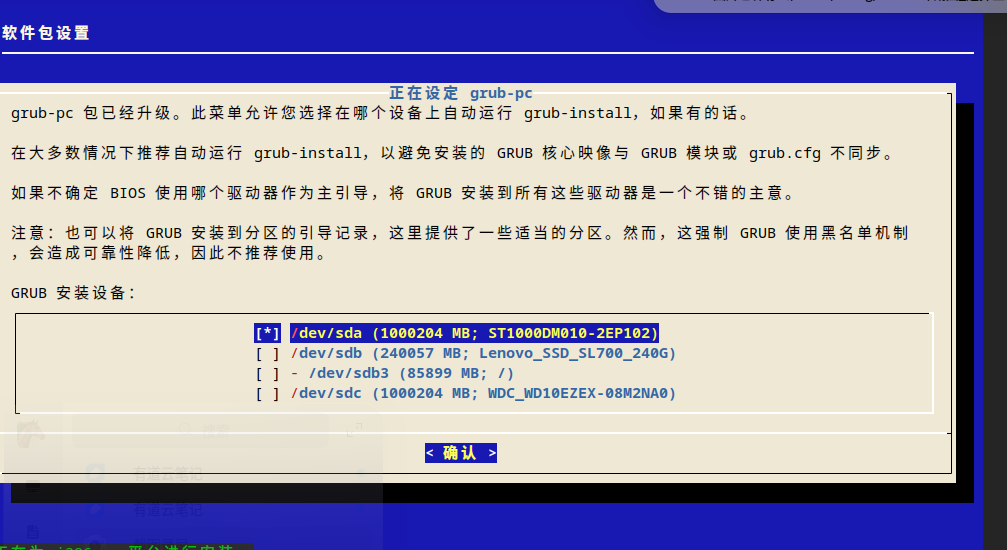
deepin 终端执行 sudo dpkg --configure -a,完成grub-pc设置后,再次在控制中心安装更新后成功。
deepin 升级以后,下面的任务栏出不来,右键弹出显示设置也出不来。
总之,无法打开控制中心,怎么办?
deepin 升级以后,下面的任务栏出不来,右键弹出显示设置也出不来。
总之,无法打开控制中心,怎么办?
晚上使用了
sudo apt fullupgrade
这条指令执行后,问题得到解决。
deepin 终端执行 sudo dpkg --configure -a,完成grub-pc设置后,再次在控制中心安装更新后成功。
我遇到了您的情况,我试过一遍,发现被LOCK了,不能下一步操作了
Popular Events
More


 The settings menu needs to be translated into Russian.
每天都提示系统更新,但点击安装更新都是失败,有时还不能关机,提示APT-APTxxxxxxxxxx什么什么阻止关机,可系统服务和进程里面又没有,怎么解决?