

 中文
中文 
ms892 deepin
2021-06-29 18:44 deepin 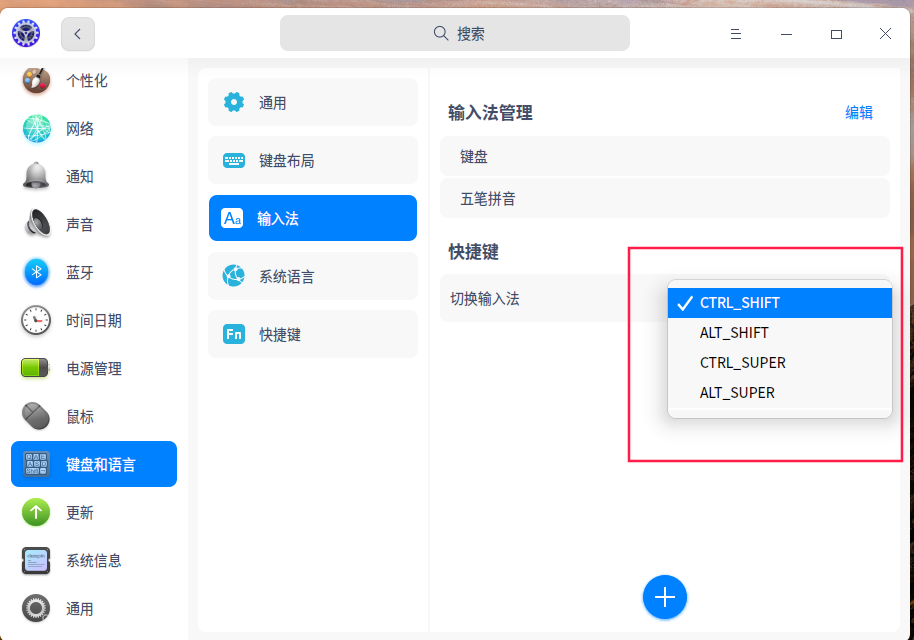
Reply Like 0 View the author
 deepin
deepin 
deepin 要疯了 要疯了 啊啊啊

 deepin
 是的,我也是觉得Ctrl+Space更顺手

 deepin
 输入法配置里面应该可以改的
 deepin
 切换输入法一直都是CTRL+SHIFT
打开/关闭输入法才是CTRL+SPACE
deepin 切换输入法一直都是CTRL+SHIFT
打开/关闭输入法才是CTRL+SPACE
因为我只有五笔和英文 两种输入法 Ctrl+SPACE 就相当于切换输入法了
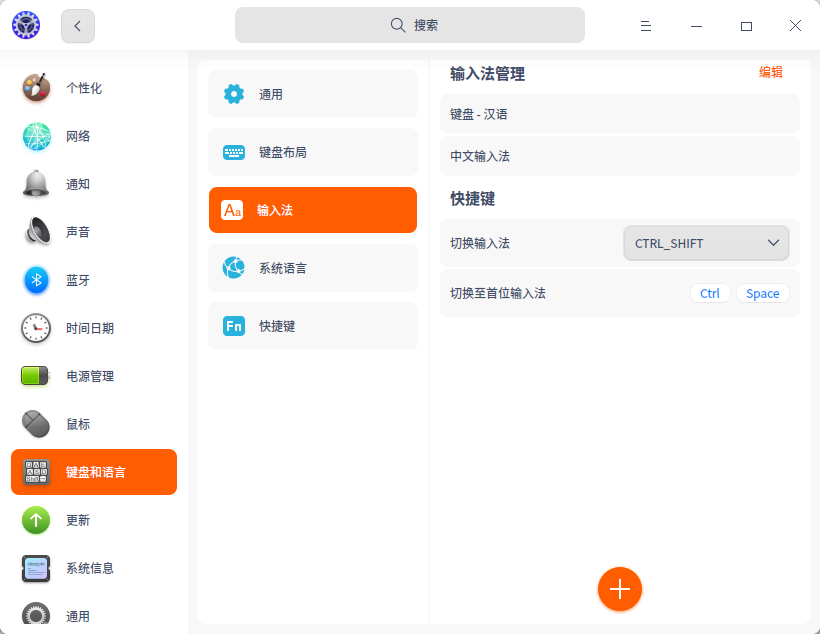
deepin 我的系统为什么没有 切换至首位输入法?升级升没了?
deepin 输入法配置里面应该可以改的
找一天了 都没找到在哪可以改
deepin 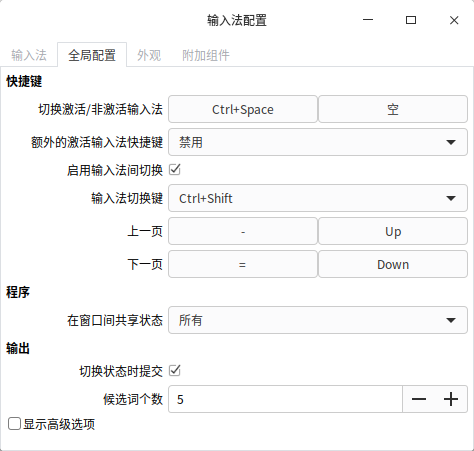
deepin
我升级完系统 找不到输入法配置入口了
deepin 找到输入法配置入口了 必须要安装搜狗输入法以后才可以 真是坑啊
deepin fcitx-config-gtk3
deepin fcitx-config-gtk3
嗯嗯 多谢
 deepin
 Ctrl+Space在原输入法配置页面提供的是切换激活/非激活输入法功能,实际上就是对当前输入法和首位输入法进行切换,目前控制中心-键盘和语言-输入法模块提供的切换至首位输入法同该功能,默认键组也为Ctrl+Space,能够实现当前输入法和首位输入法的切换,设置方式也与原输入法配置页面相同~
deepin 新的又加回去了
Popular Events
More


 The settings menu needs to be translated into Russian.
升级最新版 后 发现Ctrl+Space切换输入法快捷键被取消了 且无法设置
啊啊啊啊啊 太不习惯了