

 中文
中文 
unsigned deepin
2021-06-19 00:35 deepin 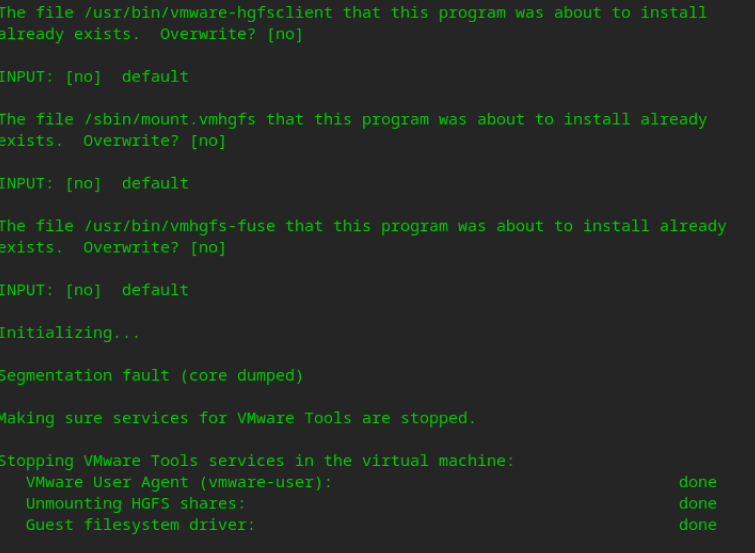
Reply Like 0 View the author
 deepin

 deepin deepin
 用开源的open-vm-tools. 开源的open-vm-tools已经适配Linux发行版.
深度自带open-vm-tools软件包.
$ apt search open-vm-tools
Sorting... Done
Full Text Search... Done
open-vm-tools/unknown 2:10.3.10-1+deb10u2 amd64
  Open VMware Tools for virtual machines hosted on VMware (CLI)

open-vm-tools-dbgsym/unknown 2:10.3.10-1+deb10u2 amd64
  debug symbols for open-vm-tools

open-vm-tools-desktop/unknown 2:10.3.10-1+deb10u2 amd64
  Open VMware Tools for virtual machines hosted on VMware (GUI)

open-vm-tools-desktop-dbgsym/unknown 2:10.3.10-1+deb10u2 amd64
  debug symbols for open-vm-tools-desktop

open-vm-tools-dev/unknown 2:10.3.10-1+deb10u2 amd64
  Open VMware Tools for virtual machines hosted on VMware (development)
Popular Events
More


 The settings menu needs to be translated into Russian.
完整日志如下:
The installer will next check if there are any missing kernel drivers. Type yes
if you want to do this, otherwise type no [yes]
INPUT: [yes] default
Creating a new VMware Tools installer database using the tar4 format.
Installing VMware Tools.
In which directory do you want to install the binary files?
[/usr/bin]
INPUT: [/usr/bin] default
What is the directory that contains the init directories (rc0.d/ to rc6.d/)?
[/etc]
INPUT: [/etc] default
What is the directory that contains the init scripts?
[/etc/init.d]
INPUT: [/etc/init.d] default
In which directory do you want to install the daemon files?
[/usr/sbin]
INPUT: [/usr/sbin] default
In which directory do you want to install the library files?
[/usr/lib/vmware-tools]
INPUT: [/usr/lib/vmware-tools] default
The path "/usr/lib/vmware-tools" does not exist currently. This program is
going to create it, including needed parent directories. Is this what you want?
[yes]
INPUT: [yes] default
In which directory do you want to install the documentation files?
[/usr/share/doc/vmware-tools]
INPUT: [/usr/share/doc/vmware-tools] default
The path "/usr/share/doc/vmware-tools" does not exist currently. This program
is going to create it, including needed parent directories. Is this what you
want? [yes]
INPUT: [yes] default
The installation of VMware Tools 10.3.10 build-12406962 for Linux completed
successfully. You can decide to remove this software from your system at any
time by invoking the following command: "/usr/bin/vmware-uninstall-tools.pl".
Before running VMware Tools for the first time, you need to configure it by
invoking the following command: "/usr/bin/vmware-config-tools.pl". Do you want
this program to invoke the command for you now? [yes]
INPUT: [yes] default
You have chosen to install VMware Tools on top of an open-vm-tools package.
You will now be given the option to replace some commands provided by
open-vm-tools. Please note that if you replace any commands at this time and
later remove VMware Tools, it may be necessary to re-install the open-vm-tools.
The file /usr/bin/vmware-hgfsclient that this program was about to install
already exists. Overwrite? [no]
INPUT: [no] default
The file /sbin/mount.vmhgfs that this program was about to install already
exists. Overwrite? [no]
INPUT: [no] default
The file /usr/bin/vmhgfs-fuse that this program was about to install already
exists. Overwrite? [no]
INPUT: [no] default
Initializing...
Segmentation fault (core dumped)
Making sure services for VMware Tools are stopped.
Stopping VMware Tools services in the virtual machine:
VMware User Agent (vmware-user): done
Unmounting HGFS shares: done
Guest filesystem driver: done
The installation status of vmsync could not be determined.
Skippinginstallation.
The installation status of vmci could not be determined. Skippinginstallation.
The installation status of vsock could not be determined. Skippinginstallation.
The installation status of vmxnet3 could not be determined.
Skippinginstallation.
The installation status of pvscsi could not be determined.
Skippinginstallation.
The installation status of vmmemctl could not be determined.
Skippinginstallation.
The VMware Host-Guest Filesystem allows for shared folders between the host OS
and the guest OS in a Fusion or Workstation virtual environment. Do you wish
to enable this feature? [yes]
INPUT: [yes] default
The vmxnet driver is no longer supported on kernels 3.3 and greater. Please
upgrade to a newer virtual NIC. (e.g., vmxnet3 or e1000e)
Skipping configuring automatic kernel modules as no drivers were installed by
this installer.
Skipping rebuilding initrd boot image for kernel as no drivers to be included
in boot image were installed by this installer.
The configuration of VMware Tools 10.3.10 build-12406962 for Linux for this
running kernel completed successfully.
VMware Tools installed on top of open-vm-tools has not added anything of
significance or potential benefit. VMware Tools is not needed.
Would you like to recover the wasted disk space by uninstalling VMware Tools at
this time? (yes/no) [yes]
INPUT: [yes] default
Uninstalling the tar installation of VMware Tools.
Stopping services for VMware Tools
Stopping VMware Tools services in the virtual machine:
VMware User Agent (vmware-user): done
Unmounting HGFS shares: done
Guest filesystem driver: done
The removal of VMware Tools 10.3.10 build-12406962 for Linux completed
successfully. Thank you for having tried this software.
另外,安装开源的open-vm-tools 和open-vm-tools-desktop后没有作用,显示分辨率无法修改为1920×1080,并且无法定位软件包open-vm-dkms