

 中文
中文 
esn deepin
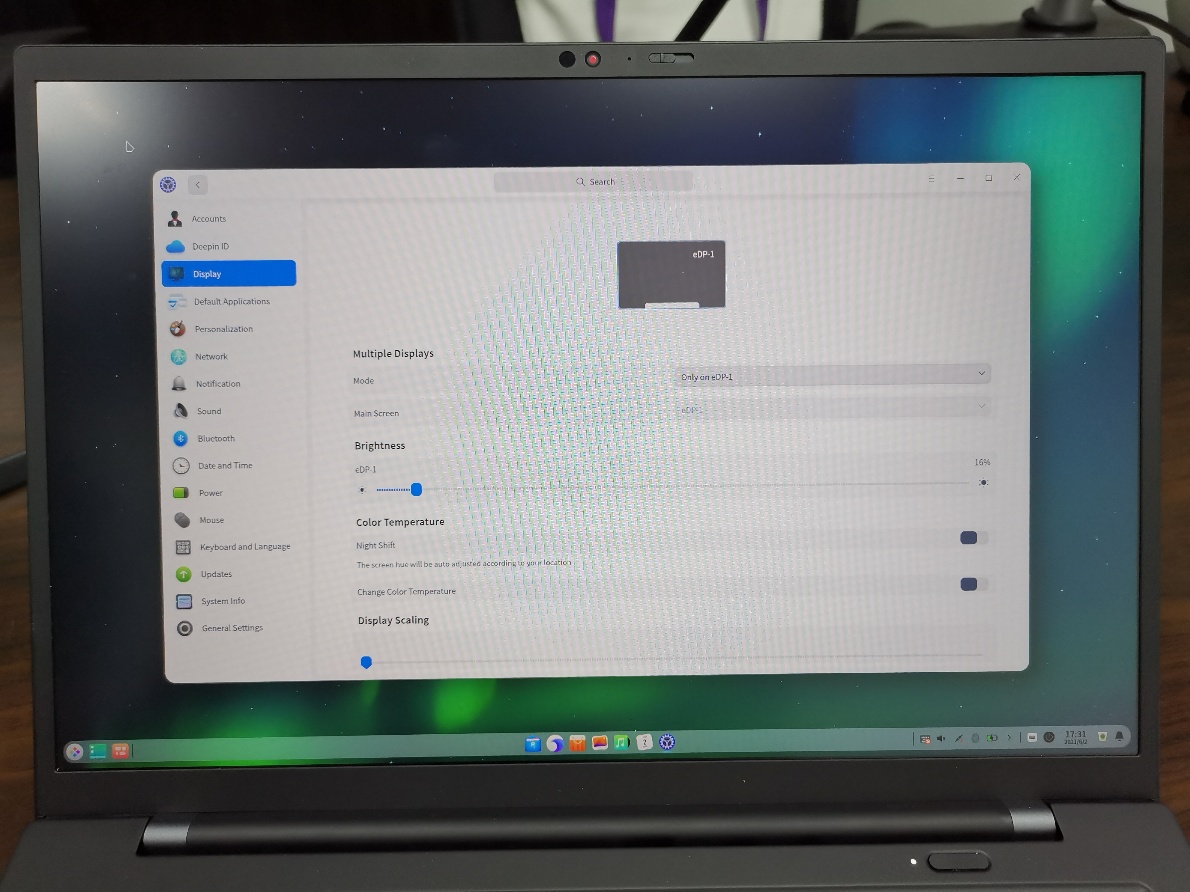
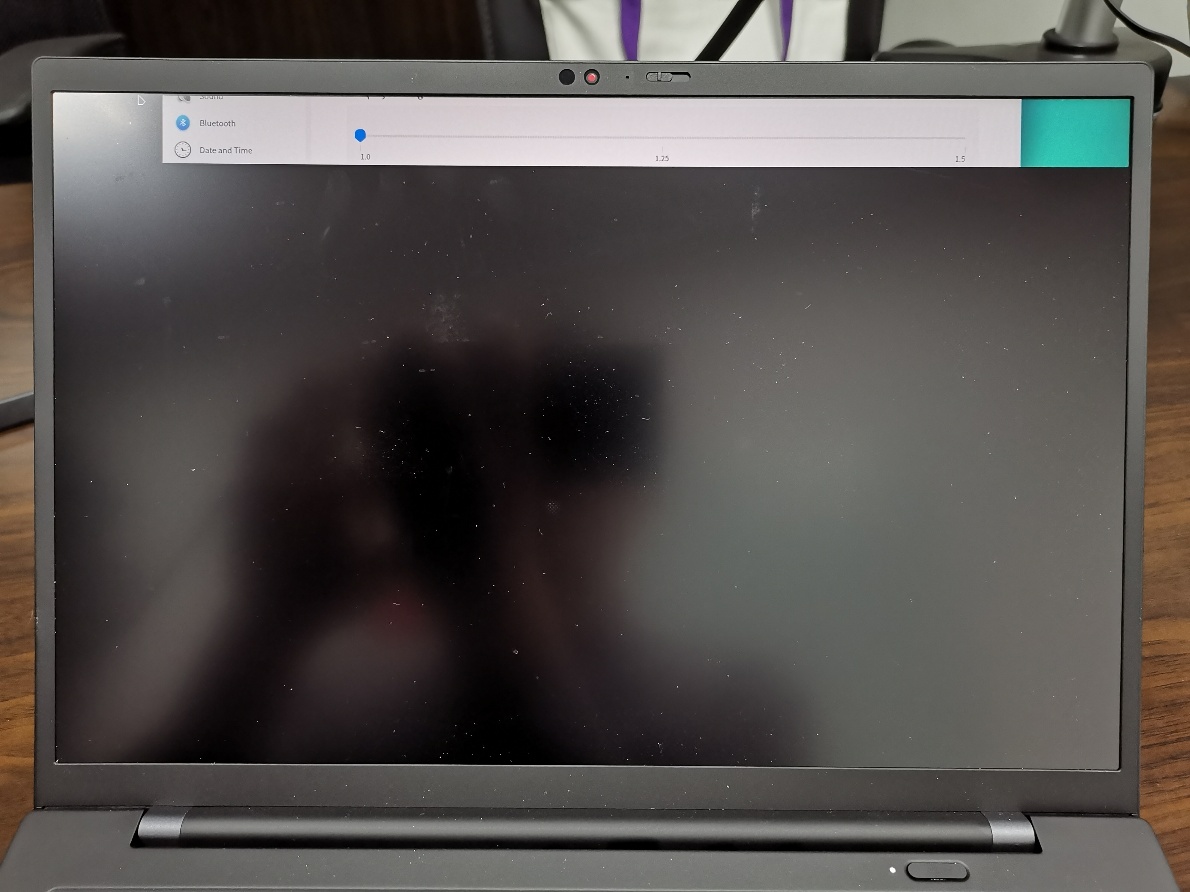
2021-06-03 01:45 deepin 拔掉外接显示器之前和之后
Reply Like 0 View the author
deepin 拔掉外接显示器之前和之后

 deepin deepin
 现在关机后再开机还是原样 只能接着外接显示器使用。
deepin 下面是xrandr的输出,第一个是没有外接显示器时的输出,第二个是有外接显示器时的输出。
没有外接显示器时,Screen 0 是 1920 x 2280,而eDP-1 connected primary 1920x1200+0+1080
应该是1920 x 2280的2280错了,应该改成1200。
哪位知道如何修改,请指教
esn@esn-x:~$ xrandr
Screen 0: minimum 320 x 200, current 1920 x 2280, maximum 16384 x 16384
eDP-1 connected primary 1920x1200+0+1080 (normal left inverted right x axis y axis) 302mm x 189mm
1920x1200 60.00*+
HDMI-1 disconnected (normal left inverted right x axis y axis)
DP-1 disconnected (normal left inverted right x axis y axis)
DP-2 disconnected (normal left inverted right x axis y axis)
DP-3 disconnected (normal left inverted right x axis y axis)
DP-4 disconnected (normal left inverted right x axis y axis)
esn@esn-x:~$ xrandr
Screen 0: minimum 320 x 200, current 1920 x 1200, maximum 16384 x 16384
eDP-1 connected primary 1920x1200+0+0 (normal left inverted right x axis y axis) 302mm x 189mm
1920x1200 60.00*+
HDMI-1 connected (normal left inverted right x axis y axis)
1920x1080 60.00 + 50.00 59.94
1680x1050 59.88
1600x900 60.00
1280x1024 60.02
1440x900 59.90
1280x800 59.91
1280x720 60.00 50.00 59.94
1024x768 70.07 60.00
800x600 72.19 60.32 56.25
720x576 50.00
720x480 60.00 59.94
640x480 72.81 66.67 60.00 59.94
720x400 70.08
DP-1 disconnected (normal left inverted right x axis y axis)
DP-2 disconnected (normal left inverted right x axis y axis)
DP-3 disconnected (normal left inverted right x axis y axis)
DP-4 disconnected (normal left inverted right x axis y axis)
deepin 输入xrandr --output eDP-1 --auto,解决问题了
deepin 每次用过外接显示器后都需要执行上面这个命令,能否设置自动执行?请高手指教
 deepin
 每次用过外接显示器后都需要执行上面这个命令,能否设置自动执行?请高手指教
同样的问题,一直没办法解决。

 deepin
 楼上有解决的吗?我试了都不行啊
 deepin
 已经升级至最新版本了,问题依旧:拔掉外接显示器又黑屏,100%复现。笔记本当台式机用???
拔掉外接显示器,笔记本黑屏,可以进console。接上外接显示器,恢复正常。
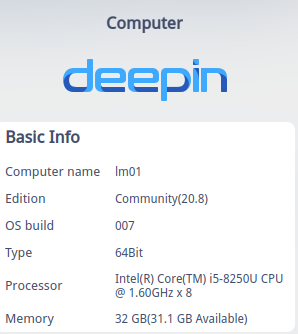
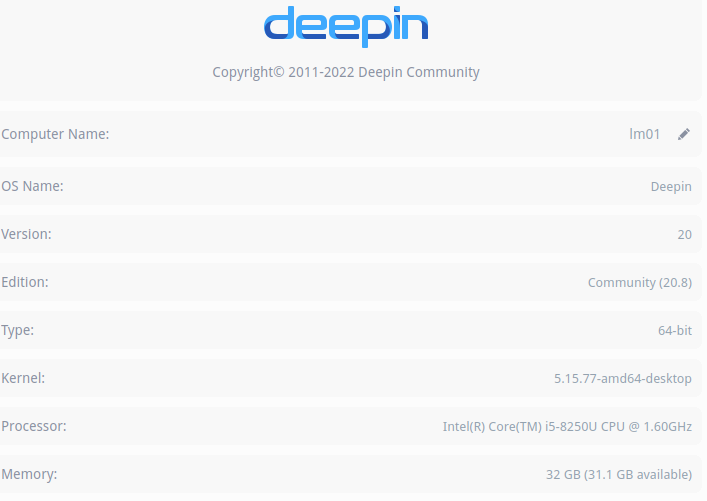
thinkpad T480
内核版本
Linux lm01 5.15.77-amd64-desktop #1 SMP Wed Nov 9 15:59:34 CST 2022 x86_64 GNU/Linux
独显型号
~ lspci | grep -i nvidia
01:00.0 3D controller: NVIDIA Corporation GP108M [GeForce MX150] (rev a1)
当前使用集显
~ glxinfo|egrep "OpenGL vendor|OpenGL renderer*"
OpenGL vendor string: Intel
OpenGL renderer string: Mesa Intel(R) UHD Graphics 620 (KBL GT2)
~ lspci -v
00:02.0 VGA compatible controller: Intel Corporation UHD Graphics 620 (rev 07) (prog-if 00 [VGA controller])
Subsystem: Lenovo ThinkPad T480
Flags: bus master, fast devsel, latency 0, IRQ 168
Memory at e7000000 (64-bit, non-prefetchable) [size=16M]
Memory at c0000000 (64-bit, prefetchable) [size=256M]
I/O ports at e000 [size=64]
[virtual] Expansion ROM at 000c0000 [disabled] [size=128K]
Capabilities:
Kernel driver in use: i915
Kernel modules: i915
deepin syslog日志
2023-03-26 19:24:14 lm01 org.desktopspec.ConfigManager[4772]:  No appenders assotiated with category dsg.config
2023-03-26 19:24:14 lm01 org.desktopspec.ConfigManager[4772]:  [Info   ] <> reduced connection refrence service. service::1.228, path:/org_deepin_dde_lock/org_deepin_dde_lock/1000, remaining refrence 10
2023-03-26 19:24:14 lm01 org.desktopspec.ConfigManager[4772]:  No appenders assotiated with category dsg.config
2023-03-26 19:24:14 lm01 org.desktopspec.ConfigManager[4772]:  [Info   ] <> reduced connection refrence service. service::1.228, path:/org_deepin_dde_lock/org_deepin_dde_lock/1000, remaining refrence 9
2023-03-26 19:24:14 lm01 org.desktopspec.ConfigManager[4772]:  No appenders assotiated with category dsg.config
2023-03-26 19:24:14 lm01 org.desktopspec.ConfigManager[4772]:  [Info   ] <> reduced connection refrence service. service::1.228, path:/org_deepin_dde_lock/org_deepin_dde_lock/1000, remaining refrence 8
2023-03-26 19:24:14 lm01 kernel: [28045.325013] nouveau 0000:01:00.0: Enabling HDA controller
2023-03-26 19:24:14 lm01 daemon/dock[8440]:  dock_manager_entries.go:180: entry of window 85983443 is nil
2023-03-26 19:24:15 lm01 daemon/dock[8440]:  dock_manager_entries.go:180: entry of window 31940454 is nil
2023-03-26 19:24:15 lm01 daemon/dock[8440]:  dock_manager_entries.go:180: entry of window 29360355 is nil
2023-03-26 19:24:15 lm01 daemon/dock[8440]:  dock_manager_entries.go:180: entry of window 29360355 is nil
2023-03-26 19:24:16 lm01 dbus-daemon[2906]:  [system] Activating service name='com.deepin.daemon.helper.Backlight' requested by ':1.188' (uid=1000 pid=8298 comm="/usr/bin/startdde ") (using servicehelper)
2023-03-26 19:24:16 lm01 systemd[1]:  Starting Laptop Mode Tools - Battery Polling Service...
2023-03-26 19:24:16 lm01 systemd[1]:  Reloading Laptop Mode Tools...
2023-03-26 19:24:16 lm01 systemd[1]:  lmt-poll.service: Deactivated successfully.
2023-03-26 19:24:16 lm01 systemd[1]:  Finished Laptop Mode Tools - Battery Polling Service.
2023-03-26 19:24:16 lm01 org.desktopspec.ConfigManager[4772]:  2023-03-26, 19:24:16.104 [Info   ] created resource: "/org_deepin_dde_daemon/org_deepin_dde_daemon_brightness"
2023-03-26 19:24:16 lm01 org.desktopspec.ConfigManager[4772]:  No appenders assotiated with category dsg.config
2023-03-26 19:24:16 lm01 org.desktopspec.ConfigManager[4772]:  [Info   ] <> created connection:/org_deepin_dde_daemon/org_deepin_dde_daemon_brightness/0
2023-03-26 19:24:16 lm01 org.desktopspec.ConfigManager[4772]:  No appenders assotiated with category dsg.config
2023-03-26 19:24:16 lm01 org.desktopspec.ConfigManager[4772]:  [Info   ] <> add watchered service::1.1015, appid:backlight_helpe, user:root.
2023-03-26 19:24:16 lm01 dbus-daemon[2906]:  [system] Successfully activated service 'com.deepin.daemon.helper.Backlight'
2023-03-26 19:24:16 lm01 laptop_mode[85935]:  Laptop mode
2023-03-26 19:24:16 lm01 laptop_mode[85935]:  enabled, not active [unchanged]
2023-03-26 19:24:16 lm01 systemd[1]:  Reloaded Laptop Mode Tools.
2023-03-26 19:24:17 lm01 dbus-daemon[2906]:  [system] Activating service name='com.deepin.api.SoundThemePlayer' requested by ':1.189' (uid=1000 pid=8440 comm="/usr/lib/deepin-daemon/dde-session-daemon ") (using servicehelper)
2023-03-26 19:24:17 lm01 dbus-daemon[2906]:  [system] Successfully activated service 'com.deepin.api.SoundThemePlayer'
2023-03-26 19:24:17 lm01 daemon/display[8298]:  manager.go:1513: redo map touch screen
Popular Events
More


 The settings menu needs to be translated into Russian.
Deepin 20,Thinkpad x1 2021,拔掉外接HDMI外接显示器后屏幕只显示上面一条,下部黑屏,但是鼠标可以整屏幕移动。下面跟帖是拍到的照片。
接上外接显示器(即使外接显示器断电)后屏幕变正常,断开外接显示器,笔记本电脑屏幕又变成只显示上面一条。
重新启动后还是这样。
现在只能接上外接显示器使用。ctrl+alt+f2可以正常打开终端。
请高手指教,应该更改哪个配置文件