

 中文
中文 
153******45 deepin
2021-05-27 18:45 deepin 你把镜像解压了怎么找到
Reply Like 0 View the author
 deepin
 你把镜像解压了怎么找到

 deepin
 下载的 deepin-desktop-community-1010-amd64.iso 不就是镜像包吗?

 deepin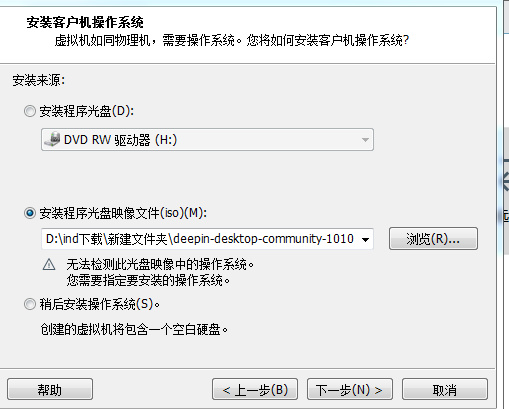
deepin 显示无法检测
deepin 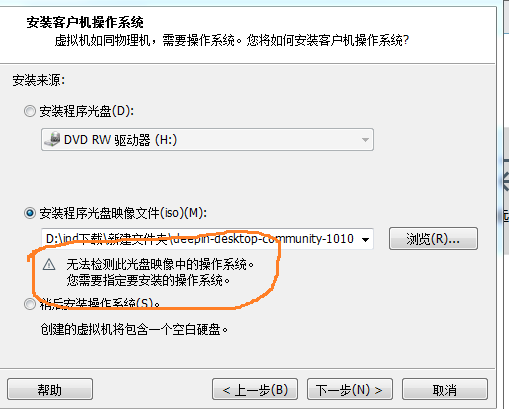
deepin 
 deepin
 很正常,虚拟机一般只认比较有代表性的 Linux 发行版,deepin 和 UOS 还不够格。实际上应该可以启动的,忽略警告就是了。如果一定要选按照某一种发行版的方式启动的话,可以选 Debian 10。
deepin 好的。我试试看。谢谢
 deepin
 好的。我试试看。谢谢
可以直接新建空虚拟分区不安装操作系统,然后在配置里面添加虚拟光驱挂载 iso 再启动,会直接从 iso 启动并进入安装。安装完成后把 iso 卸载就可以正常启动了。
Popular Events
More


 The settings menu needs to be translated into Russian.
从深度社区下载的deepin-desktop-community-1010-amd64压缩包解压后找不到iso镜像,无法用虚拟机安装怎么办???