

 中文
中文 
WENWEN deepin
2021-05-15 01:20 deepin deepin-app-store 命令行启动看看提示啥
Reply Like 0 View the author
 deepin
 deepin-app-store 命令行启动看看提示啥
 deepin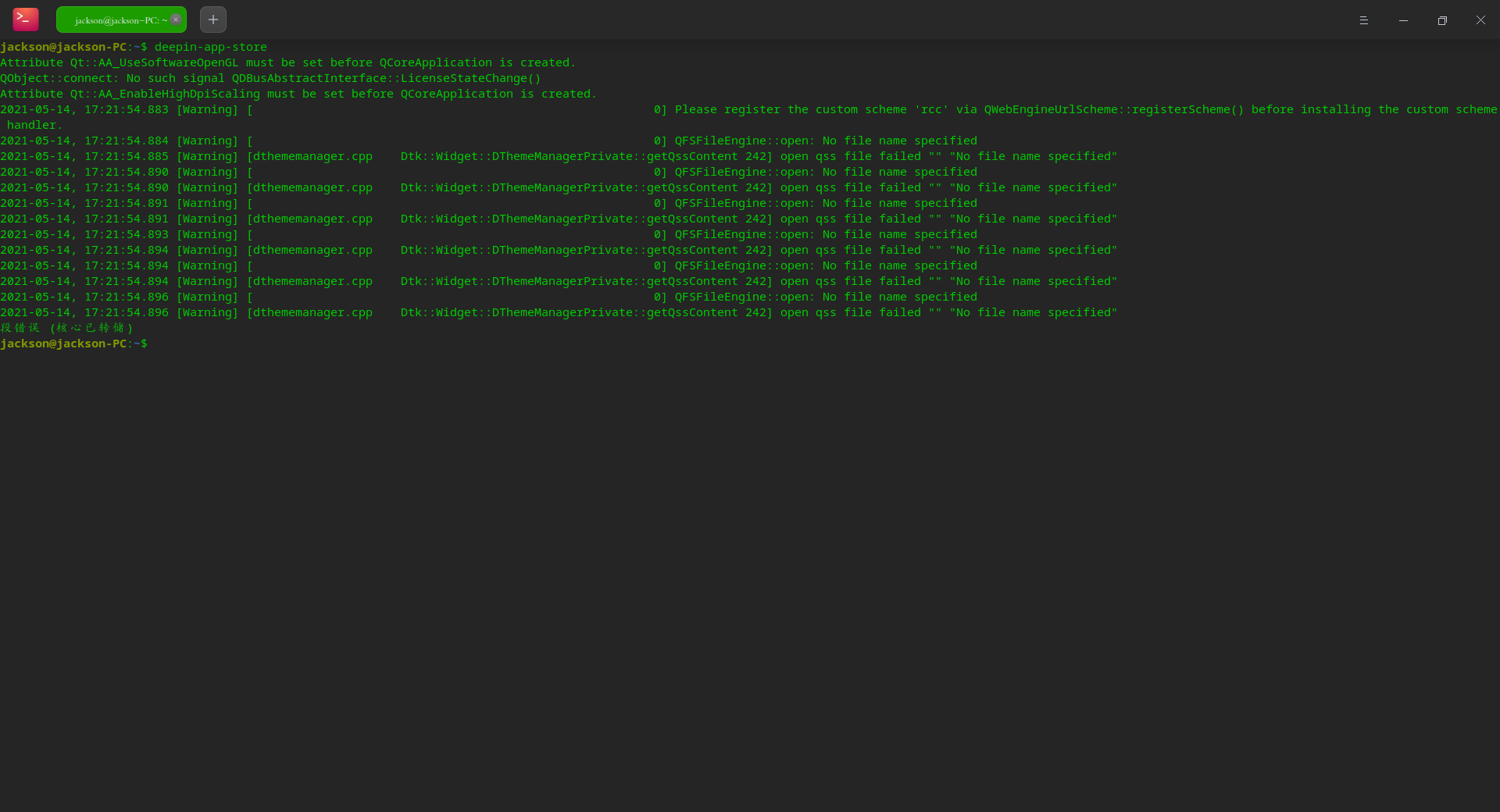
deepin
之前做了啥操作?

 deepin
 我也是一样的,有人吗?赶紧解决哟~
deepin 重新安装也不行,还有打不开呀喂~
sudo apt install deepin-app-store
deepin 之前做了啥操作?
啥也没做,昨晚更新到最新版本(20.2.1)后,就打不开了。
Deepin我用的频繁,喜欢尝鲜,试用后,就发现这个问题。
请大佬验证一下!
 deepin
 20.2.1全新安装,应用商店打不开
deepin robin@robin-PC:~/Desktop$ deepin-app-store
Attribute Qt::AA_UseSoftwareOpenGL must be set before QCoreApplication is created.
QObject::connect: No such signal QDBusAbstractInterface::LicenseStateChange()
Attribute Qt::AA_EnableHighDpiScaling must be set before QCoreApplication is created.
2021-05-14, 18:01:00.572 [Warning] [ 0] Please register the custom scheme 'rcc' via QWebEngineUrlScheme::registerScheme() before installing the custom scheme handler.
2021-05-14, 18:01:00.572 [Warning] [ 0] QFSFileEngine::open: No file name specified
2021-05-14, 18:01:00.572 [Warning] [dthememanager.cpp Dtk::Widget::DThemeManagerPrivate::getQssContent 242] open qss file failed "" "No file name specified"
2021-05-14, 18:01:00.576 [Warning] [ 0] QFSFileEngine::open: No file name specified
2021-05-14, 18:01:00.577 [Warning] [dthememanager.cpp Dtk::Widget::DThemeManagerPrivate::getQssContent 242] open qss file failed "" "No file name specified"
2021-05-14, 18:01:00.577 [Warning] [ 0] QFSFileEngine::open: No file name specified
2021-05-14, 18:01:00.577 [Warning] [dthememanager.cpp Dtk::Widget::DThemeManagerPrivate::getQssContent 242] open qss file failed "" "No file name specified"
2021-05-14, 18:01:00.579 [Warning] [ 0] QFSFileEngine::open: No file name specified
2021-05-14, 18:01:00.579 [Warning] [dthememanager.cpp Dtk::Widget::DThemeManagerPrivate::getQssContent 242] open qss file failed "" "No file name specified"
2021-05-14, 18:01:00.579 [Warning] [ 0] QFSFileEngine::open: No file name specified
2021-05-14, 18:01:00.579 [Warning] [dthememanager.cpp Dtk::Widget::DThemeManagerPrivate::getQssContent 242] open qss file failed "" "No file name specified"
2021-05-14, 18:01:00.579 [Warning] [ 0] QFSFileEngine::open: No file name specified
2021-05-14, 18:01:00.580 [Warning] [dthememanager.cpp Dtk::Widget::DThemeManagerPrivate::getQssContent 242] open qss file failed "" "No file name specified"
段错误 (核心已转储)我的能打开,但是‘段错误’之前都是一样的
 deepin
 一样,全新安装一样打不开
之前是更新了输入法

 deepin
 重装一下看看sudo apt install --reinstall deepin-app-store
deepin 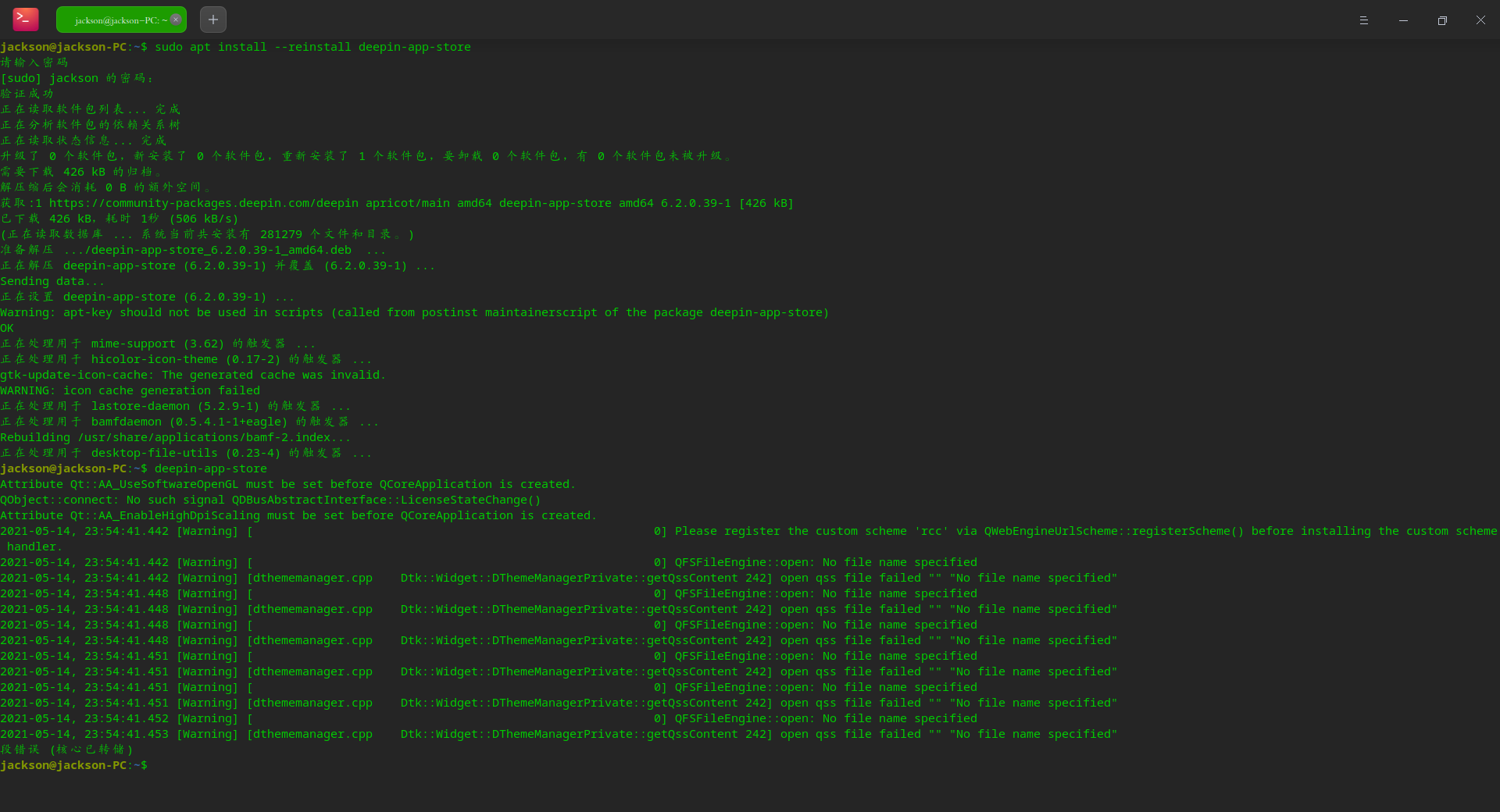
卸载、重新安装应用商城,还是无法打开。请验证!
 deepin
 我的也是啊,今天升级后应用商店就打不开了,报错信息都和楼主一样,等一个解决办法
deepin 发现一个现象:
登录“用户中心”,转至“设备中心”,在云端应用列表中,未发现云端应用……,见下图:
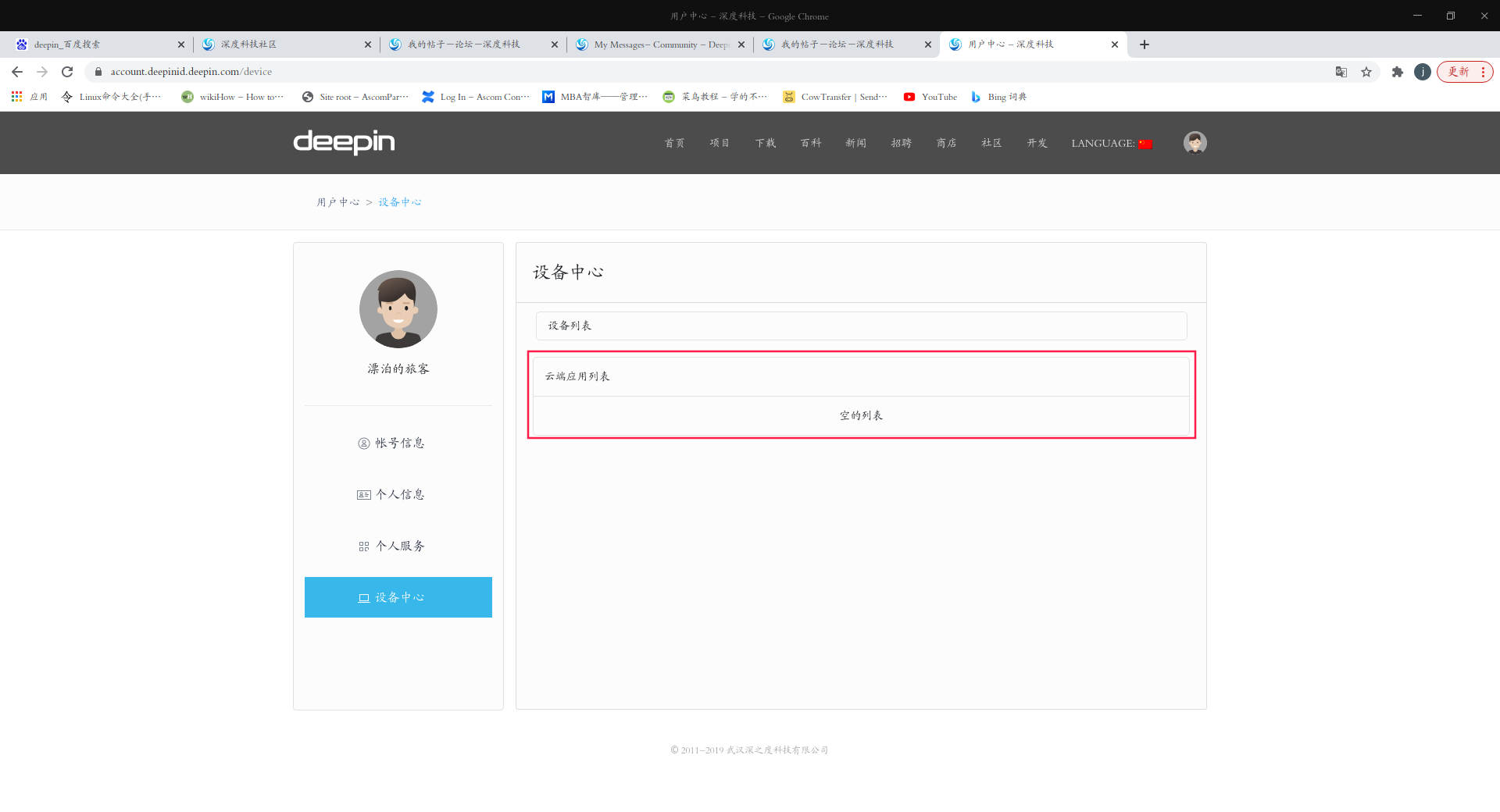
deepin 重装一下看看sudo apt install --reinstall deepin-app-store
不好使
robin@robin-PC:~$ sudo apt install --reinstall deepin-app-store

我们信任您已经从系统管理员那里了解了日常注意事项。
总结起来无外乎这三点:

    #1) 尊重别人的隐私。
    #2) 输入前要先考虑(后果和风险)。
    #3) 权力越大,责任越大。

请输入密码
[sudo] robin 的密码:
验证成功
正在读取软件包列表... 完成
正在分析软件包的依赖关系树
正在读取状态信息... 完成
不能重新安装 deepin-app-store,因为无法下载它。
下列软件包是自动安装的并且现在不需要了:
  deepin-pw-check fbterm imageworsener libheif1 liblqr-1-0 libmaxminddb0 libqtermwidget5-0 libsmi2ldbl
  libutempter0 libutf8proc2 libwireshark-data libwireshark11 libwiretap8 libwscodecs2 libwsutil9 libx86-1
  qtermwidget5-data squashfs-tools x11-apps x11-session-utils xbitmaps xinit
使用'sudo apt autoremove'来卸载它(它们)。
升级了 0 个软件包,新安装了 0 个软件包,要卸载 0 个软件包,有 0 个软件包未被升级。不好使
robin@robin-PC:~$ sudo apt install --reinstall deepin-app-store

我们信任您已经从系统管理员那里了解了日常注意事项。
总结起来无外乎这三点:

    #1) 尊重别人的隐私。
    #2) 输入前要先考虑(后果和风险)。
    #3) 权力越大,责任越大。

请输入密码
[sudo] robin 的密码:
验证成功
正在读取软件包列表... 完成
正在分析软件包的依赖关系树
正在读取状态信息... 完成
不能重新安装 deepin-app-store,因为无法下载它。
下列软件包是自动安装的并且现在不需要了:
  deepin-pw-check fbterm imageworsener libheif1 liblqr-1-0 libmaxminddb0 libqtermwidget5-0 libsmi2ldbl
  libutempter0 libutf8proc2 libwireshark-data libwireshark11 libwiretap8 libwscodecs2 libwsutil9 libx86-1
  qtermwidget5-data squashfs-tools x11-apps x11-session-utils xbitmaps xinit
使用'sudo apt autoremove'来卸载它(它们)。
升级了 0 个软件包,新安装了 0 个软件包,要卸载 0 个软件包,有 0 个软件包未被升级。
是不是网络问题?我看看你的源
deepin 我是这么重装后能打开
sudo apt remove deepin-appstore
sudo apt update
sudo apt install deepin-appstore
deepin 执行这个代码后,打开应用商城。
出现网络连接错误,图标显示也不正常。
请验证!
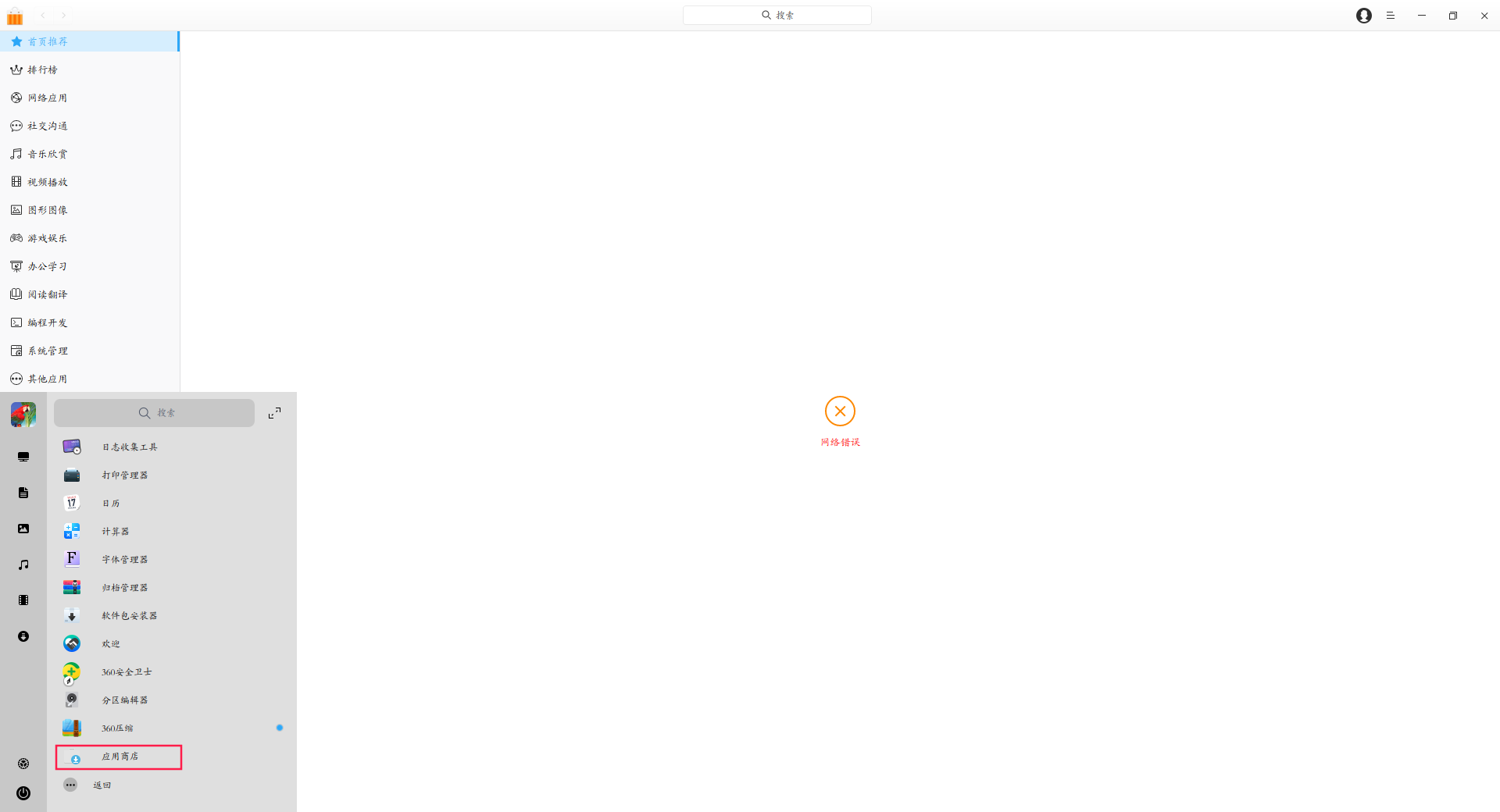
 deepin
 我的也打不开了,提醒是网络错误
deepin 我也是一样的,希望赶紧解决
Popular Events
More


 The settings menu needs to be translated into Russian.
升级到Deepin 20.2.1后,发现应用商城无法打开。
备注:由于系统限制,无法上传视频
请大家验证!