

 中文
中文 
Ziggy deepin
2021-04-24 23:36 deepin https://www.oracle.com/database/technologies/oracle-database-software-downloads.html
Reply Like 0 View the author
 deepin
 https://www.oracle.com/database/technologies/oracle-database-software-downloads.html

 deepin
 很简单,把rpm包转deb包,直接安装就好。如果内存不够的话,最好建立虚拟内存。
# 转换与安装
1. 先安装 alien 和 fakeroot 这两个工具,其中前者可以将 rpm 包转换为 deb 包。安装命令为:
```
sudo apt-get install alien fakeroot
```
2. 将需要安装的 rpm 包下载备用,假设为 package.rpm。
3. 使用 alien 将 rpm 包转换为 deb 包:
```
fakeroot alien oracle-xe-11.2.0-1.0.x86_64
```
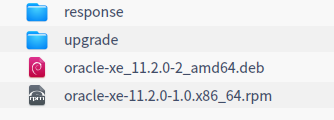
4. 一旦转换成功,我们可以即刻使用以下指令来安装:
```
sudo dpkg -i oracle-xe_11.2.0-2_amd64.deb
```
安装似乎是一个简单的复制包的过程,没见有什么特别的提示。反正是没见报错。
5. 卸载服务
```
sudo dpkg -r packagesrv
```
# 配置
安装成功之后, 进行配置,执行`/etc/init.d/oracle-xe configure`
```bash
root@PC2020:/etc/init.d# chmod u+x oracle-xe
root@PC2020:/etc/init.d# /etc/init.d/oracle-xe configure
Oracle Database 11g Express Edition Configuration
-------------------------------------------------
This will configure on-boot properties of Oracle Database 11g Express
Edition. The following questions will determine whether the database should
be starting upon system boot, the ports it will use, and the passwords that
will be used for database accounts. Press to accept the defaults.
Ctrl-C will abort.
Specify the HTTP port that will be used for Oracle Application Express [8080]:9090
Specify a port that will be used for the database listener [1521]:1520
Specify a password to be used for database accounts. Note that the same
password will be used for SYS and SYSTEM. Oracle recommends the use of
different passwords for each database account. This can be done after
initial configuration:
Confirm the password:
Do you want Oracle Database 11g Express Edition to be started on boot (y/n) [y]:y
/bin/chown: invalid user: 'oracle:dba'
/bin/chown: invalid user: 'oracle:dba'
/bin/chown: invalid user: 'oracle:dba'
/bin/chown: invalid user: 'oracle:dba'
/bin/chown: invalid user: 'oracle:dba'
Starting Oracle Net Listener...Done
Configuring database...Done
/bin/chmod: cannot access '/u01/app/oracle/oradata': No such file or directory
/bin/chmod: cannot access '/u01/app/oracle/diag': No such file or directory
/bin/chown: invalid user: 'oracle:dba'
Starting Oracle Database 11g Express Edition instance...Done
Installation completed successfully.
```
Oracle Application Express 端口,配置为9090, database listener端口,配置为1520,接下来是配置密码。
Popular Events
More


 The settings menu needs to be translated into Russian.
求一份详细的安装文档 图形化界面的