中文
中文 
zhouxiansheng deepin
2021-04-20 04:32 deepin 尝试安装高内核版也不行 也是卡星空图
Reply Like 0 View the author
 deepin
 尝试安装高内核版也不行 也是卡星空图

 deepin
 Grub2对处理器支持的问题,并且深度自带的Grub版本较低,可以使用Ubuntu自带的Grub在命令行界面使用命令引导Deepin进入安装界面,安装后再用同样的方式进入系统,然后安装Refind这样的引导系统,以后使用这个来引导开机,Refind还能更换各种主题,比Grub好多了

 deepin
 可以试试换Ubuntu的efi
 deepin
 可以试试换Ubuntu的efi
有没有换好的iso包。。。这个其实是个简单的事情,但卡了好多人,如果可以提供一个换好的iso包就最好了
deepin 有没有换好的iso包。。。这个其实是个简单的事情,但卡了好多人,如果可以提供一个换好的iso包就最好了
deepin 我刚换的yoga14s 5800H也是卡星空 知道有办法替换grub再重新打包 但是 这劝退好多人
 deepin
 同样问题,搞好了吗?解决方法是什么
Popular Events
More


 the Network section no longer appears
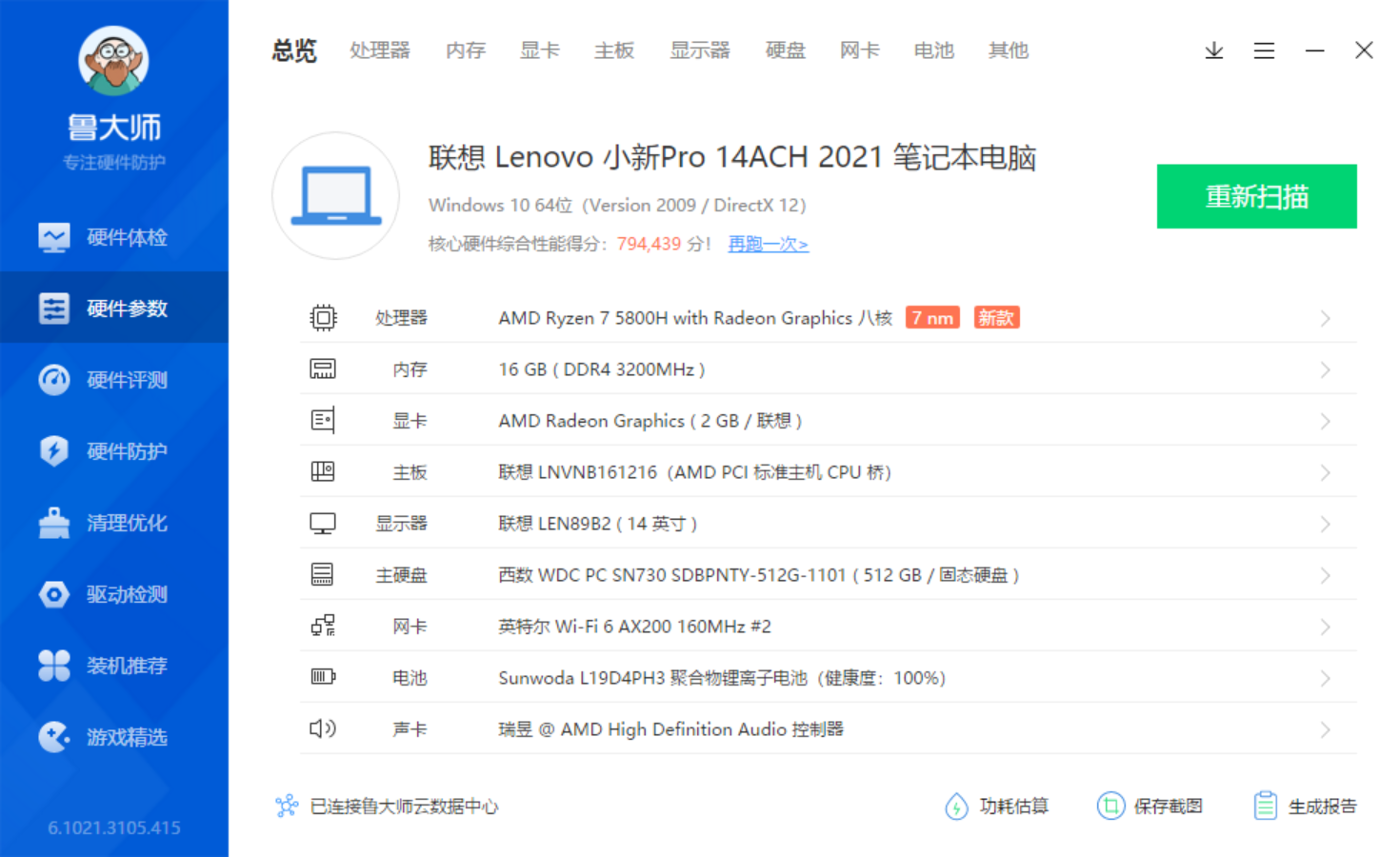
配置如图