

 中文
中文 
dragonman deepin
2021-04-16 05:47 deepin 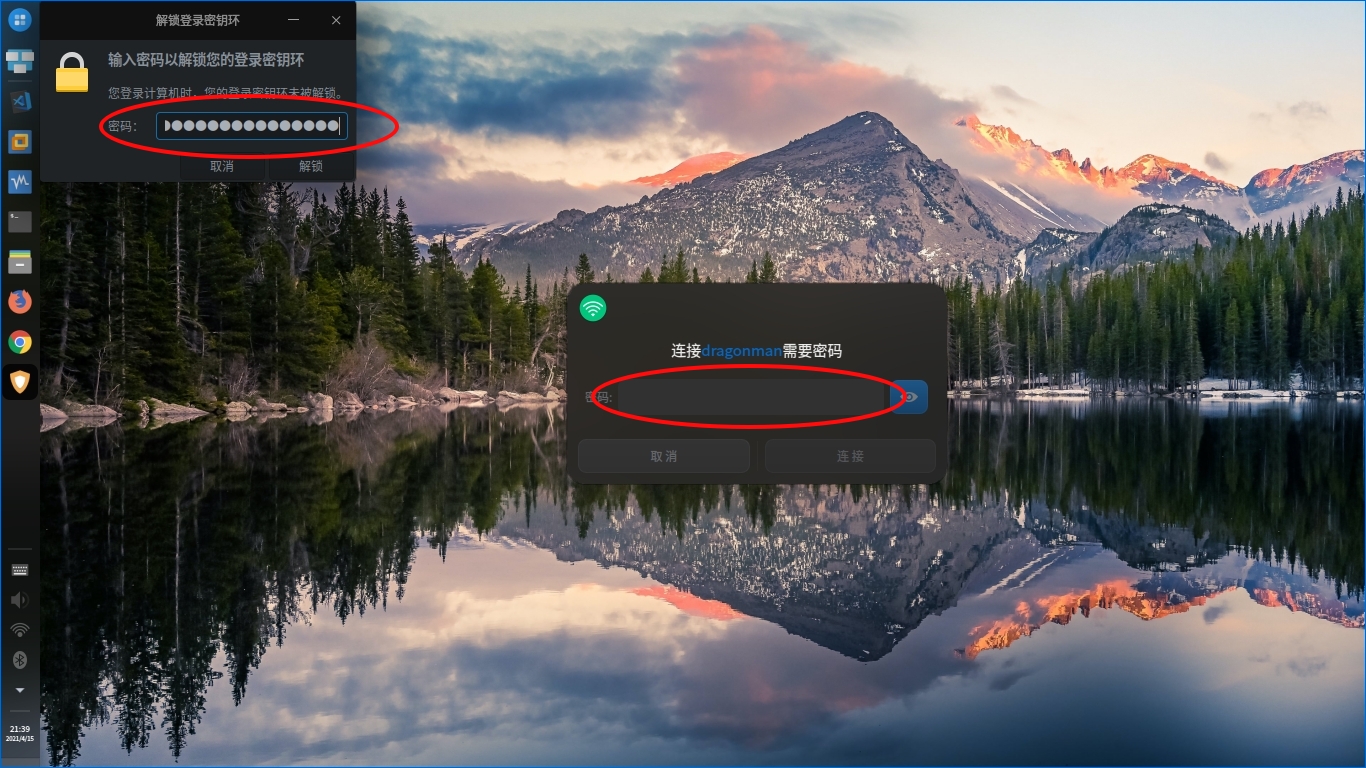
Reply Like 0 View the author
 deepin
deepin 

 deepin
 bug吧,等待修复吧,别急,会越来越好的
deepin 其实我也是这样想的,只是反应一下。
在使用过程中除了windows下的一些专业软件不能用以外,其他还都可以。
deepin 同样是升级,为啥有些人却没有这种现象,好奇
 deepin
 是不是安装了'kde钱包'这个东西了,我用kde桌面的时候也是这样,试试安装 systemsettings,看有没有kde钱包这个模块,有的话关闭就行了

 deepin
 是不是设置了免密码登录一类的?WIFI问题可以换个内核试试,或者手动安装对应的网卡驱动
 deepin
 wifi 密码那里,去wifi 设置里面,安全选项改为不加密

 deepin
 wifi 密码那里,去wifi 设置里面,安全选项改为不加密
为所有用户保存wifi密码,就可自动登录了。密钥环可在控制中心用户登录设置里先取消自动免密登录,再设置自动免密登录,注意勾选清理官钥环。这是在控制中心可用的情况下。有些系统升级后打不开控制中心,一般用户还是等新的更新吧,系统无关紧要可以内测的可以参考论坛有关帖子折腾一下。
deepin deepin 谢谢提醒,已解决
Popular Events
More


 the Network section no longer appears
升级到20.2,每次开机启动进入系统都要输入解锁环密码和wifi密码,还要再点击WIFI才能开启网络,休眠后蓝牙关闭