

 中文
中文 
zyys2813 deepin
2021-04-13 17:59 deepin 我的昨天升级今天也能这样了,怎么解决,完全进不了系统
Reply Like 0 View the author

 deepin
 .jpg)
 deepin
 我的昨天升级今天也能这样了,怎么解决,完全进不了系统
deepin 我的昨天升级今天也能这样了,怎么解决,完全进不了系统
折腾了一早上了 在官方群里也问了也没人回复 你那如果好了 把处理方式说一下
deepin 折腾了半天,弄不成,


 deepin
 是不是输入密码登录后,不一会儿就重启回到密码输入页面。。。建议还是重新安装吧,简单快捷,直接升级上来的还是有问题
deepin 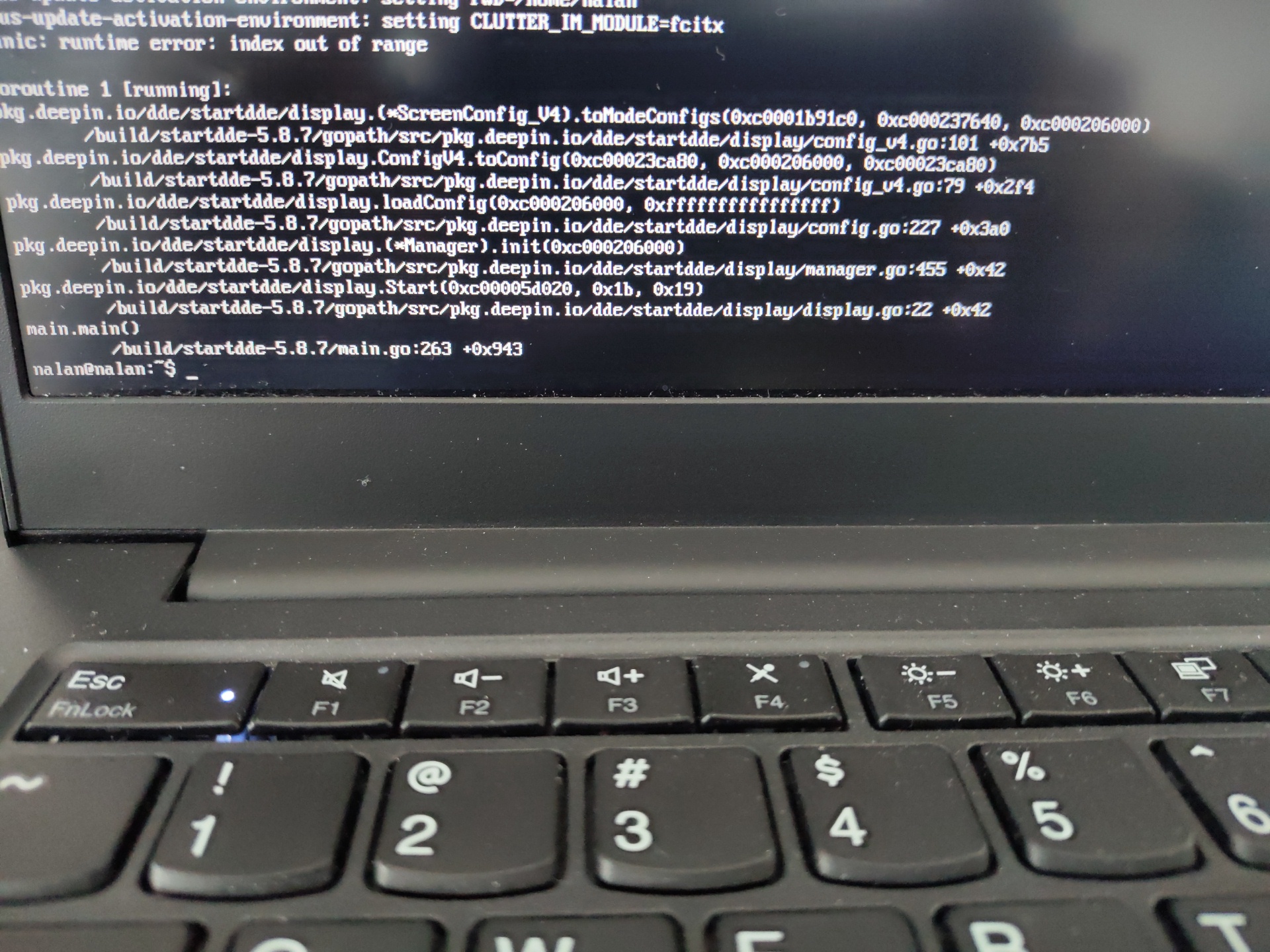 这个错误应该怎么查排查
 deepin
 问题已经解决。第一张图提示的其实登录不了没有任何关系。第二张图.xsession_error里面的内容是有用的。
解决方案:在密码输入页面 ALT+CTRL+F2切换到终端。rm -rf ~/.config/deepin/startdde/* 然后reboot 。
ps: 这个是在把能找到的所有方法都试过一次做的。包含:命令行 强制更新
sudo apt update
sudo dpkg --configure -a
sudo apt dist-upgrade
文件下有三个文件。我对比了下新生成的文件。builtin-monitor 没有任何区别 config.version 原来里面内容是4.0删除后重新生成的是5.0。display.json 文件原来名称是display.json,新生成的是display_v5.json。
Popular Events
More


 the Network section no longer appears