中文
中文 
老咸鱼 deepin
2021-04-13 19:38 deepin 安装这个sudo apt install blueman,然后用它连,我的雷柏750就这样连的
不保证有用
Reply Like 0 View the author
 deepin
 安装这个sudo apt install blueman,然后用它连,我的雷柏750就这样连的
不保证有用
 deepin
 M720 同款,,,侧面切换信道键,,切换到鼠标未被使用的信道上,,,,
长按切换信道键,待鼠标信道灯长闪(就是鼠标背上,1,2,3,有一个当前信道会长闪)
bluetoothctl
power on
agent on
default-agent
scan on
pair #鼠标的MAC
如果还是连接不上,建议重启一下蓝牙服务
systemctl restart bluetooth
 deepin
 M720 同款,,,侧面切换信道键,,切换到鼠标未被使用的信道上,,,,
长按切换信道键,待鼠标信道灯长闪(就是鼠标背上,1,2,3,有一个当前信道会长闪)
bluetoothctl
power on
agent on
default-agent
scan on
pair #鼠标的MAC
如果还是连接不上,建议重启一下蓝牙服务
systemctl restart bluetooth
成功了,大佬,谢谢!!!
deepin M720 同款,,,侧面切换信道键,,切换到鼠标未被使用的信道上,,,,
长按切换信道键,待鼠标信道灯长闪(就是鼠标背上,1,2,3,有一个当前信道会长闪)
bluetoothctl
power on
agent on
default-agent
scan on
pair #鼠标的MAC
如果还是连接不上,建议重启一下蓝牙服务
systemctl restart bluetooth
顺便求问:原因是啥呢?
因为之前时断时连,每次重连,就回多一个m720,彻底断联之前,我是在连接过程中,把那些多余的删除了,是不是刚好把那个mac删除,系统不认了?我是初识linux,的确不懂……
deepin 顺便求问:原因是啥呢?
因为之前时断时连,每次重连,就回多一个m720,彻底断联之前,我是在连接过程中,把那些多余的删除了,是不是刚好把那个mac删除,系统不认了?我是初识linux,的确不懂……
具体,,我也搞不清楚为啥会多出来,,但一般来说...图形界面上,,,貌似不太好用,,,,,如果鼠标断联了,,不要去删除重联,,切换一下鼠标的信道就联回来了

 deepin
 安装这个sudo apt install blueman,然后用它连,我的雷柏750就这样连的
不保证有用
验证可用,谢谢!!
Popular Events
More


 the Network section no longer appears
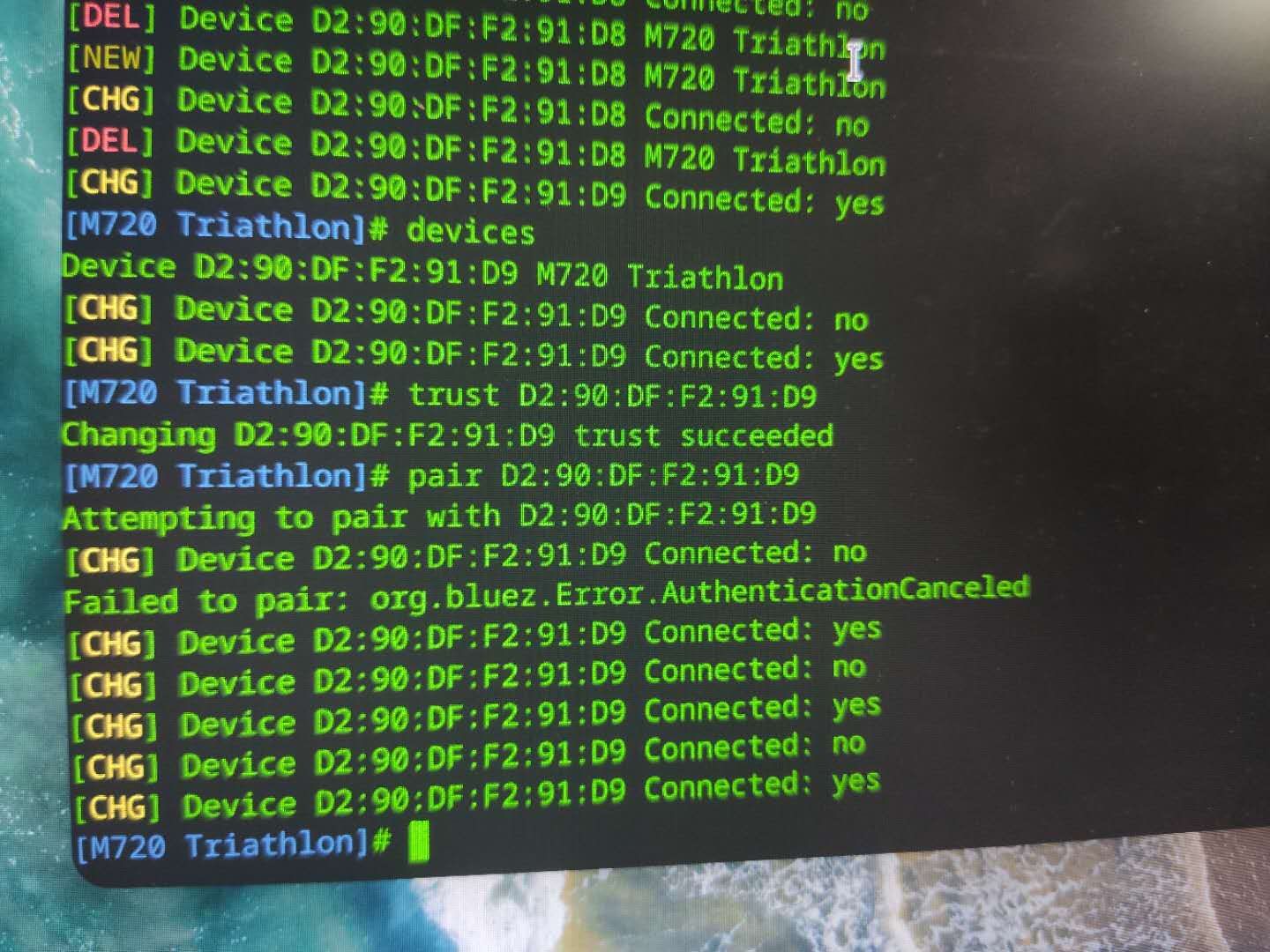
v20.2,蓝牙鼠标无法连接,显示不在范围内,手动操作提示如图,请大神帮忙看看,谢谢