

 中文
中文 
woolgather deepin
2021-04-10 18:11 deepin 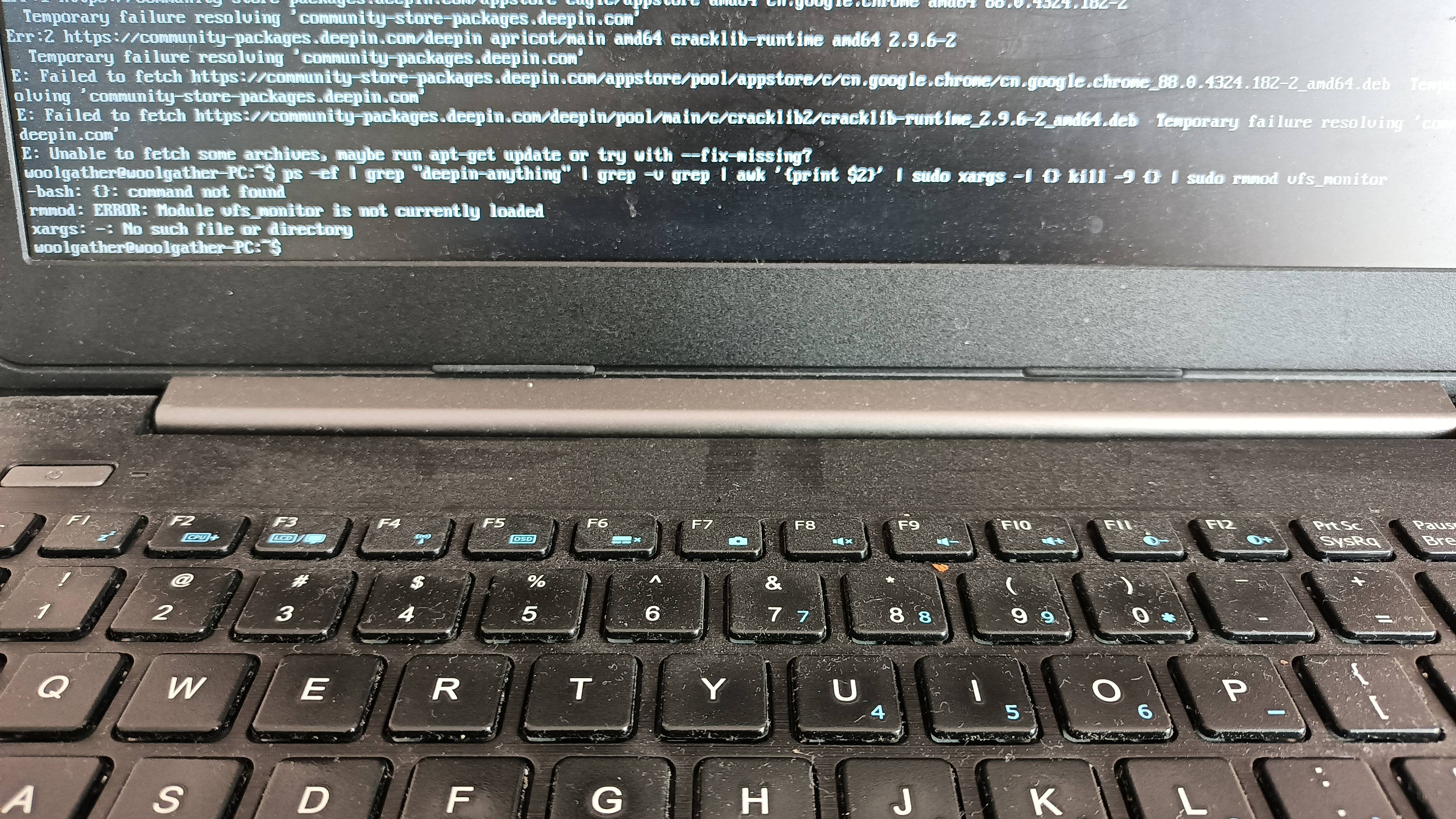
Reply Like 0 View the author
 deepin

 deepin
 deepin
 用随便哪个发行版的 live 镜像 chroot 进去修,或许可以跳过第一步
 deepin
 我和你说,折腾一天未必可以修好。。。重装只要30分钟。。。。 这都是经验!!!
deepin 我是原代码复制,不信你是看这个管理员的帖子
deepin 所以,我在想。这个管理员贴出来的修复代码,自己估计都没有运行过。不负责任的人
deepin 我和你说,折腾一天未必可以修好。。。重装只要30分钟。。。。 这都是经验!!!
重装的话,我home里的文件就都没了
deepin 超级管理员的置顶帖的代码。我没有动过。
deepin 我是原代码复制,不信你是看这个管理员的帖子
我也两边复制,在文本文件里比较了,看着没有区别,后来看好像公告是大写的i,你的像l
deepin deepin 我是无线。现在谁家电脑装有线网络?
deepin 我也两边复制,在文本文件里比较了,看着没有区别,后来看好像公告是大写的i,你的像l
可能。我试了一下I,就是大写的i。原来的第一行错误没了。但依然有错误,vfs_monitor 没有正确加载
deepin deepin 重装的话,我home里的文件就都没了
到ffy2那里把文件copy出来哦
另外我的home目录从来都是空的。
Popular Events
More


 the Network section no longer appears
官方方案:
重新开机后打开【终端】依次输入命令:
1、ps -ef | grep "deepin-anything" | grep -v grep | awk '{print $2}' | sudo xargs -I {} kill -9 {} | sudo rmmod vfs_monitor
2、sudo dpkg --configure -a
3、sudo apt --fix-broken install
4、通过控制中心或终端(sudo apt update && sudo apt dist-upgrade)正常升级
——
第一步就失败,提示:bash: {} :command not found等等