

 中文
中文 
cz_tan deepin
2021-04-07 20:37 deepin 重新启动,选择回退到之前的系统
运行如下命令更新
sudo apt-get update && sudo apt-get dist-upgrade
Reply Like 0 View the author
 deepin
 重新启动,选择回退到之前的系统
运行如下命令更新
sudo apt-get update && sudo apt-get dist-upgrade
deepin 
 deepin
 tty里面,
sudo apt update
sudo apt full-upgrade
deepin 重新启动,选择回退到之前的系统
运行如下命令更新
sudo apt-get update && sudo apt-get dist-upgrade
大佬,怎么回退之前的系统?我现在在tty执行更新命令,显示没有要更新的内容
 deepin
 问题相同 解决不了我重装了- -以后更新之前先备份

 deepin
 我怀疑是 deepin 升级前后配置不兼容导致,试试进入 tty,执行 mv ~/.config/deepin ~/.config/deepin_bak
deepin 大佬,怎么回退之前的系统?我现在在tty执行更新命令,显示没有要更新的内容
这个界面,启动的时候要显示啊,没有的话,启动的时候你按上下方向键
deepin 我怀疑是 deepin 升级前后配置不兼容导致,试试进入 tty,执行 mv ~/.config/deepin ~/.config/deepin_bak
大佬,你这个操作可以的,登录成功了,感谢感谢!!!!
deepin 问题相同 解决不了我重装了- -以后更新之前先备份
控制中心更新的话,自动备份才升级的,不用自己再备份了
deepin 这个界面,启动的时候要显示啊,没有的话,启动的时候你按上下方向键
我的上面不是这个选项,我这里是uos recovery
deepin deepin 控制中心更新的话,自动备份才升级的,不用自己再备份了
我的控制中心更新失败,然后重启就出现了无限登录的问题,启动选项里没有回退的选项
deepin 我是命令行升级的,结果也出现这个问题了,没有回退选项,请问咋办呢?
 deepin
 还有什么解决办法吗?论坛上的方法都试过了,还是没法登录
deepin 使用Ctrl+Alt+F2进入 ttl后,再使用root登录,然后输入startx进入,再新建一个用户就可以用新用户进入,但旧用户还是没办法进入,有什么办法?
deepin 终于可以了,原来真的是配置问题,之前执行 mv ~/.config/deepin ~/.config/deepin_bak 无效,是因为使用了root用户登录tty
Popular Events
More


 the Network section no longer appears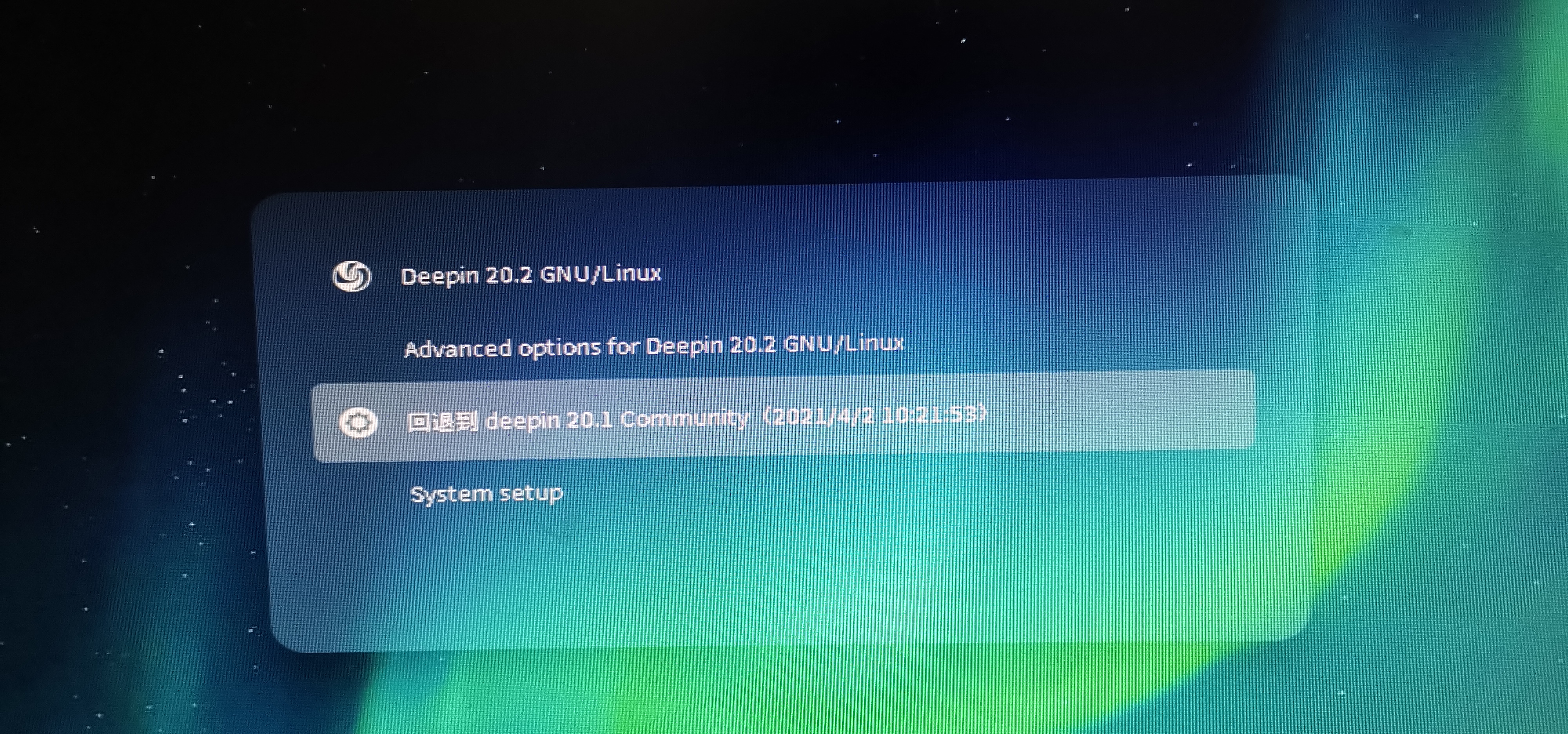
请教各位大佬,更新20.2之后无限循环登录,怎么解决,明天项目要交付,求各位大佬帮忙!