

 中文
中文 
lcw0268 deepin
2021-04-05 21:26 deepin 沙发。
楼主安装的是仓库的包,还是nvidia的run包?
在楼主这样的情况,卸载驱动,再安装就能解决问题。
Reply Like 0 View the author

 deepin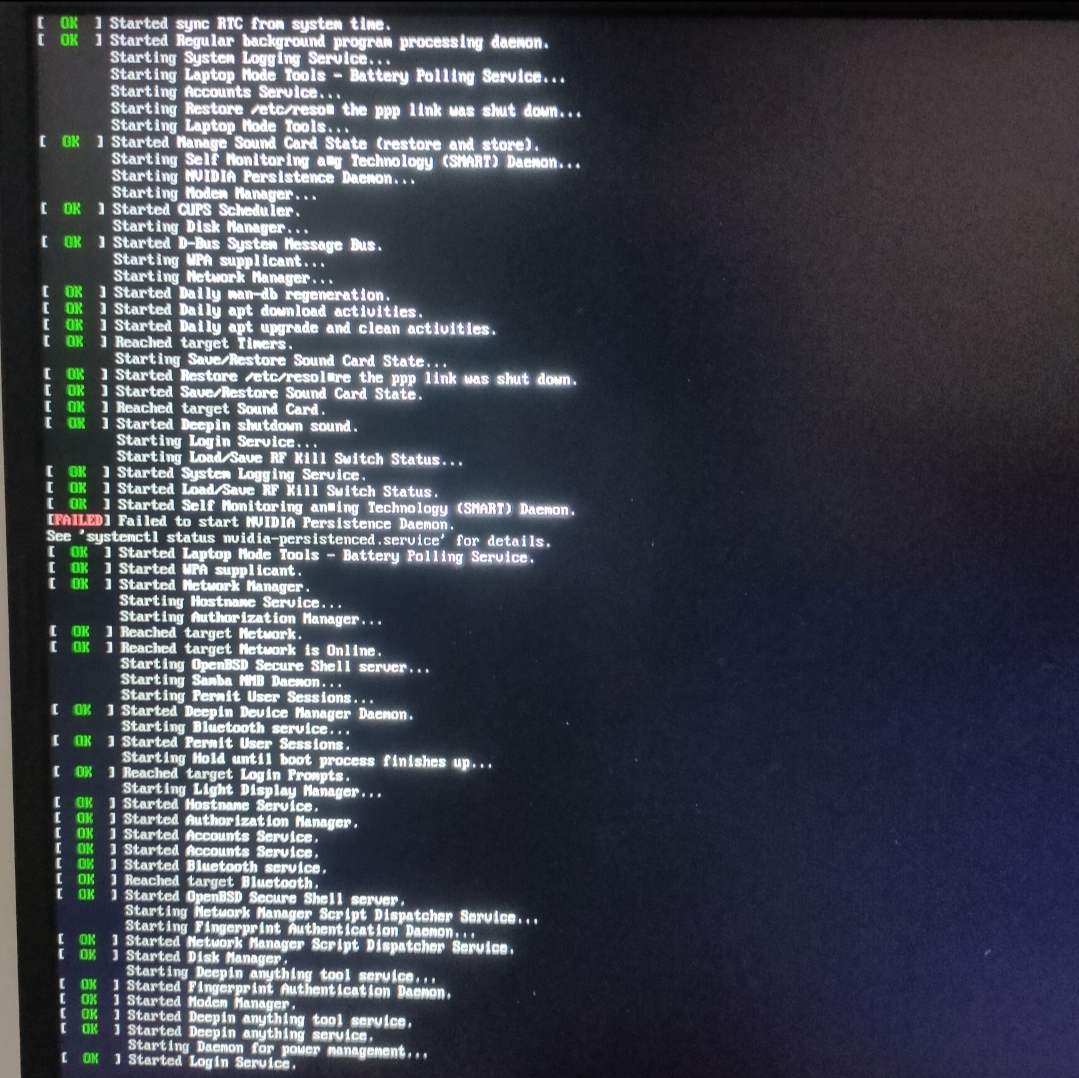
 deepin
 沙发。
楼主安装的是仓库的包,还是nvidia的run包?
在楼主这样的情况,卸载驱动,再安装就能解决问题。
deepin 沙发。
楼主安装的是仓库的包,还是nvidia的run包?
在楼主这样的情况,卸载驱动,再安装就能解决问题。
https://bbs.deepin.org/zh/post/194051
我是按照这个帖子弄的
第六步:使用代码:sudo dedit /etc/lightdm/lightdm.conf
        在打开的文本中,找到[Seat:*]这一行,然后在[Seat:*]行下复制以下内容并保存
display-setup-script=/etc/lightdm/display_setup.sh

最后,在成功完成以上六步操作后,重启
到这重启就打不开了
apt不管是install还是update都有下面的报错
cryptsetup: WARNING: The initramfs image may not contain cryptsetup binaries
    nor crypto modules. If that's on purpose, you may want to uninstall the
    'cryptsetup-initramfs' package in order to disable the cryptsetup initramfs
    integration and avoid this warning.
setupcon is missing. Please install the 'console-setup' package.
W: plymouth: The plugin label.so is missing, the selected theme might not work as expected.
W: plymouth: You might want to install the plymouth-themes package to fix this.
live-boot: core filesystems devices utils udev blockdev dns.https://bbs.deepin.org/zh/post/194051
我是按照这个帖子弄的
第六步:使用代码:sudo dedit /etc/lightdm/lightdm.conf
        在打开的文本中,找到[Seat:*]这一行,然后在[Seat:*]行下复制以下内容并保存
display-setup-script=/etc/lightdm/display_setup.sh

最后,在成功完成以上六步操作后,重启
到这重启就打不开了
apt不管是install还是update都有下面的报错
cryptsetup: WARNING: The initramfs image may not contain cryptsetup binaries
    nor crypto modules. If that's on purpose, you may want to uninstall the
    'cryptsetup-initramfs' package in order to disable the cryptsetup initramfs
    integration and avoid this warning.
setupcon is missing. Please install the 'console-setup' package.
W: plymouth: The plugin label.so is missing, the selected theme might not work as expected.
W: plymouth: You might want to install the plymouth-themes package to fix this.
live-boot: core filesystems devices utils udev blockdev dns.
sudo apt install console-setup
deepin sudo apt install console-setup
好嘞 我去重装试试
 deepin
 https://bbs.deepin.org/zh/post/218206
我也是卡在这里 已经解决
可以看看我的解决方式
deepin 好嘞 我去重装试试
重装?系统重装?
Ctrl+Alt+F2可以进入tty2,输入上面命令,安装完重启。
deepin 重装?系统重装?
Ctrl+Alt+F2可以进入tty2,输入上面命令,安装完重启。
正在读取软件包列表... 完成
正在分析软件包的依赖关系树
正在读取状态信息... 完成
没有可用的软件包 console-setup,但是它被其它的软件包引用了。
这可能意味着这个缺失的软件包可能已被废弃,
或者只能在其他发布源中找到
然而下列软件包会取代它:
  keyboard-configuration

E: 软件包 console-setup 没有可安装候选
t提示这个

 deepin
 正在读取软件包列表... 完成
正在分析软件包的依赖关系树
正在读取状态信息... 完成
没有可用的软件包 console-setup,但是它被其它的软件包引用了。
这可能意味着这个缺失的软件包可能已被废弃,
或者只能在其他发布源中找到
然而下列软件包会取代它:
keyboard-configuration
E: 软件包 console-setup 没有可安装候选
t提示这个
这个替代的包试试?(
deepin 这个替代的包试试?(
我安装上了
deepin 重装?系统重装?
Ctrl+Alt+F2可以进入tty2,输入上面命令,安装完重启。
还是会有这个错误
update-initramfs: Generating /boot/initrd.img-5.10.18-amd64-desktop
cryptsetup: WARNING: The initramfs image may not contain cryptsetup binaries
    nor crypto modules. If that's on purpose, you may want to uninstall the
    'cryptsetup-initramfs' package in order to disable the cryptsetup initramfs
    integration and avoid this warning.
W: plymouth: The plugin label.so is missing, the selected theme might not work as expected.
W: plymouth: You might want to install the plymouth-themes package to fix this.
live-boot: core filesystems devices utils udev blockdev dns.

 deepin
 还是会有这个错误
update-initramfs: Generating /boot/initrd.img-5.10.18-amd64-desktop
cryptsetup: WARNING: The initramfs image may not contain cryptsetup binaries
    nor crypto modules. If that's on purpose, you may want to uninstall the
    'cryptsetup-initramfs' package in order to disable the cryptsetup initramfs
    integration and avoid this warning.
W: plymouth: The plugin label.so is missing, the selected theme might not work as expected.
W: plymouth: You might want to install the plymouth-themes package to fix this.
live-boot: core filesystems devices utils udev blockdev dns.
这个警告忽略即可,不影响使用
deepin 还是会有这个错误
update-initramfs: Generating /boot/initrd.img-5.10.18-amd64-desktop
cryptsetup: WARNING: The initramfs image may not contain cryptsetup binaries
    nor crypto modules. If that's on purpose, you may want to uninstall the
    'cryptsetup-initramfs' package in order to disable the cryptsetup initramfs
    integration and avoid this warning.
W: plymouth: The plugin label.so is missing, the selected theme might not work as expected.
W: plymouth: You might want to install the plymouth-themes package to fix this.
live-boot: core filesystems devices utils udev blockdev dns.
sudo apt purge nvidia-* libnvidia-* (卸载nvidia驱动)
sudo apt purge lightdm plymouth (为了删除lightdm配置文件)
重启会进入tty,可以安装run文件,含nvidia的smi的。如果安装仓库闭源驱动:
sudo apt install nvidia-driver xserver-xorg-video lightdm plymouth plymouth-themes
会安装一堆几百M,安装完成重启。
deepin sudo apt purge nvidia-* libnvidia-* (卸载nvidia驱动)
sudo apt purge lightdm plymouth (为了删除lightdm配置文件)
重启会进入tty,可以安装run文件,含nvidia的smi的。如果安装仓库闭源驱动:
sudo apt install nvidia-driver xserver-xorg-video lightdm plymouth plymouth-themes
会安装一堆几百M,安装完成重启。
我运行这个命令直接一堆报错
sudo apt install nvidia-driver xserver-xorg-video lightdm plymouth plymouth-themes
deepin sudo apt purge nvidia-* libnvidia-* (卸载nvidia驱动)
sudo apt purge lightdm plymouth (为了删除lightdm配置文件)
重启会进入tty,可以安装run文件,含nvidia的smi的。如果安装仓库闭源驱动:
sudo apt install nvidia-driver xserver-xorg-video lightdm plymouth plymouth-themes
会安装一堆几百M,安装完成重启。
unable to fatch some archives,maybe run,apt-get update or try woth --fixmissing
最后一句是这个
deepin sudo apt purge nvidia-* libnvidia-* (卸载nvidia驱动)
sudo apt purge lightdm plymouth (为了删除lightdm配置文件)
重启会进入tty,可以安装run文件,含nvidia的smi的。如果安装仓库闭源驱动:
sudo apt install nvidia-driver xserver-xorg-video lightdm plymouth plymouth-themes
会安装一堆几百M,安装完成重启。
没网……我用手机usb共享了
deepin sudo apt purge nvidia-* libnvidia-* (卸载nvidia驱动)
sudo apt purge lightdm plymouth (为了删除lightdm配置文件)
重启会进入tty,可以安装run文件,含nvidia的smi的。如果安装仓库闭源驱动:
sudo apt install nvidia-driver xserver-xorg-video lightdm plymouth plymouth-themes
会安装一堆几百M,安装完成重启。
独显还是读不到,外接显示器还是没法用
deepin 独显还是读不到,外接显示器还是没法用
能进入桌面环境,就容易多了。
你可以选择安装deb 还是run.
deepin 能进入桌面环境,就容易多了。
你可以选择安装deb 还是run.
只要能安装都行 我还不会怎么安装
deepin nvidia驱动依赖i386 源,
sudo dpkg --add-architecture i386
你上面显示你要sudo apt update
deepin 能进入桌面环境,就容易多了。
你可以选择安装deb 还是run.
我已经进去桌面了 外接显示器还没还是没办法显示
Popular Ranking
ChangePopular Events
More


 the Network section no longer appears