[Newbies] 有什么办法可以解决深色壁纸下透明度为0,任务栏日期看不到的问题
Tofloor
poster avatar
chen-lukas
deepin
2021-04-01 00:38
Author

深色背景下任务栏透明度调低点还可以通过色差看到右下角日期,透明度一旦调成0,好看是好看了,日期也不见了

第二张照片是把透明度调为0,日期就找不到了
Reply Favorite View the author
All Replies
chen-lukas
deepin
2021-04-01 00:40
#1

Reply View the author
element
deepin
2021-04-01 00:44
#2

换一个壁纸?。。。

Reply View the author
chen-lukas
deepin
2021-04-01 00:48
#3
element

换一个壁纸?。。。

喜欢深色的壁纸,然后深色壁纸放上去就这样了

Reply View the author
忆往
deepin
2021-04-01 01:01
#4

黑色背景  + 黑色字体 你说呢~~~

Reply View the author
chen-lukas
deepin
2021-04-01 02:17
#5
忆往

黑色背景  + 黑色字体 你说呢~~~

所以字体颜色可以调吗


Reply View the author
lcw0268
deepin
2021-04-01 04:27
#6

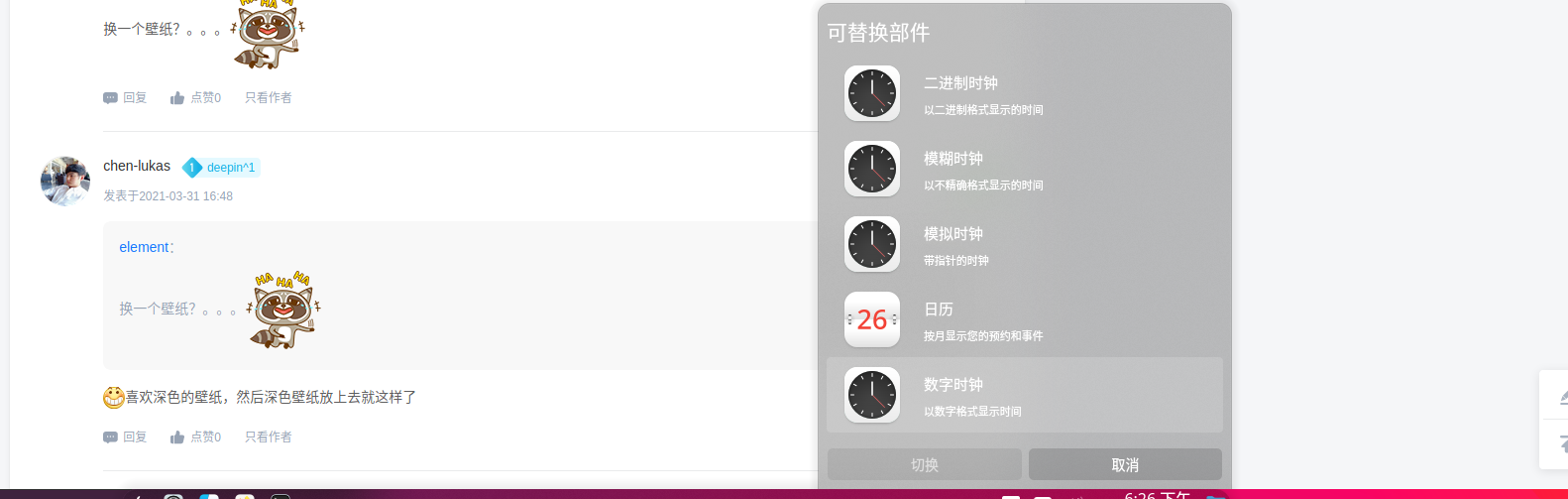
可以安装部件:

Reply View the author
海天鹰
deepin
2021-04-01 05:21
#7
lcw0268

可以安装部件:

什么时候有部件了?

Reply View the author
海天鹰
deepin
2021-04-01 05:22
#8

壁纸造成任务栏时间看不清问题早发现了,无奈。

Reply View the author
Ziggy
deepin
2021-04-01 07:11
#9

只能暂时换一下主题了

Reply View the author
deepin-mq
deepin
2021-06-01 18:44
#10
我们这边设备测试未复现,需要帮忙提供下信息,便于快速定位分析问题。信息包括如下:
 
1、系统版本号
打开终端,输入命令:cat /etc/os-version
 
2、设备信息
打开“设备管理器”应用->在[概况]界面单击鼠标右键->选择[导出],导出设备信息txt文档
 
3、复现步骤
描述问题的具体复现步骤
 

完成以上信息后,复制回复下,谢谢。
Reply View the author