

 中文
中文 
guaguale deepin
2021-03-30 23:57 deepin 很简单,试试ubuntu上面是不是有同样的问题,有那就是wps的锅,没有就是deepin的锅
不开源,提了deepin也改不了(当然他们引起的可以提)
Reply Like 0 View the author
 deepin
 很简单,试试ubuntu上面是不是有同样的问题,有那就是wps的锅,没有就是deepin的锅
不开源,提了deepin也改不了(当然他们引起的可以提)

 deepin
 偷偷问一下有没有在Linux安装最新版微软word、excel的办法,用wine。
有那种软件如果在Windows上面使用的话,就是安装大神制作的A工具,A再帮我安装B、C、D等(原本需要正版付费的)软件。这种模式如果想在wine里面使用,该怎么办呢?能做到吗?
deepin 很简单,试试ubuntu上面是不是有同样的问题,有那就是wps的锅,没有就是deepin的锅
不开源,提了deepin也改不了(当然他们引起的可以提)
嗯,好提议,等我试试。

 deepin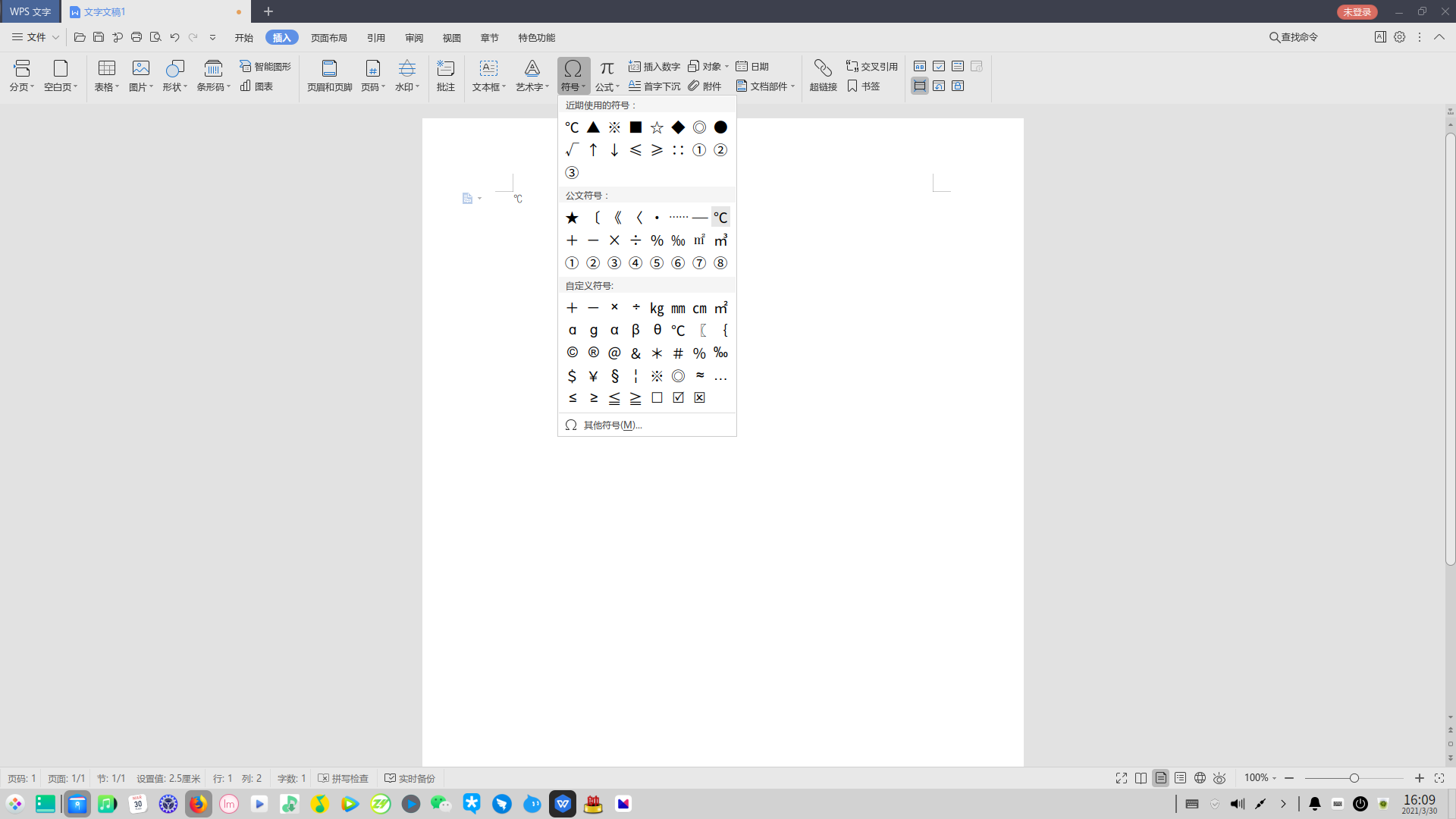
 deepin
 很简单,试试ubuntu上面是不是有同样的问题,有那就是wps的锅,没有就是deepin的锅
不开源,提了deepin也改不了(当然他们引起的可以提)
也不一定,万一wps适配ubuntu,没有适配deepin呢

 deepin
deepin 是不是你在ws office 上保存,在wps打开的?
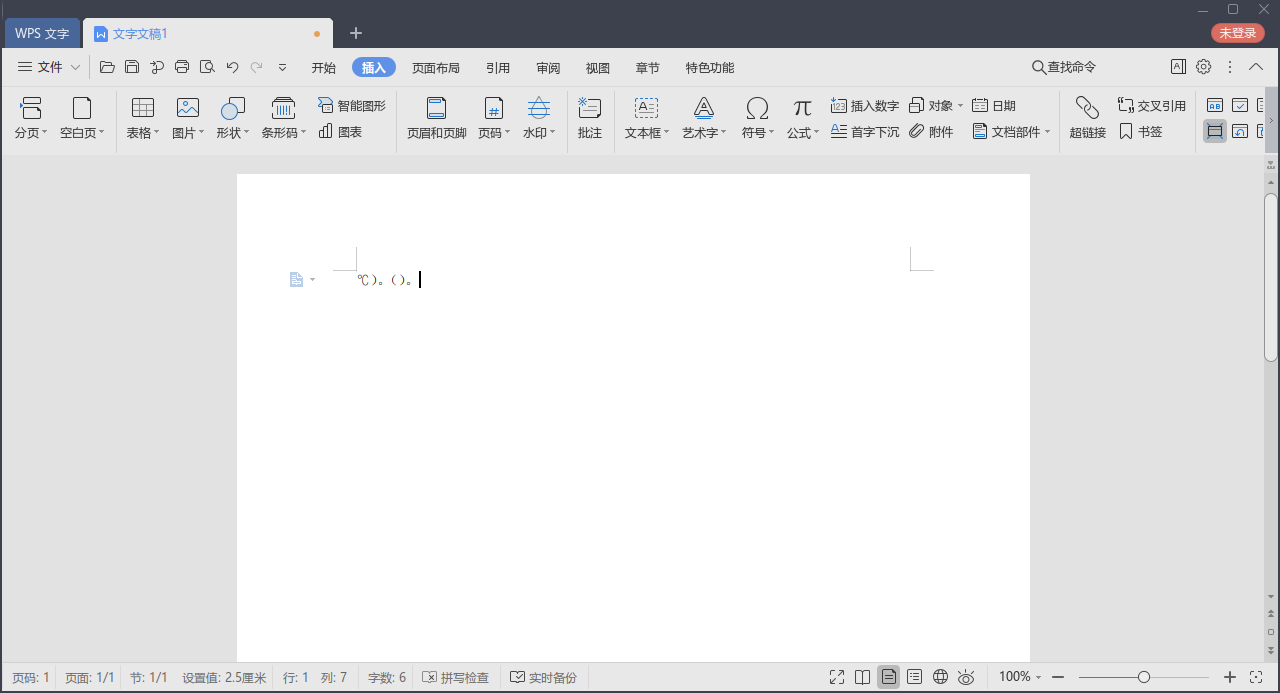
deepin 右括号和句号正常啊

 deepin
 偷偷问一下有没有在Linux安装最新版微软word、excel的办法,用wine。
有那种软件如果在Windows上面使用的话,就是安装大神制作的A工具,A再帮我安装B、C、D等(原本需要正版付费的)软件。这种模式如果想在wine里面使用,该怎么办呢?能做到吗?
星火商店里面有ms word 跟 excel,但是不好用
 deepin
 我提个我遇到的,就是WPS没办法插入和运行flash动画,win版的wps就没这个问题 @ WangZhongyun @ 神经蛙

 deepin
 WPS配色好像一直都是,算是WPS那边的适配问题
deepin ℃符号不显示是因为你用的字体是Arial,换成宋体就正常显示了。
 deepin
 我提个我遇到的,就是WPS没办法插入和运行flash动画,win版的wps就没这个问题 @ WangZhongyun @ 神经蛙
星火FLASH
 deepin
 我提个我遇到的,就是WPS没办法插入和运行flash动画,win版的wps就没这个问题 @ WangZhongyun @ 神经蛙
flash 已经被淘汰了,别想它了
deepin 偷偷问一下有没有在Linux安装最新版微软word、excel的办法,用wine。
有那种软件如果在Windows上面使用的话,就是安装大神制作的A工具,A再帮我安装B、C、D等(原本需要正版付费的)软件。这种模式如果想在wine里面使用,该怎么办呢?能做到吗?
直接用网页版吧。如果有工作或学校账户,微软 office 的网页版访问还是挺快的。

 deepin
 我用wps打印文档的时候,同一个文档,同一台打印机,用deepin打印出来宋体变得很奇怪,跟换了个字体一样
deepin 是不是你在ws office 上保存,在wps打开的?
不是,完完全全在WPS新建的,docx和表格都这样。
deepin 直接用网页版吧。如果有工作或学校账户,微软 office 的网页版访问还是挺快的。
有教育版office365,但是网络可能离谱,我骂过很多次onedrive了,具体等我试试看效果吧。但是如果不能脱离网络/浏览器工作,我为什么不买个chromebook?
deepin ℃符号不显示是因为你用的字体是Arial,换成宋体就正常显示了。
应该不是这个问题,我一直用的宋体和 times new roman
deepin 右括号和句号正常啊
这个问题并不是每次都能复现,暂时不管它😅
Popular Ranking
ChangePopular Events
More


 the Network section no longer appears
如题,至今最新版的WPS。
1. 无法显示摄氏度 “℃” 这个字符。
2. Deepin如果用的深色模式,WPS里面部分菜单设置项目的文字和背景颜色一致,导致看不清。Deepin改成浅色模式就好了。
3. 部分字符间距很奇怪,比如中文的右括号和中文的句号,如果放一起,会紧紧挨着 )。
4. 经常掉登录状态,需要重新点一下头像。
5. 标题栏不能右击显示常规软件那样的菜单,窗口最前、移至其它工作区……(这个已经找到办法,Super+S,这里的窗口进行操作)