

 中文
中文 
灵兮之 deepin
2021-03-30 16:52 deepin 一直都有这个问题,并没有人解决
Reply Like 1 View the author
 deepin
 一直都有这个问题,并没有人解决

 deepin
 反正wps是原生的不如找找wps官方反馈一下
 deepin
 我的也有这个问题,

 deepin
 我的感觉反应够快,没有卡顿感。

 deepin
 反正wps是原生的不如找找wps官方反馈一下
跟wps关系不大,在ubuntu/mint/fedora下测试都正常。只有deepin有这个问题
另外当剪贴板为文本文字时,不卡顿。只有当剪贴板为图片等二进制文件时才卡顿
 deepin
 跟wps关系不大,在ubuntu/mint/fedora下测试都正常。只有deepin有这个问题
另外当剪贴板为文本文字时,不卡顿。只有当剪贴板为图片等二进制文件时才卡顿
这个还真是WPS适配的问题,用libreoffice和永中或者其他软件都不会。
deepin 统信UOS上仍然没有解决这个问题。
 deepin
 这是deepin的问题,特别是使用截图后,感觉像马腿断了似的,特别卡
 deepin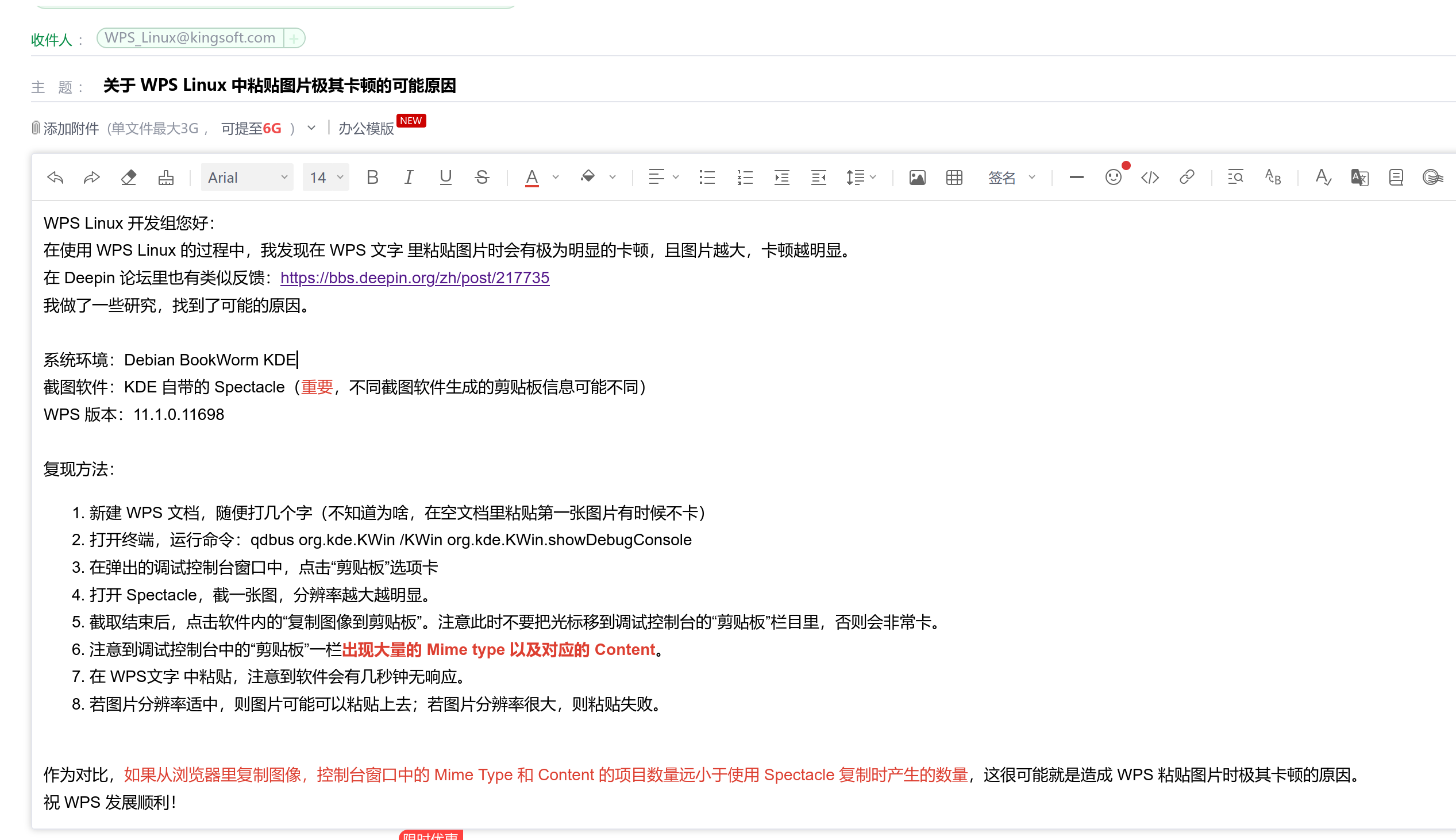
找到了可能的原因,给 WPS 发了邮件反馈。目前的 workaround 是换一个生成的剪贴板条目比较少的截图工具,或者先粘贴到其他软件再复制一次,再粘贴到 WPS 里。
Popular Ranking
ChangePopular Events
More


 the Network section no longer appears
截图结束必须等到3到5秒才能粘贴在word里,每次刚复制到剪贴板切换到wps时,光标失焦,隔好几秒才会恢复。
确定跟wps没关系,因为我另一台mint使用完全正常