

 中文
中文 
☃☂ deepin
2021-03-26 18:12 deepin 文件管理器→设置→其它→隐藏系统盘,关闭文件管理器,重新打开
Reply Like 0 View the author
 deepin
 文件管理器→设置→其它→隐藏系统盘,关闭文件管理器,重新打开

 deepin
 文件管理器→设置→其它→隐藏系统盘,关闭文件管理器,重新打开
不行试过了
 deepin
 安装“磁盘”,打开“磁盘”,选中要隐藏的分区,齿轮,编辑挂载选项,取消 在用户界面中显示
 deepin
 安装“磁盘”,打开“磁盘”,选中要隐藏的分区,齿轮,编辑挂载选项,取消 在用户界面中显示
deepin 安装“磁盘”,打开“磁盘”,选中要隐藏的分区,齿轮,编辑挂载选项,取消 在用户界面中显示
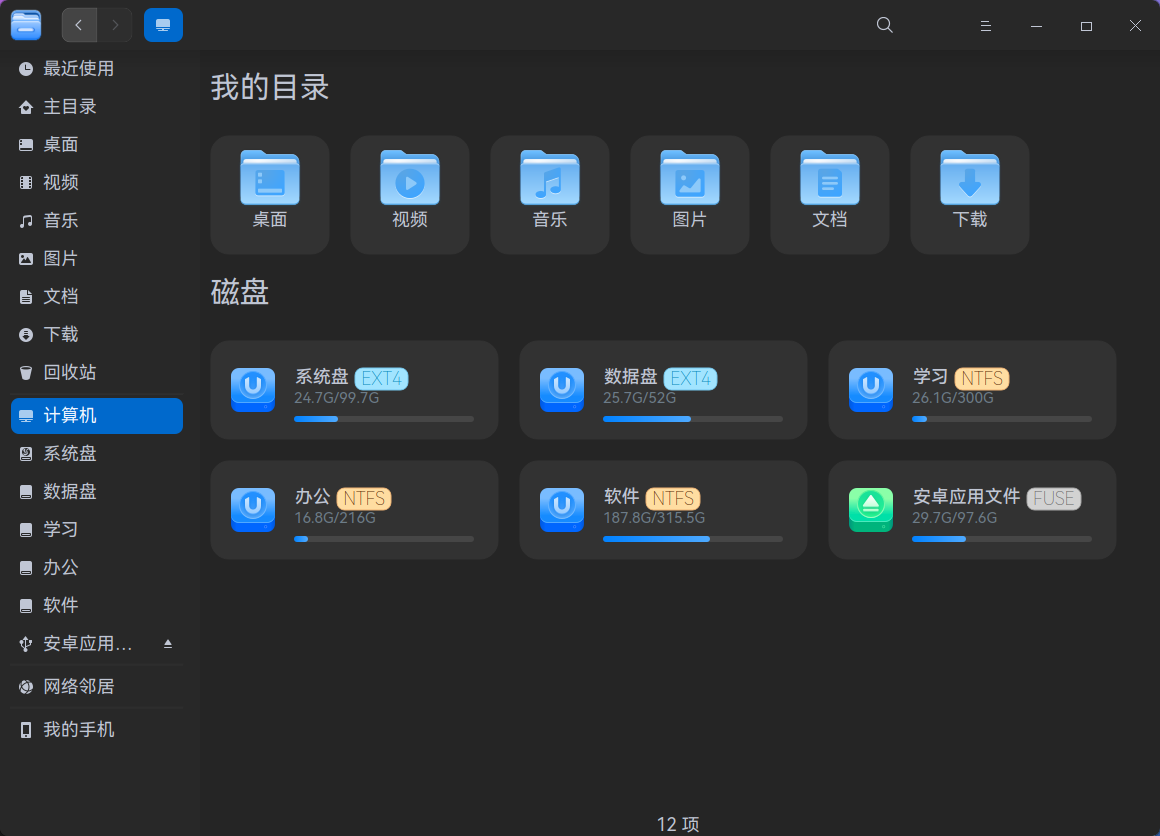
是这个扩展分区2,没挂载但是显示了
deepin 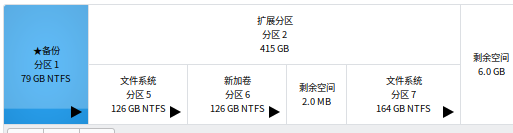
deepin 是这个扩展分区2,没挂载但是显示了
选扩展分区下的要隐藏的分区,现在基本都用gpt分区表了,mbr可能会有些兼容性的问题,如果电脑支持gpt启动的话,建议转换成gpt分区格式
 deepin
 问题解决啦吗?如何解决的?

 deepin
#查看设备名称对应的UUID,
~$ blkid
#将查到的UUID替换到下边的语句中,2720-4A42 就是系统EFI分区的UUID,
ENV{ID_FS_UUID}=="2720-4A42",ENV{UDISKS_IGNORE}="1"
#然后使用下边命令打开,将上面修改好的语句添加到文件“/etc/udev/rules.d/80-udisks2.rules”最后边,
~$ sudo deepin-editor /etc/udev/rules.d/80-udisks2.rules
#重启系统就可以了。
Popular Ranking
ChangePopular Events
More


 the Network section no longer appears
13.9卷是swap分区,可以使用
1k卷是原windows硬盘的扩展分区标识,没有UUID,如何解决
使用过磁盘管理器等,无法解决,盼大神