

 中文
中文 
Xue_HuZhi deepin
2021-03-19 16:08 deepin 在终端输入
sudo apt install -f
试试 看看报错不
Reply Like 0 View the author
 deepin
 在终端输入
sudo apt install -f
试试 看看报错不
deepin 还有就是在应用商店安装其他软件尝试一下能否正常安装

 deepin
 换一个远程桌面客户端试试看,比如remmina。如果也是这样尝试一下:
sudo apt-get autoclean
sudo apt-get autoremove
sudo apt-get update
sudo at-get upgrade
按顺序依次执行下,再试试看,还不行就只能求助官方了。。。
 deepin
 apt-cache search vinagre
sudo apt install xxxx试试
deepin 尝试运行
sudo apt install vinagre
看看报什么错(以上命令就是安装你的这个远程软件)
 deepin
 在终端输入
sudo apt install -f
试试 看看报错不

deepin 换一个远程桌面客户端试试看,比如remmina。如果也是这样尝试一下:
sudo apt-get autoclean
sudo apt-get autoremove
sudo apt-get update
sudo at-get upgrade
按顺序依次执行下,再试试看,还不行就只能求助官方了。。。

deepin apt-cache search vinagre
sudo apt install xxxx试试

deepin
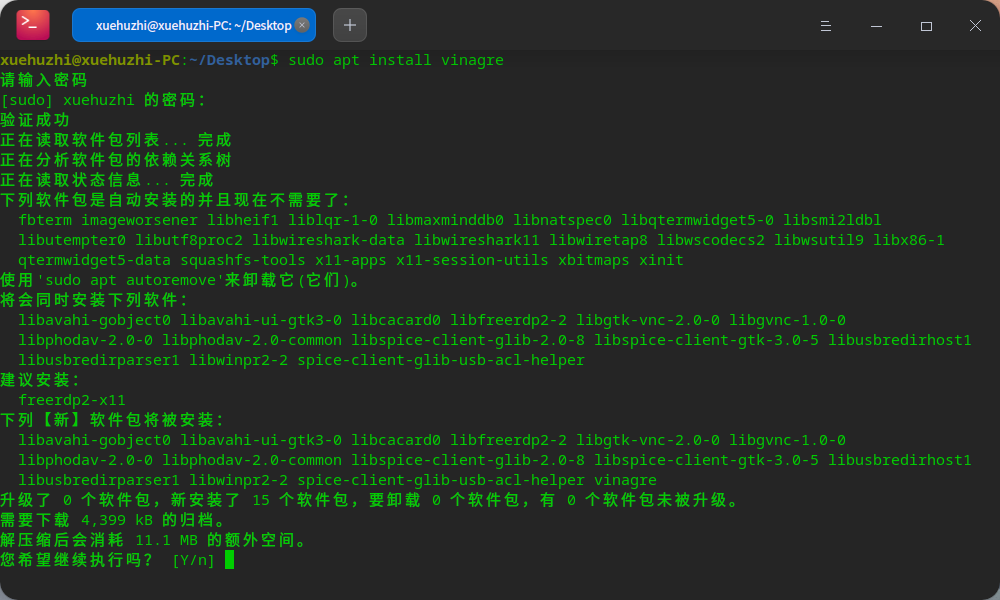 我的可以正常安装啊
deepin 
deepin 感谢大家


各位前辈好!现遇到一个问题,求助各位前辈!
我之前有安装远程桌面查看器这款应用,下载自官方的应用商店,之前一直好用,可以通过Deepin远程到Windows环境,突然就不好用了,具体表现是远程时闪退,我以为是应用本身出了问题,我便将应用卸载了,准备重装,结果发现无法安装,重启了Deepin,也还是不行,求助各位前辈,感谢!