

 中文
中文 
micoy deepin
2021-03-17 21:20 deepin 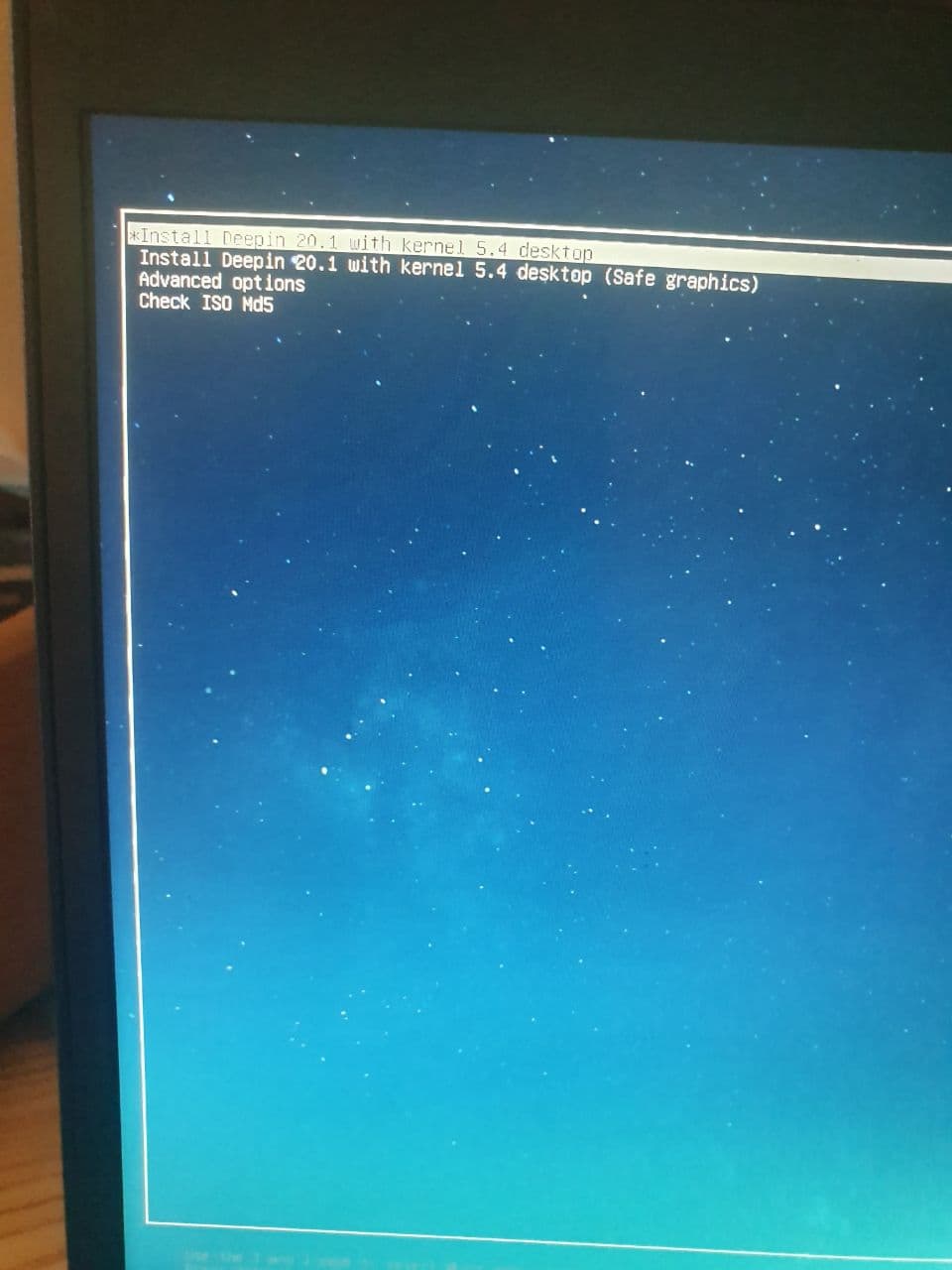
Reply Like 0 View the author
 deepin
deepin 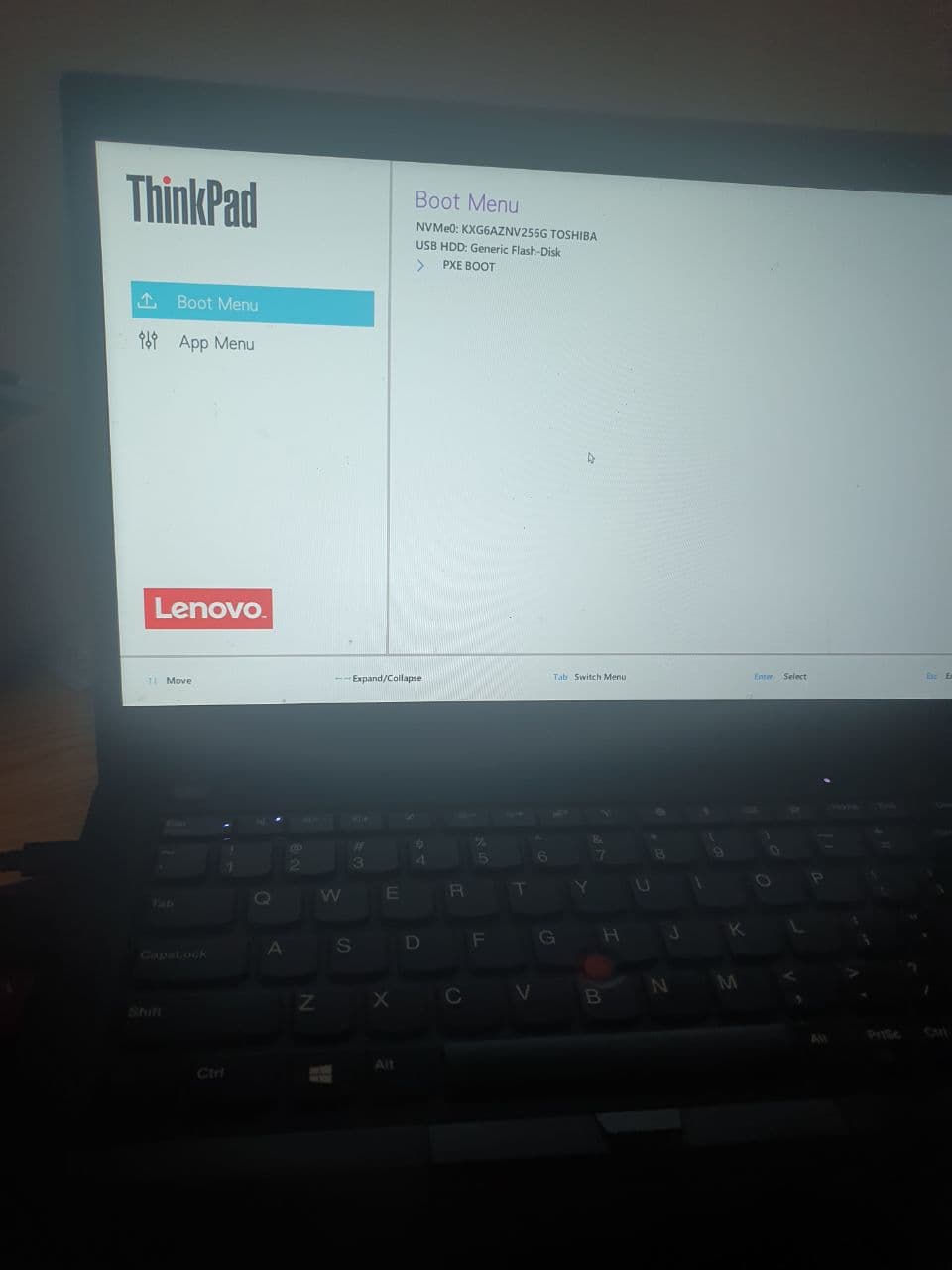
deepin 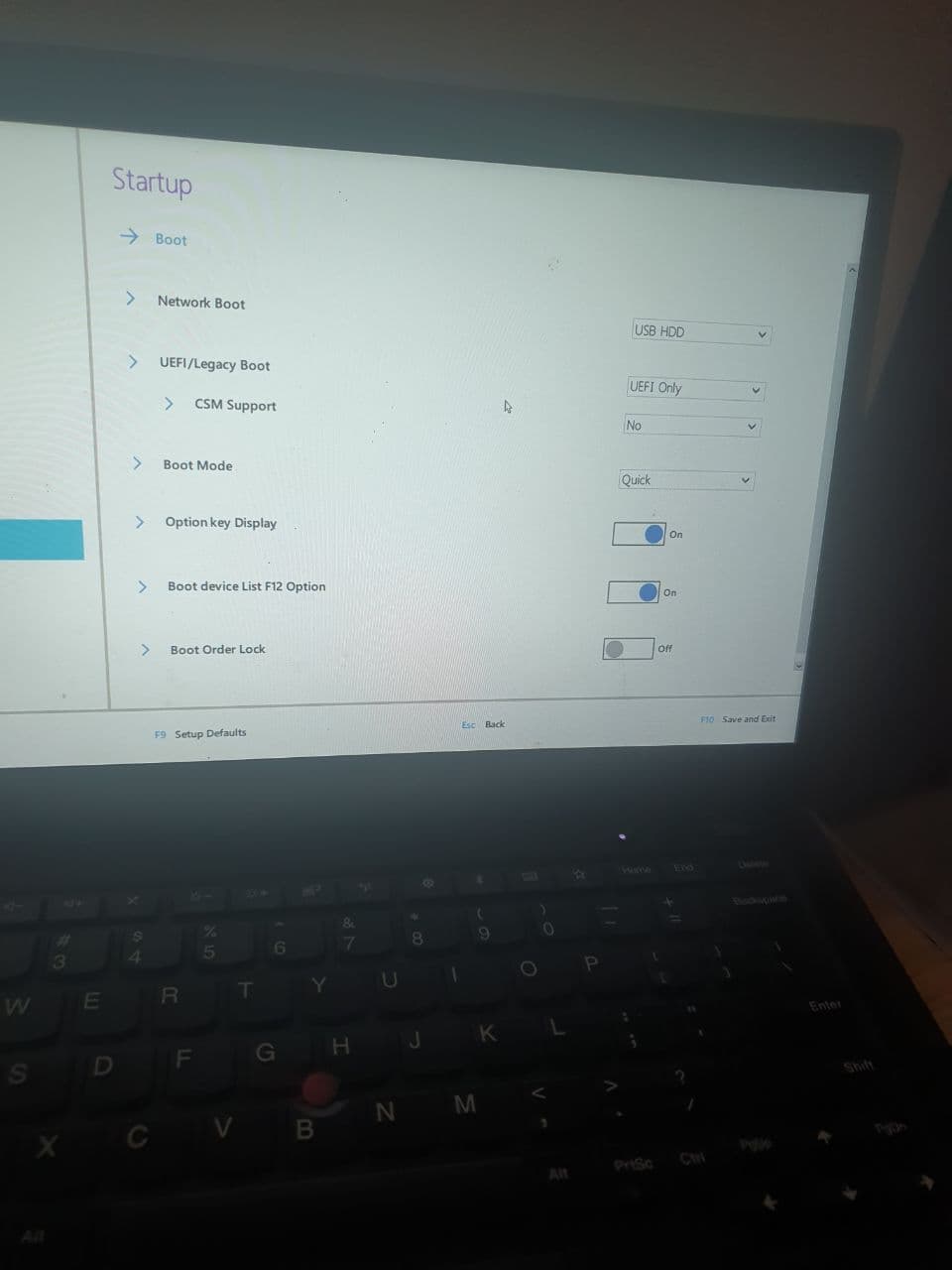
deepin 以下是我现在的15.4版本的 apt没法用,搜索了很久设置了一天没法用。
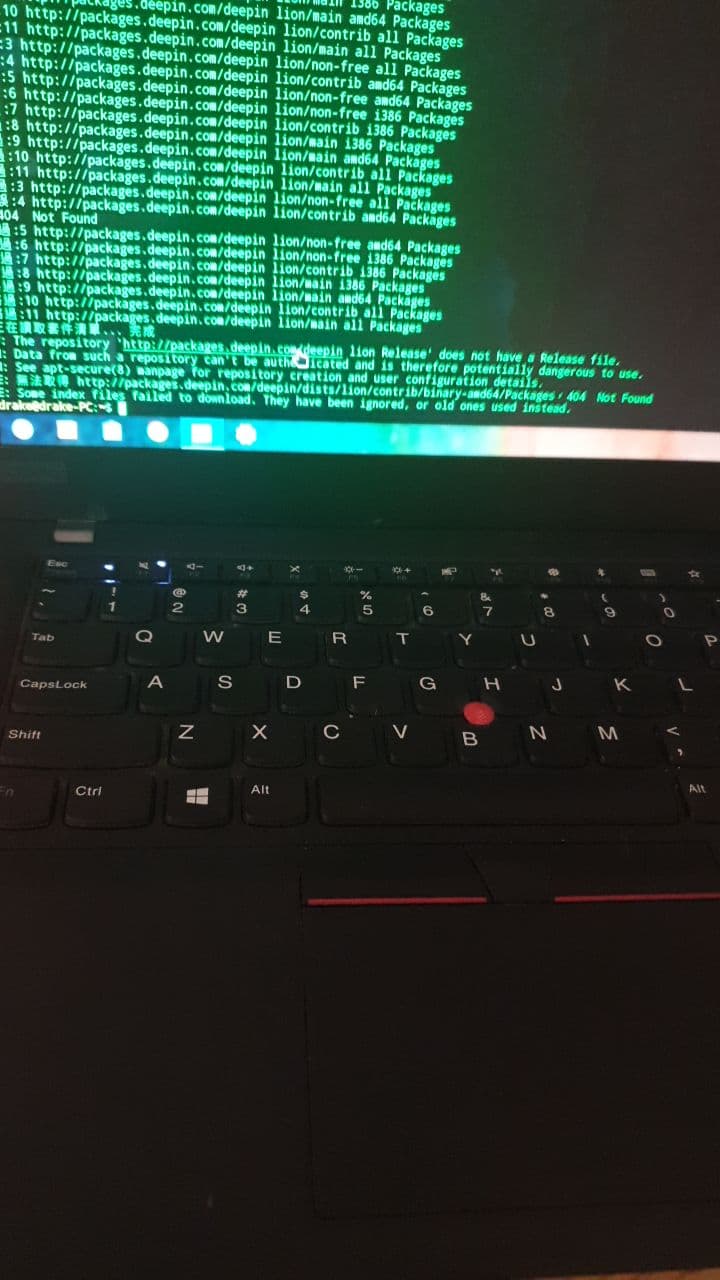
deepin 以下是我现在的15.4版本的 apt没法用,搜索了很久设置了一天没法用。
说错了 是15.11 desktop 版本
 deepin
 说错了 是15.11 desktop 版本
15.11 不维护了 重新安装20.1
deepin 15.11 不维护了 重新安装20.1
是的 我重新安装之后就出现以上情况:卡在满天星界面不能安装
 deepin
 建议直接安装20.1版本,15的已经不再进行维护了。
deepin 建议直接安装20.1版本,15的已经不再进行维护了。
您好 我安装的就是20.1
但是安装的时候在满天星页面卡死
deepin 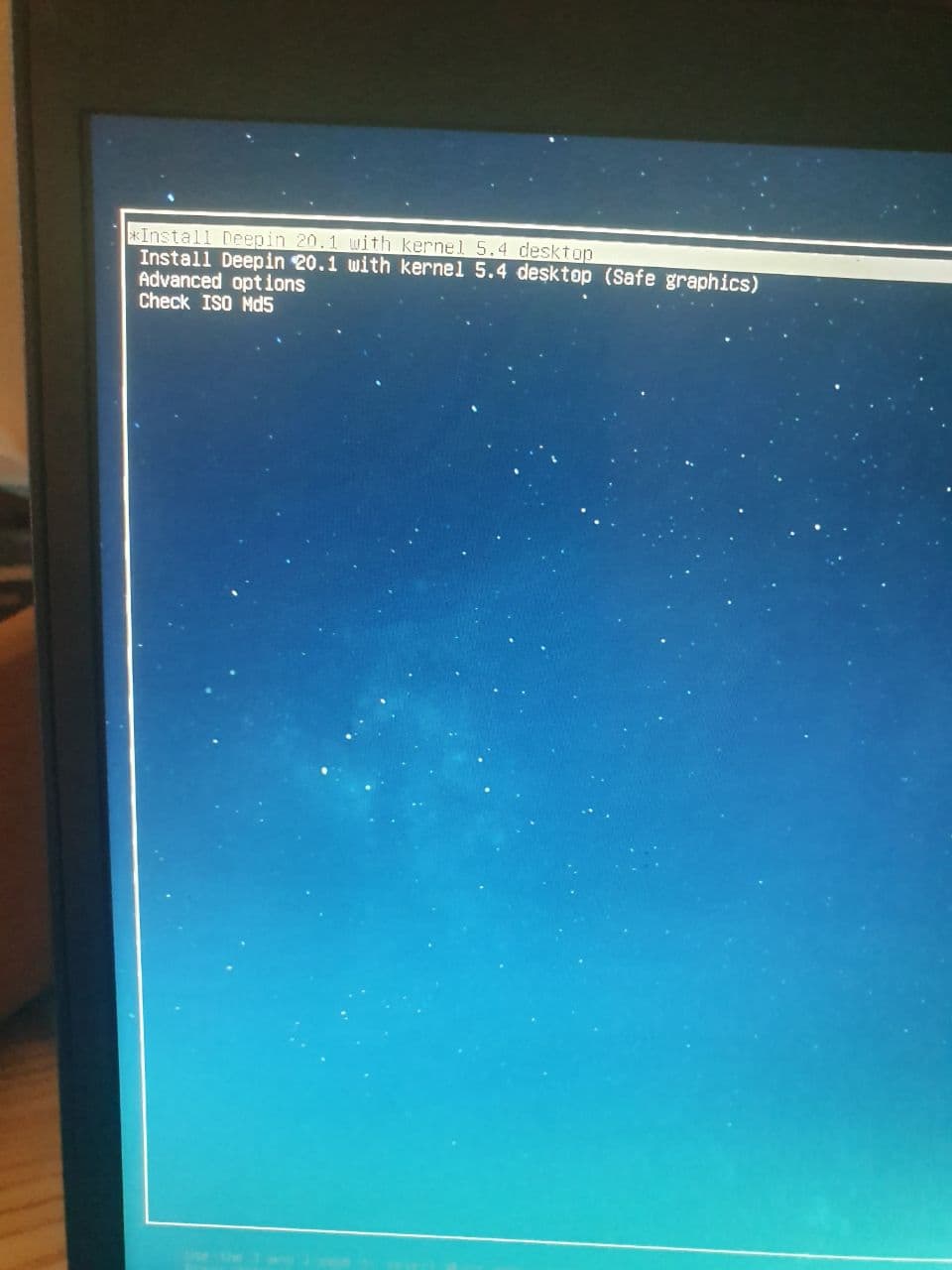
deepin 您好 我安装的就是20.1
但是安装的时候在满天星页面卡死
你选择高一点的内核试试看。
deepin deepin 你选择高一点的内核试试看。
我有在选择5.8的内核 一样的是卡死。
deepin 重新下载了官方镜像。重新制作依然卡死。。。
 deepin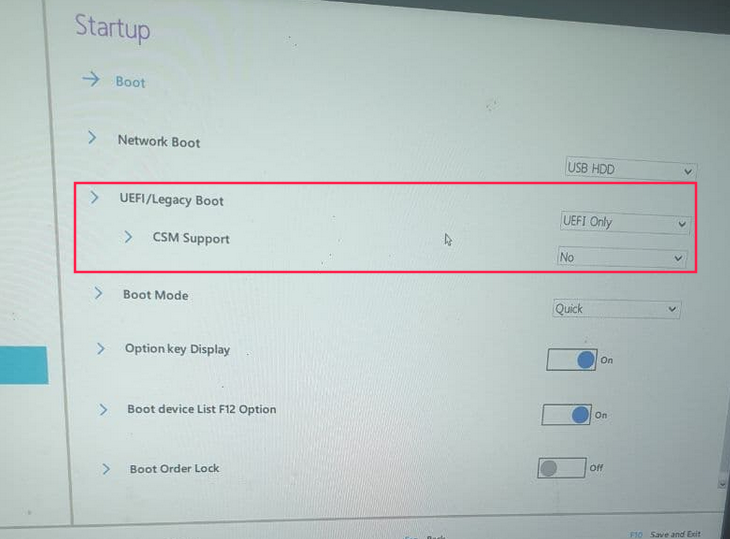
试试改成leagacy bios或者将CSM打开
deepin
BIOSS
Advanced→SATA Controller MODE 找一下有没有这在选项
里面打选项,调换试试
要不然就安装优麒麟 或者乌班图 或者Mint

 deepin
 推荐你一个魔性的方法
老版本V15.6的内核适应性最好
你可以 用15.6的内核引导起动V20
https://bbs.deepin.org/phone/post/167821
deepin
试试改成leagacy bios或者将CSM打开
试过了 依然不行。。

 deepin
 deepin 这个引导问题也不是一天两天了,一直都没修。如果在你的设备上无法启动安装程序,就算你用换引导器的方法成功安装了,装好以后还得再换引导,这么折腾还不如换一个发行版

 deepin
 单系统双系统?双系统关掉win10的快速启动,单系统 将 boot mode 的 quick 改掉看看。
如果还不行需要改一下启动参数,比如加上 nomodesetting
还有,你可以去试试用 ventoy 安装 deepin,deepin自带的usb制作启动盘,我也失败很多次,所以才换了用ventoy。
Popular Ranking
ChangePopular Events
More


 the Network section no longer appears
选择deepin 20原因: 小弟的deepin 15.4 命令 sudo apt-get update 没法使用(使用apt命令下载任何软件都无法下载404),总是报错没找到文件故而重新安装
小弟安装步骤
1.下载镜像以及深度制作工具
2.校验md5没有失败,使用8/16U盘制作,均有制作成功
3.开机F12进入bios,选择U盘启动,
4.进入安装页面选择第一项,然后卡满天星不动