中文
中文 
cwbs deepin
2021-03-14 17:02 deepin 把所有分区删除了,再安装
Reply Like 0 View the author
 deepin
 把所有分区删除了,再安装
 deepin
 先用分区软件分好区,再运行安装程序

 deepin
 把所有分区删除了,再安装
怎么删除
deepin 先用分区软件分好区,再运行安装程序
什么软件
deepin 怎么删除
你在安装界面找一下,可以删的。
deepin 怎么删除
你拍个照片吧,整个屏幕都拍到,我告诉你怎么删
deepin 你拍个照片吧,整个屏幕都拍到,我告诉你怎么删
我没找到 试了半天只能选择分区干什么用 不能调整分区
deepin 你拍个照片吧,整个屏幕都拍到,我告诉你怎么删
你是说下面那个引导器?
deepin 我没找到 试了半天只能选择分区干什么用 不能调整分区
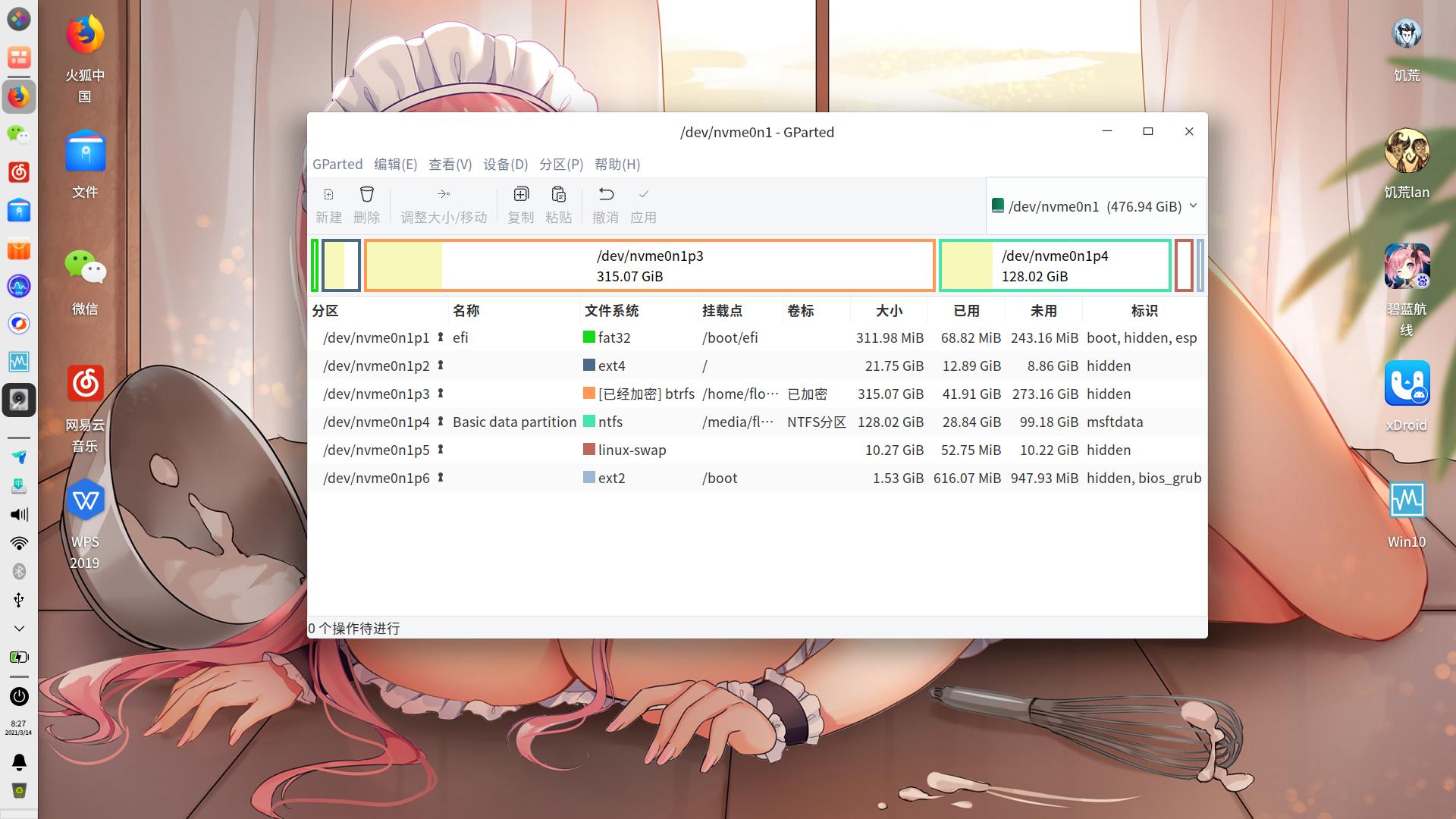
不建议调整分区,调整过的分区出现错误的几率较大,而且调整分区需要消耗大量时间。建议把分区内的数据取出,删除全部分区。
第一分区efi
第二分区/boot ext2 默认大小即可
第三分区 / ext4 30~60G(我的做了软连接,软件安在/home上所以只分了22G)
第四分区/home ext4/btrfs/xfs 200G以上
第五分区windows10
第六分区 swap 10G
deepin 你是说下面那个引导器?
安装时的分区界面,就是你帖子里的界面,你没拍完整
deepin 不建议调整分区,调整过的分区出现错误的几率较大,而且调整分区需要消耗大量时间。建议把分区内的数据取出,删除全部分区。
第一分区efi
第二分区/boot ext2 默认大小即可
第三分区 / ext4 30~60G(我的做了软连接,软件安在/home上所以只分了22G)
第四分区/home ext4/btrfs/xfs 200G以上
第五分区windows10
第六分区 swap 10G
怎么取出数据你有没有操作方法☺️
deepin 怎么取出数据你有没有操作方法☺️
找一个U盘(不能是启动盘),进入安装界面,按ALT + CTRL + F4,会弹出黑屏命令行界面,
输入sudo startx
按回车键
就进入系统了,复制文件到U盘即可
deepin 1对新手来说.最简单的就是全盘安装.
2有一定基础 可以手动安装.
3要清楚手动分区的目的是什么.以及如何达到目的.

 deepin
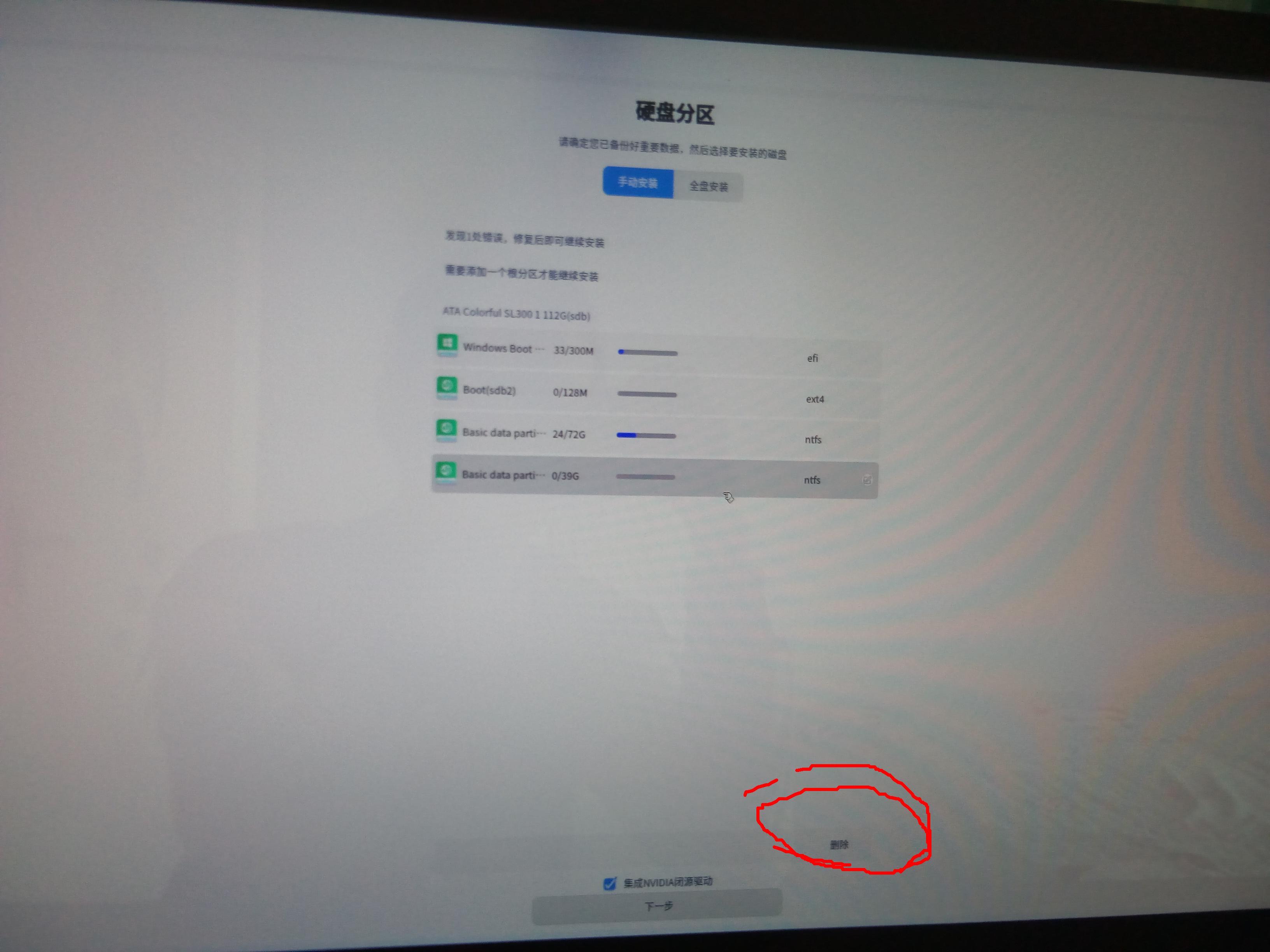
 右下角应该有删除按钮好歹把图拍全了
deepin
deepin
找到找到了 这也太隐蔽了 谢谢🙏
 deepin
 在DEEPIN的安装启动前的grub界面,按E键编辑,把live-install,好像是这个,删掉然后启动就可以进入deepin的live系统了,里面有分区工具,手动分区就好了

 deepin
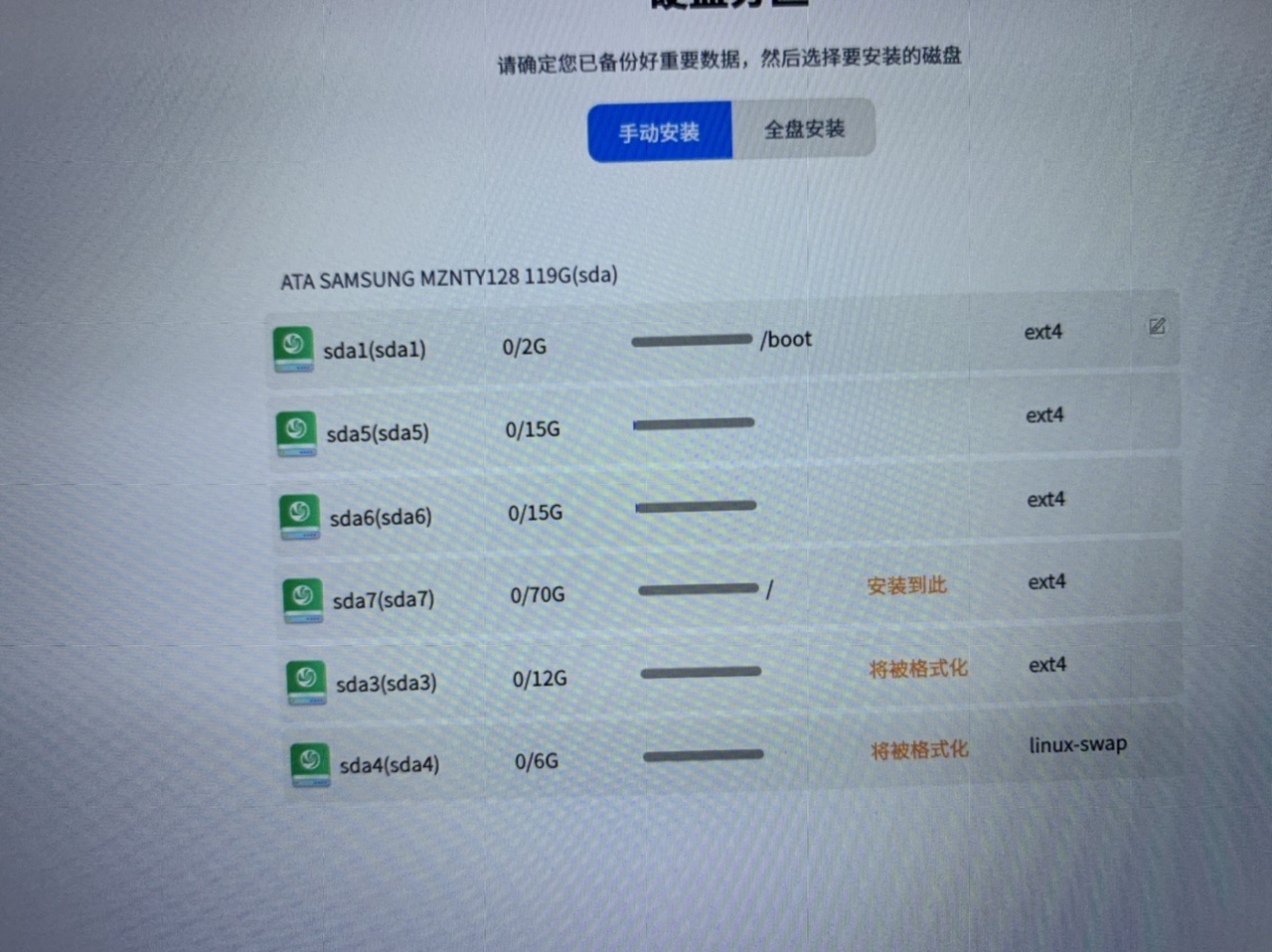
 怎么会有这么多分区呢???
是原先就有还是安装系统的时候自动出现的?
deepin 这个界面的删除操作非常之迷。。。操作方式有点蛋痛
deepin 我是 用U盘pe系统进去,把硬盘分为四个区。一个500mb挂载引导efi,一个200g挂载系统/。一个12g挂载交换分区swap ,剩下的就全部给资料盘。
Popular Ranking
ChangePopular Events
More


 the Network section no longer appears
我就想分这三个区 但是现在还有三个区怎么处理? 不能让我自己控制分区大小吗?