

 中文
中文 
乌堆小透明 deepin
2021-03-07 09:21 deepin Reply Like 0 View the author
 deepin deepin
 littleturtle@littleturtle-PC:~$ xrandr
Screen 0: minimum 320 x 200, current 1920 x 1080, maximum 16384 x 16384
eDP-1 connected primary 1920x1080+0+0 (normal left inverted right x axis y axis) 309mm x 173mm
1920x1080 60.01*+ 60.01 59.97 59.96 59.93
1680x1050 59.95 59.88
1600x1024 60.17
1400x1050 59.98
1600x900 59.99 59.94 59.95 59.82
1280x1024 60.02
1440x900 59.89
1400x900 59.96 59.88
1280x960 60.00
1440x810 60.00 59.97
1368x768 59.88 59.85
1360x768 59.80 59.96
1280x800 59.99 59.97 59.81 59.91
1152x864 60.00
1280x720 60.00 59.99 59.86 59.74
1024x768 60.04 60.00
960x720 60.00
928x696 60.05
896x672 60.01
1024x576 59.95 59.96 59.90 59.82
960x600 59.93 60.00
960x540 59.96 59.99 59.63 59.82
800x600 60.00 60.32 56.25
840x525 60.01 59.88
864x486 59.92 59.57
800x512 60.17
700x525 59.98
800x450 59.95 59.82
640x512 60.02
720x450 59.89
700x450 59.96 59.88
640x480 60.00 59.94
720x405 59.51 58.99
684x384 59.88 59.85
680x384 59.80 59.96
640x400 59.88 59.98
576x432 60.06
640x360 59.86 59.83 59.84 59.32
512x384 60.00
512x288 60.00 59.92
480x270 59.63 59.82
400x300 60.32 56.34
432x243 59.92 59.57
320x240 60.05
360x202 59.51 59.13
320x180 59.84 59.32
HDMI-1 disconnected (normal left inverted right x axis y axis)
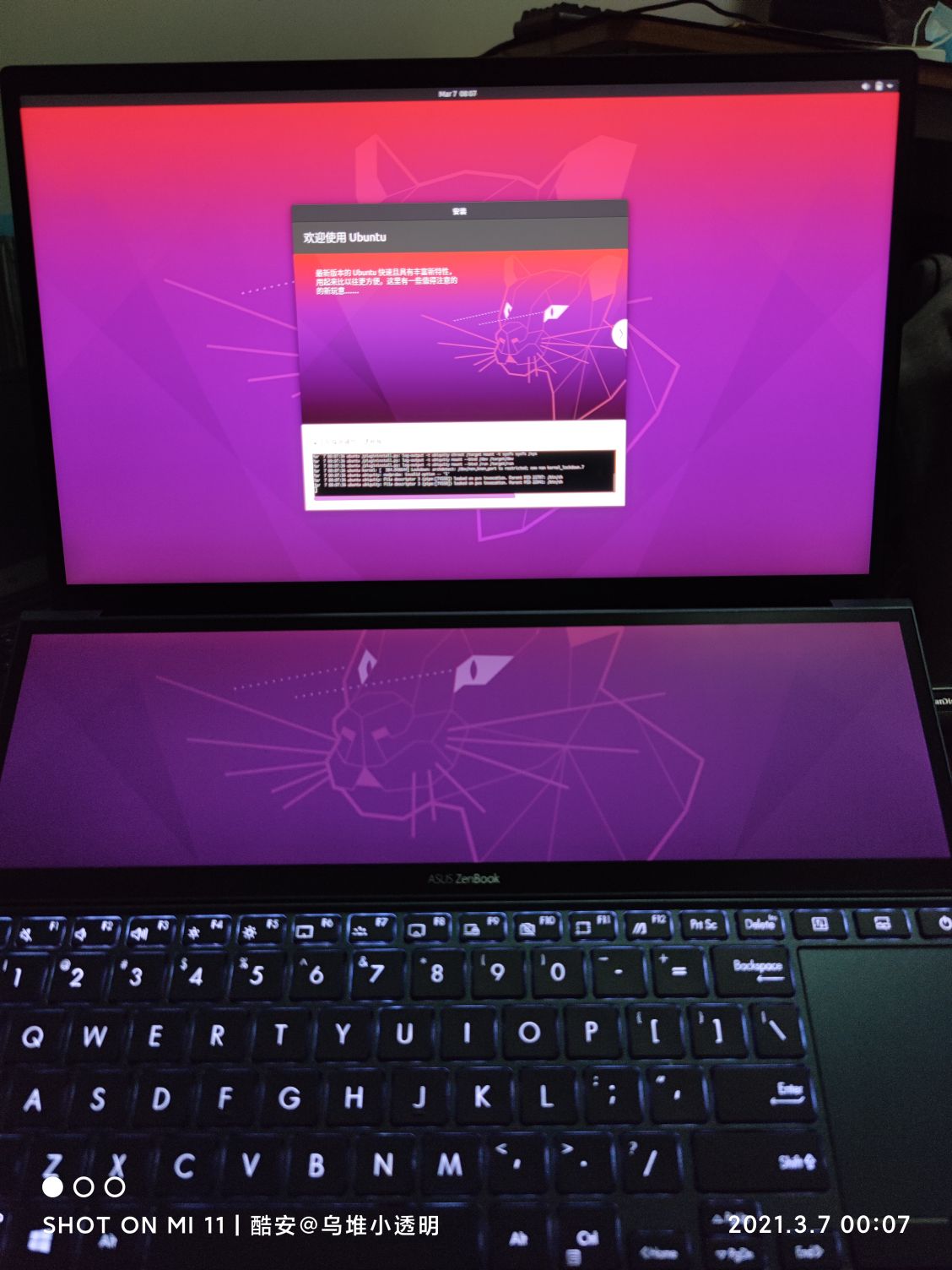

 deepin
 引导要用ubuntu估计是bios没关secure boot
 deepin
 原来这个还支持Linux

太厉害了
deepin 原来这个还支持Linux
太厉害了
是,当时我也惊呆了,Ubuntu还能完美支持触控笔
deepin 引导要用ubuntu估计是bios没关secure boot
关了的,就是不知道这本子为什么不行

 deepin
 双显卡有没有装闭源驱动?哪个内核?
deepin 双显卡有没有装闭源驱动?哪个内核?
装了闭源驱动,deepin在线更新的最新内核
deepin 装了闭源驱动,deepin在线更新的最新内核
用双显卡切换器换一下模式
deepin 用双显卡切换器换一下模式
试过了,还是不行。应该和显卡无关,估计是dde的问题。
因为Ubuntu安装程序的时候都是直接可以使用的。
Deepin安装程序的时候是黑屏的。
现在我在使用Ubuntu甚至NVIDIA显卡驱动都没安装,正常使用
 deepin
 我的灵耀x双屏安装Deepin,两个显示器显示正常,内置显卡型号,但是一个上午死机了两次,你的稳定性怎么样
deepin 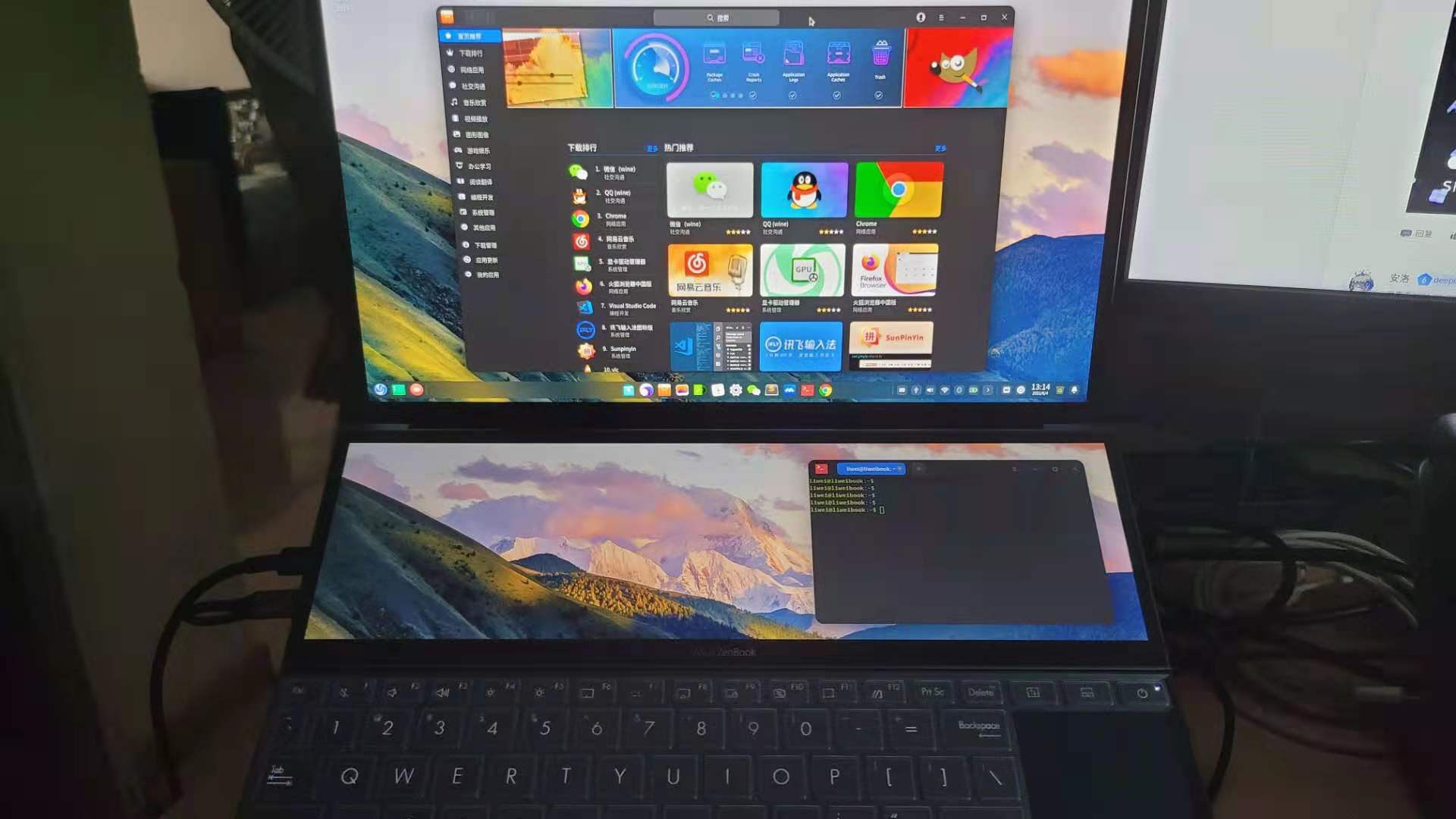
Popular Ranking
ChangePopular Events
More


 the Network section no longer appears
双屏,Ubuntu下可以正常使用。Deepin下黑屏但可以触摸。
并且引导需要使用Ubuntu的GRUB才能开机。