

 中文
中文 
Ziggy deepin
2021-02-25 02:59 deepin 设置那里关OpenGL试试
Reply Like 0 View the author
 deepin
 设置那里关OpenGL试试

 deepin
 设置那里关OpenGL试试
在哪里关?
deepin 在哪里关?
点头像那里有设置菜单
deepin 点头像那里有设置菜单
抱歉,我眼拙,没找到那个 OpenGL,只见到 WebGL,而且默认是关闭状态
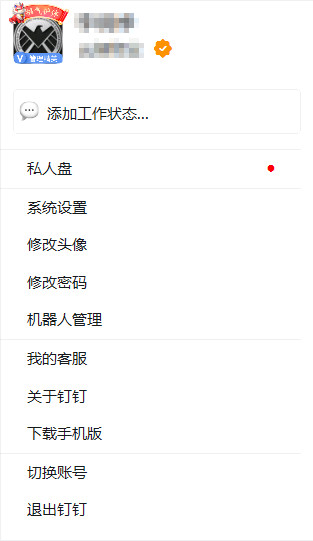

deepin 抱歉,我眼拙,没找到那个 OpenGL,只见到 WebGL,而且默认是关闭状态
那应该是bug了,新版本有几个也报告了这样的错误

 deepin
 6.x版本有gtk那个标题栏特别丑,聊天框操作栏也显示异常。而且最近老是自动升级,我尝试关闭自动更新,还是会升级,搞得每天到公司开机电脑第一件事就是删除.deepinwine里的钉钉目录,然后再打开才能回到原版
希望官方能重新打包一份新的吧
Popular Ranking
ChangePopular Events
More


 the Network section no longer appears
钉钉聊天对话框中的操作按键不能正常显示 软件版本最新版(6.0.3-release.22302)希望尽快完善
