

 中文
中文 
Xue_HuZhi deepin
2021-02-11 04:05 deepin 信息给足点, 你是什么设备 什么声卡 如果有Windows下的截图也可以
Reply Like 0 View the author
 deepin
 信息给足点, 你是什么设备 什么声卡 如果有Windows下的截图也可以

 deepin
 不是越新越好的,用deepin 20 1002版本
deepin
1002版本,这个单独对应用程序调节音量功能非常好用。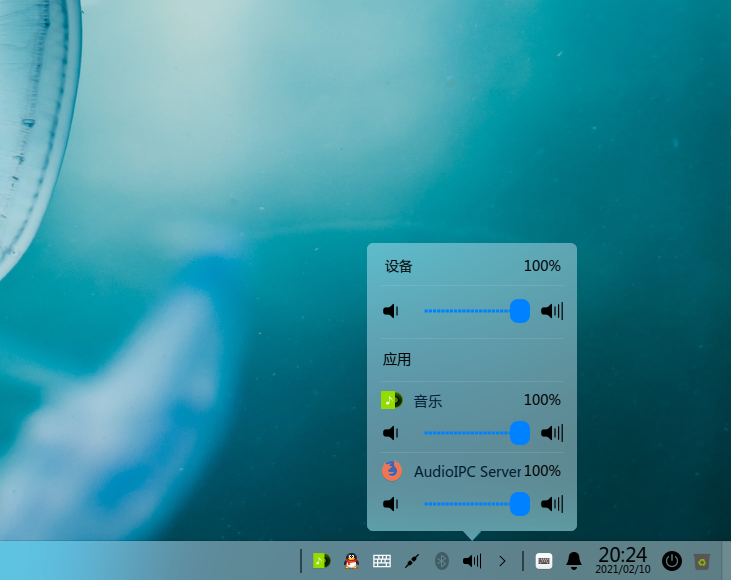
1002版本,有单独的声卡选择选项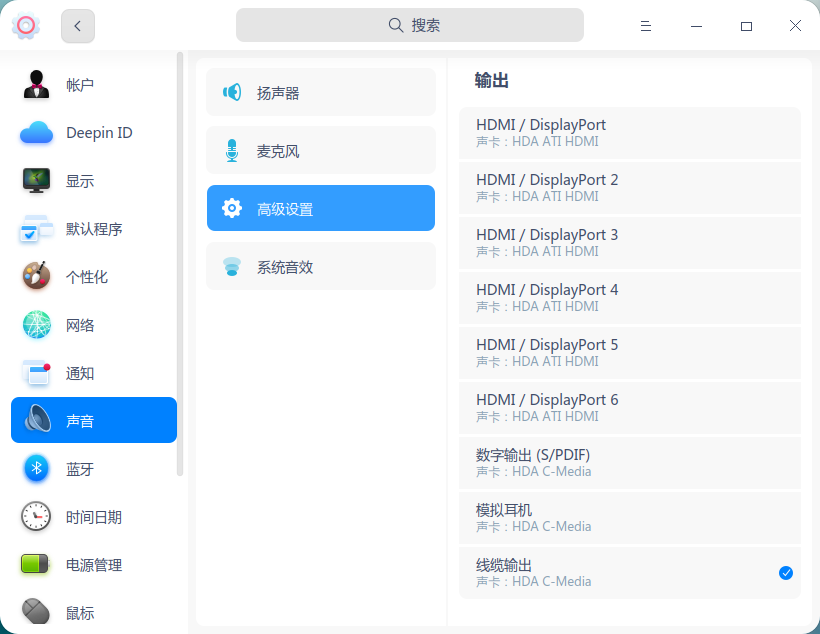

 deepin
 设备管理器能不能看到声卡设备?之前是否正常?
 deepin
 设备管理器能不能看到声卡设备?之前是否正常?
设备管理器里似乎看不到,声卡在Windows系统中一直正常
deepin 信息给足点, 你是什么设备 什么声卡 如果有Windows下的截图也可以
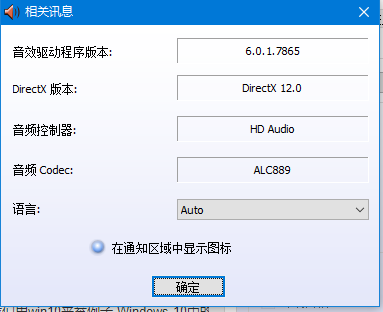 Windows下声卡一直是正常的,就是在Linux中不识别,也无法正常播放声音!
deepin 设备管理器里似乎看不到,声卡在Windows系统中一直正常
那就是内核不兼容,如果机器旧的可以考虑降级内核看看兼容不兼容,源内有5.3.3,4.19,5.4.50,5.4.70,5.7.7,5.8.14
 deepin
 那就是内核不兼容,如果机器旧的可以考虑降级内核看看兼容不兼容,源内有5.3.3,4.19,5.4.50,5.4.70,5.7.7,5.8.14
怎么换内核?
deepin 同遇到问题。
deepin 怎么换内核?
apt search +内核版本,搜出对应的软件包安装即可
deepin apt search +内核版本,搜出对应的软件包安装即可
统信系统有三个内核,4.19 5.4 5.7。第一个装不上,后面两个也没声音。
deepin 统信系统有三个内核,4.19 5.4 5.7。第一个装不上,后面两个也没声音。
设备管理器能不能看到声卡?任何一个内核
deepin 设备管理器能不能看到声卡?任何一个内核
能看到。
deepin 能看到。
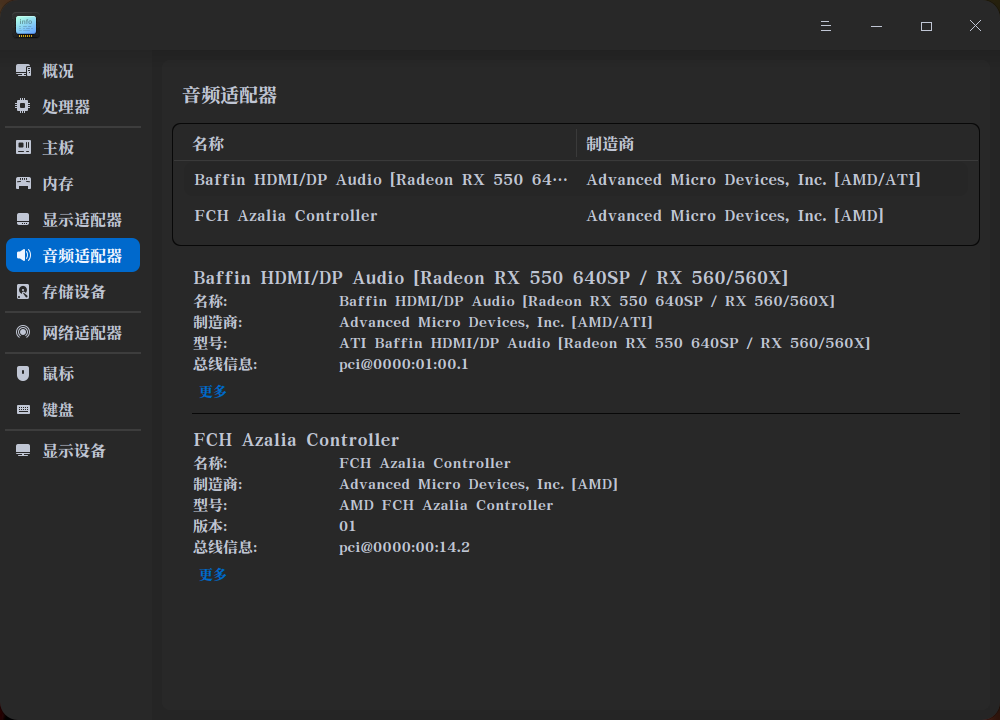
deepin 能看到。
那就用pulseaudio切换输出
 deepin
 那就用pulseaudio切换输出
这个切换外放 总是跳 插耳机 切换外放 比较顺畅 好奇怪 开机不插耳机总是默认S/pdif,uos个人版,声音自从升级,一直默认识别有问题
deepin apt search +内核版本,搜出对应的软件包安装即可
apt search 是什么?刚刚接触体验,还请告知!
deepin apt search 是什么?刚刚接触体验,还请告知!
search=[ZH]搜索
deepin search=[ZH]搜索
还是不懂得如何操作
从哪儿开始?
Popular Ranking
ChangePopular Events
More


 the Network section no longer appears
新手求教,我想知道这刚刚装完这个系统装完咋就没声音,连内核也更新到最新了,也还是于事无补,音乐与电影都可以播放,但就是没有声音,任何环境下都无声,不知道是什么原因!