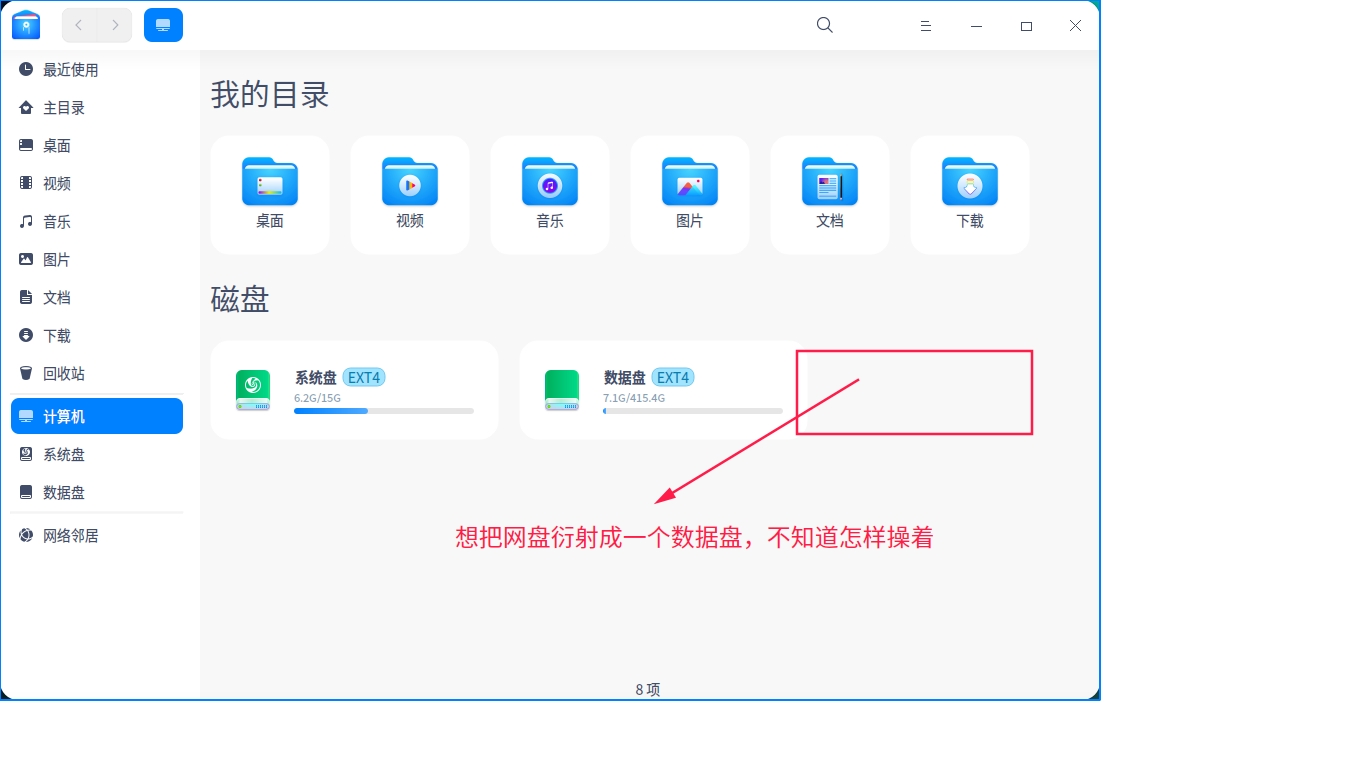
[Tutorials] 怎样将网盘映射成一个数据盘
Tofloor
poster avatar
yxp868
deepin
2021-02-06 19:01
Author

Reply Favorite View the author
All Replies
zjb
deepin
2021-02-06 20:24
#1

I used rclone to access my onedrive. Here were what I did:

Following the instruction on http://www.sussex.ac.uk/its/help/guide?id=246 to install rclone 

Automatically mounting onedrive on system startup

$ nano $HOME/.config/rclone/autostart.sh

Add the following lines to the autostart.sh file

#!/bin/bash

# you may want to change the path /media/$USER/Share/OneDrive  

if ! mountpoint -q /media/$USER/Share/OneDrive

then

    /usr/bin/mkdir -p /media/$USER/Share/OneDrive

    /usr/bin/rclone mount \

    --allow-non-empty \

    --config=$HOME/.config/rclone/rclone.conf \

    --daemon \

    --vfs-cache-mode writes \

    OneDrive:/ /media/$USER/Share/OneDrive

fi

$ chmod u+x $HOME/.config/rclone/autostart.sh

$ nano $HOME/.config/autostart/rclone.desktop

Add the following lines to the file

[Desktop Entry]

Type=Application

Exec=$HOME/.config/rclone/autostart.sh

Reply View the author
Ziggy
deepin
2021-02-06 20:24
#2
It has been deleted!
135******12
deepin
2021-02-06 21:34
#3

我一般是用收藏的方式解决,你加入收藏后会在左边栏里显示

Reply View the author
yxp868
deepin
2021-02-06 22:34
#4
135******12

我一般是用收藏的方式解决,你加入收藏后会在左边栏里显示

网盘是我机房里面的NAS文件服务器,设置有访问用户名与密码,不是百度网盘的那种。

Reply View the author
yxp868
deepin
2021-02-06 22:37
#5
zjb

I used rclone to access my onedrive. Here were what I did:

Following the instruction on http://www.sussex.ac.uk/its/help/guide?id=246 to install rclone 

Automatically mounting onedrive on system startup

$ nano $HOME/.config/rclone/autostart.sh

Add the following lines to the autostart.sh file

#!/bin/bash

# you may want to change the path /media/$USER/Share/OneDrive  

if ! mountpoint -q /media/$USER/Share/OneDrive

then

    /usr/bin/mkdir -p /media/$USER/Share/OneDrive

    /usr/bin/rclone mount \

    --allow-non-empty \

    --config=$HOME/.config/rclone/rclone.conf \

    --daemon \

    --vfs-cache-mode writes \

    OneDrive:/ /media/$USER/Share/OneDrive

fi

$ chmod u+x $HOME/.config/rclone/autostart.sh

$ nano $HOME/.config/autostart/rclone.desktop

Add the following lines to the file

[Desktop Entry]

Type=Application

Exec=$HOME/.config/rclone/autostart.sh

It's useful to me ,Thank you very much.

Reply View the author
135******12
deepin
2021-02-06 23:11
#6
yxp868

网盘是我机房里面的NAS文件服务器,设置有访问用户名与密码,不是百度网盘的那种。

nas一盘有nfs服务器,你可以mount到本地文件夹

Reply View the author
zjb
deepin
2021-02-07 08:02
#7
yxp868

网盘是我机房里面的NAS文件服务器,设置有访问用户名与密码,不是百度网盘的那种。

Reply View the author