中文
中文 
捕风 deepin
2021-01-27 16:24 deepin Reply Like 0 View the author
deepin deepin 
 deepin
 You can try switching to square view and paste files, then switch back when you're done.
deepin You can try switching to square view and paste files, then switch back when you're done.
Yes, i know about switching view, but the trick about 'list' view.

 deepin
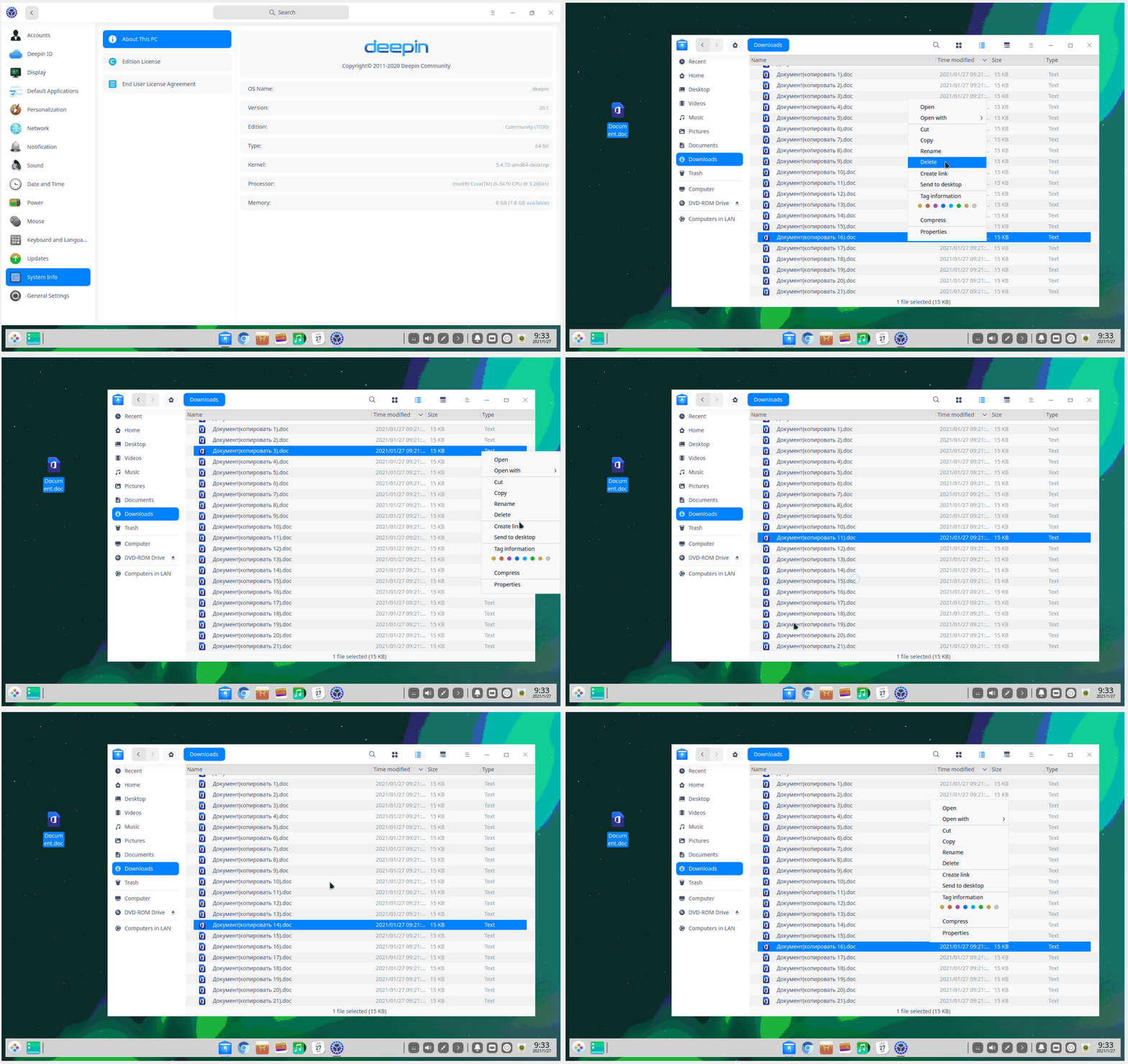
 This is clearly a flaw for the 'list' view, hope they would fix this in future

 deepin
 You can try press “Menu” key to show right mouse button menu.
If you want to paste any files in 'list' view, you will press "F5" key to fress so that don't choose any things in 'list' view, and press "Menu" to show right mouse button to paste the files.

 deepin
 Excetly a bug,it might be fixed in next days
deepin You can try press “Menu” key to show right mouse button menu.
If you want to paste any files in 'list' view, you will press "F5" key to fress so that don't choose any things in 'list' view, and press "Menu" to show right mouse button to paste the files.
It looks like crutch but it works.
deepin Excetly a bug,it might be fixed in next days
Maybe i need to post same info anywhere else about this bug to solve the problem?
deepin Maybe i need to post same info anywhere else about this bug to solve the problem?
Nope,this is a product design issue actually.
Popular Ranking
ChangePopular Events
More


 Deepin IDE?
Hi! Is there any tricks (except Ctrl+v) to paste any file into folder when there are many files in 'list' view?