中文
中文 
gd0668 deepin
2021-01-22 19:05 deepin 手动更新 而且内核不止一种
Reply Like 0 View the author
 deepin
 手动更新 而且内核不止一种

 deepin
 手动升级
执行命令:sudo apt update && sudo apt install linux-image-5.8.14-amd64-desktop linux-headers-5.8.14-amd64-desktop,重启系统即可

 deepin
 5.4 能用就不要换大版本了,后续会自动更新 bugfix 的。不要用 deepin 提供的已经 EOL 的内核,那些内核没有在维护,不会自动更新,更新系统的时候容易翻车。
 deepin
 5.8.14要手动安装

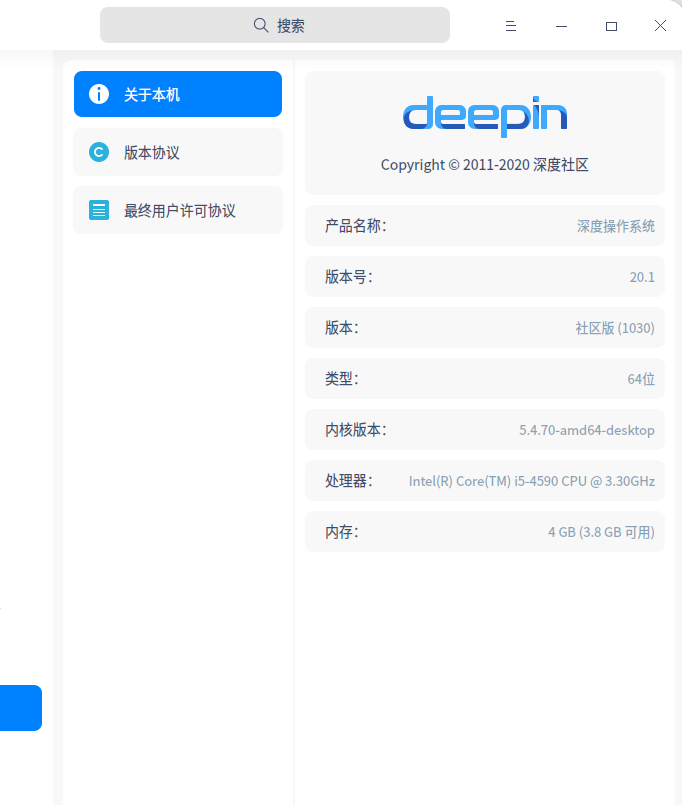
本次升级后,版本:社区版(1010)--->社区版(1030),正常吗?
 deepin
 本次升级后,版本:社区版(1010)--->社区版(1030),正常吗?
我这里也是

 deepin
 本次升级后,版本:社区版(1010)--->社区版(1030),正常吗?
我这里也是,我还用 @deepin-mq 说的方式升级了下内核,结果进入桌面的时候黑屏,无奈没时间折腾又切换回5.4.7内核引导了.
deepin 手动升级
执行命令:sudo apt update && sudo apt install linux-image-5.8.14-amd64-desktop linux-headers-5.8.14-amd64-desktop,重启系统即可
谢谢,我试试,是不是这样:
进入终端
直接输入上面那句话
然后enter即可!
deepin 5.4 能用就不要换大版本了,后续会自动更新 bugfix 的。不要用 deepin 提供的已经 EOL 的内核,那些内核没有在维护,不会自动更新,更新系统的时候容易翻车。
如果是这样,我就不升级了。
@deepin-mq
不知道是否如何?
deepin 我这里也是,我还用 @deepin-mq 说的方式升级了下内核,结果进入桌面的时候黑屏,无奈没时间折腾又切换回5.4.7内核引导了.
那好吧,我不试了。
 deepin
 我这里也是
同样的版本,升级不了
Popular Ranking
ChangePopular Events
More


 Deepin IDE?
上次社区版本升级到20.1版本,说是自行升级内核,但是自己不会。这次可等到系统提示有升级内核,本想着这次可以傻瓜式升级了,结果内核却没有变动。